
Table of Contents
Snapbar vs Pictor looks like a software comparison, and it isn't one. Pictor licenses photo booth software by the month to whoever owns the booth. Snapbar delivers the activation itself, priced per experience, with the platform, the displays, the delivery and the guest data path inside that price.
Both names land on the same shortlist because Pictor's corporate pages court in-house teams. If you run activations monthly, you've seen $99 a month on a pricing page and wondered why anyone pays four figures for a single event. That gap is the comparison, and it closes once you price the event instead of the tool. Our guide to comparing photo booth software covers the six questions underneath it.
Key takeaways
- Pictor is booth software on a monthly licence: Basic $49, Pro $99, Premium $149, Enterprise custom, with AI bought as tokens on top (pictor.pro, checked September 2026).
- Snapbar is priced per experience. Photo-based experiences start at $1,995, which includes full platform access and the core features needed to run a successful event, from custom lead capture to unlimited displays.
- Pictor's subscription covers the software. Its own brand activations page assigns the hardware, printers, spares and on-site staffing to the operator.
- Snapbar deploys however you want: a kiosk, an iPad on a stand, a laptop, guests' phones by QR code, or all of the above at once, with no charge for devices or concurrency.
- On lead data, Pictor publishes self-serve webhooks to any CRM on every tier from $49 a month. Snapbar's real-time delivery is pilot-gated per account and configured with our team.
Who is each one built for?
Pictor is built for photo booth operators first. Its brand activations page says so: operators are "Pictor's core customers," and they "own the hardware, the printers, the spares, and the on-site staffing; you get the creative and the data." Clean division of labour, and it works, as long as somebody in the room is the operator.
The second audience is newer. Pictor's corporate events page pitches companies that used to hire a booth company per event, calls Pictor "the software those companies run," and aims at teams "running events monthly, or across several offices." Its brand activations page adds brands with permanent in-store experiences and the agencies serving them, and Pictor sells into venues, dealerships and weddings besides.
Snapbar is built for the corporate event marketer buying an activation for a trade show, a conference or a brand moment. You aren't licensing a tool to operate. You're buying the experience, the displays behind it and the lead data that comes out, with immediate control over branding and design while our team provides expertise and guidance on the harder parts, the AI prompts and the data flow.
Photo booth software and a delivered photo booth activation are different purchases. Nearly every disagreement further down this page traces back to that line.
Snapbar vs Pictor side by side
Every Pictor cell below comes from their own published pages, checked in September 2026. Where a page doesn't state something, the cell says so.
| Row | Pictor (pictor.pro, checked September 2026) | Snapbar (platform pricing, checked September 2026) |
|---|---|---|
| Pricing model | Monthly software subscription per plan tier, billed monthly or annually, annual saving stated at 17%. Free build-and-test tier, "Paid plan required for live events" | Priced per experience, not per device and not per month |
| Published prices | Basic $49/month, Pro $99/month, Premium $149/month, Enterprise custom | Digital Photo Booth $1,995, AI Photo Booth $2,495, Event Headshots $3,495, AI Video $4,995 |
| What the price covers | The software licence. Per its brand activations page, the operator supplies "the hardware, the printers, the spares, and the on-site staffing" | Full platform access: 1,000 platform credits, 30 days live runtime, unlimited platform admins, custom experience branding, real-time analytics, live moderation, flexible lead capture, branded email delivery, sharing galleries, live galleries, dynamic slideshows, interactive leaderboards |
| AI pricing | A separate token system on top of the subscription. Tokens are bought in bundles priced from $20 up to $1,400 and "never expire." Per its AI pricing page, Basic is "AI Presets & Library only," the custom prompt editor, digital props and background removal start at Pro, and AI video starts at Premium | Included in the experience price for the guest counts each experience covers; larger guest counts are quoted as one total |
| Devices and licensing | Native iOS and Android booth apps, DSLR support, browser Virtual Booth on Mac and PC. Licensed per plan tier per licence | The same browser-based experience on a kiosk, an iPad on a stand, a laptop, or guests' phones by QR code, or all at once. Simultaneous use unlimited, no charge for devices or concurrency |
| Browser experience | Virtual Booth runs in Safari, Chrome, Edge and Firefox with no app download. Its virtual photo booth page states "A paid Premium plan is required to run live Virtual Booth events." Stills and video only, device cameras only, internet required | Browser delivery is the default at every price point, not a tier. Internet required, same as theirs |
| Who runs it | The operator or the in-house team. Support tiers run from community and email up to dedicated phone support | Your team controls branding and design in the platform; our team provides expertise and guidance on AI prompts and data flow |
| Lead capture | "Capture guest info and feedback at the booth: names, emails, opt-ins, and custom questions" | A data capture step in every experience, with flexible fields. Consent-gated by default: non-consented personal details are dropped before fanout while the content still processes |
| Where lead data goes | CSV export plus webhooks "to Zapier, your CRM, or any API automatically," on every tier, self-serve | Real-time delivery into HubSpot, Slack, customer-supplied signed webhooks and Zapier, plus a /v1 partner API with signed delivery, retries and replay, pilot-gated per account and configured with our team, with no self-serve setup. Bulk content exports with structured file naming alongside |
| Live displays | Slideshow on venue screens: "Display captures in real-time on venue screens, a live feed your clients love." No gallery, leaderboard or mosaic named on the pages checked | Live gallery, dynamic slideshow and interactive leaderboard with guest upvoting and scan-to-vote, included with every activation, unlimited instances of those types. Live Mosaic is the one add-on display. Sponsor QR codes in gallery and slideshow |
| Delivery | SMS, email, gallery link, QR and AirDrop, plus printing through a free Mac and PC print app with DNP printers, in the subscription | Delivered by email or text message, with branded delivery emails. SMS delivery is a $195 add-on plus per-guest usage |
| Branding and white label | "Remove all Pictor branding for a fully custom client experience." On the tier grid this sits under Enterprise; the corporate events page prices Enterprise "from $1,500/yr plus custom terms" | Subtle Snapbar branding appears by default on guest-facing surfaces: microsite footer, displays, delivery emails and the sharing page. The Whitelabeling add-on ($1,495) removes it |
| Analytics and export | "Track sessions, output, shares, and views. Export the sharing data as a CSV for your client recap," on all tiers | Real-time shareable analytics and live moderation in the admin dashboard, included with every experience |
| Charging guests at the booth | Paywall with Stripe and Square. Platform fee falls by tier, 10% on Pro, 5% on Premium, 2% on Enterprise | Snapbar activations are paid for by the brand running them rather than by guests at the booth. A guest paywall is revenue infrastructure for a business selling sessions or prints |
| Languages | Not stated publicly on the pages checked | Built-in language translations for every experience; Translations add-on $695 |
| Contracts and minimums | Not stated publicly as a contract term. Free build-and-test tier, annual billing at a stated 17% saving, Enterprise by sales contact | Credits never expire and are allocated at team-account level. 30 days live runtime included; a 1-year runtime add-on is $1,495 |
Their column is a licence plus a list of things the operator brings. Ours is an event with the pieces already attached. That is Snapbar vs Pictor in one line.
What does each one actually cost?
The table above has the published prices. What it doesn't show is a real event, so here's one: 500 guests, one day, AI portraits.
| What that event needs, on Pictor's model | Who supplies it | Published cost (pictor.pro, September 2026) |
|---|---|---|
| Pro subscription | Pictor | $99 for the month |
| AI tokens for roughly 500 guests | Pictor | $120 for a 1,000-token bundle at their high-compute rate of 2 tokens per AI image. At their low-compute preset rate of 1 token, the same 500 guests need 500 tokens, and their published bundles put that at $75 |
| Booth hardware | The operator, per Pictor's brand activations page | Not published |
| Printer and print media (the print app itself is free, DNP printers named) | The operator, per Pictor's brand activations page | Not published |
| Spares | The operator, per Pictor's brand activations page | Not published |
| On-site staffing | The operator, per Pictor's brand activations page | Not published |
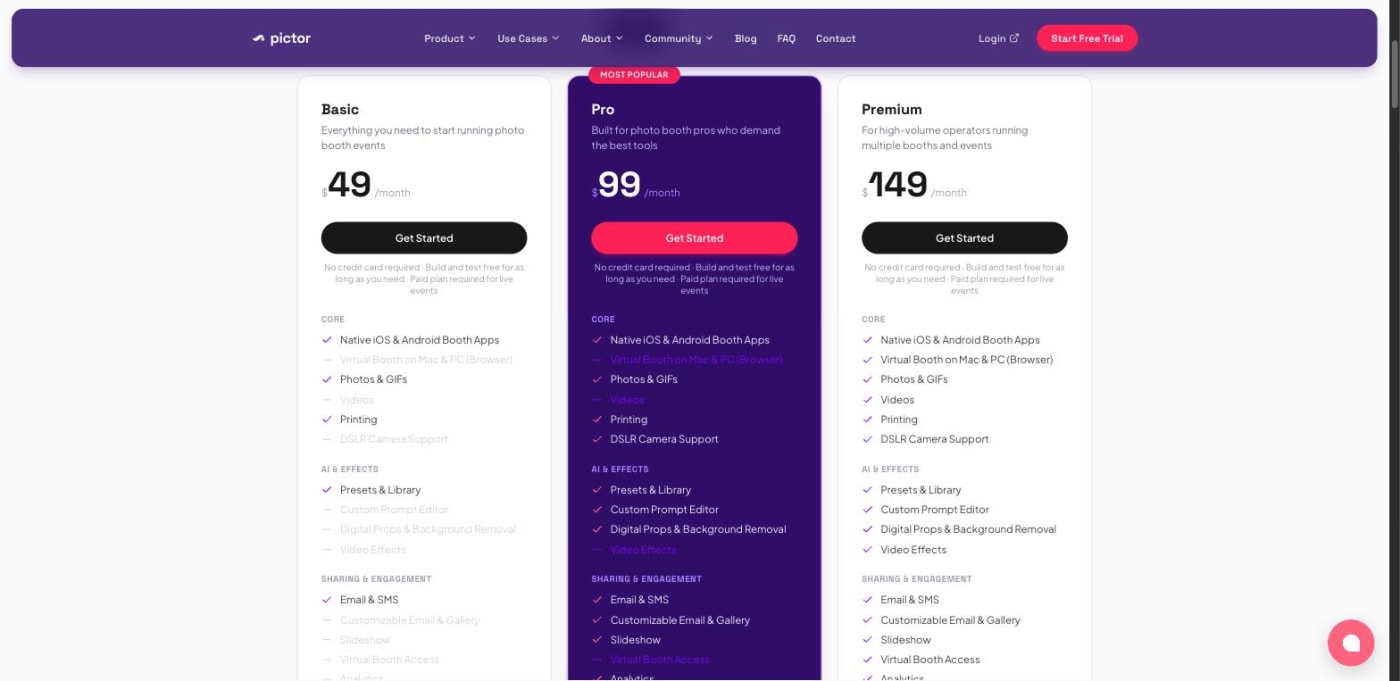
The software and AI come to between about $174 and $219 on Pictor's published rates, depending which AI preset you run. The like-for-like Snapbar figure for that 500-guest AI event is approximately $3,200 for an AI Photo Booth. Without the AI layer, a Digital Photo Booth covers the same 500 guests at $1,995.
Their figure leaves out the hardware, the printers, the spares and the on-site staffing that their own brand activations page assigns to the operator, and no price is published for any of the four. Our figure includes full platform access, 30 days of live runtime, unlimited admins, custom experience branding, real-time analytics, live moderation, flexible lead capture, branded email delivery, sharing galleries, live galleries, dynamic slideshows and interactive leaderboards.
If your company already owns booths and has people to staff them, Pictor's cost for that event really is a couple of hundred dollars, and nothing here changes that. If you're starting from an empty stand with nobody assigned to run it, the two numbers are answering different questions.
Do you pay per device, or per activation?
Per licence tier on their side. Per experience on ours.
Pictor's pricing page and its own comparison tables describe scaling as per-licence plan tier, so a second booth is a second licence decision. That's the normal shape for booth software, and easy to reason about if you run two vans.
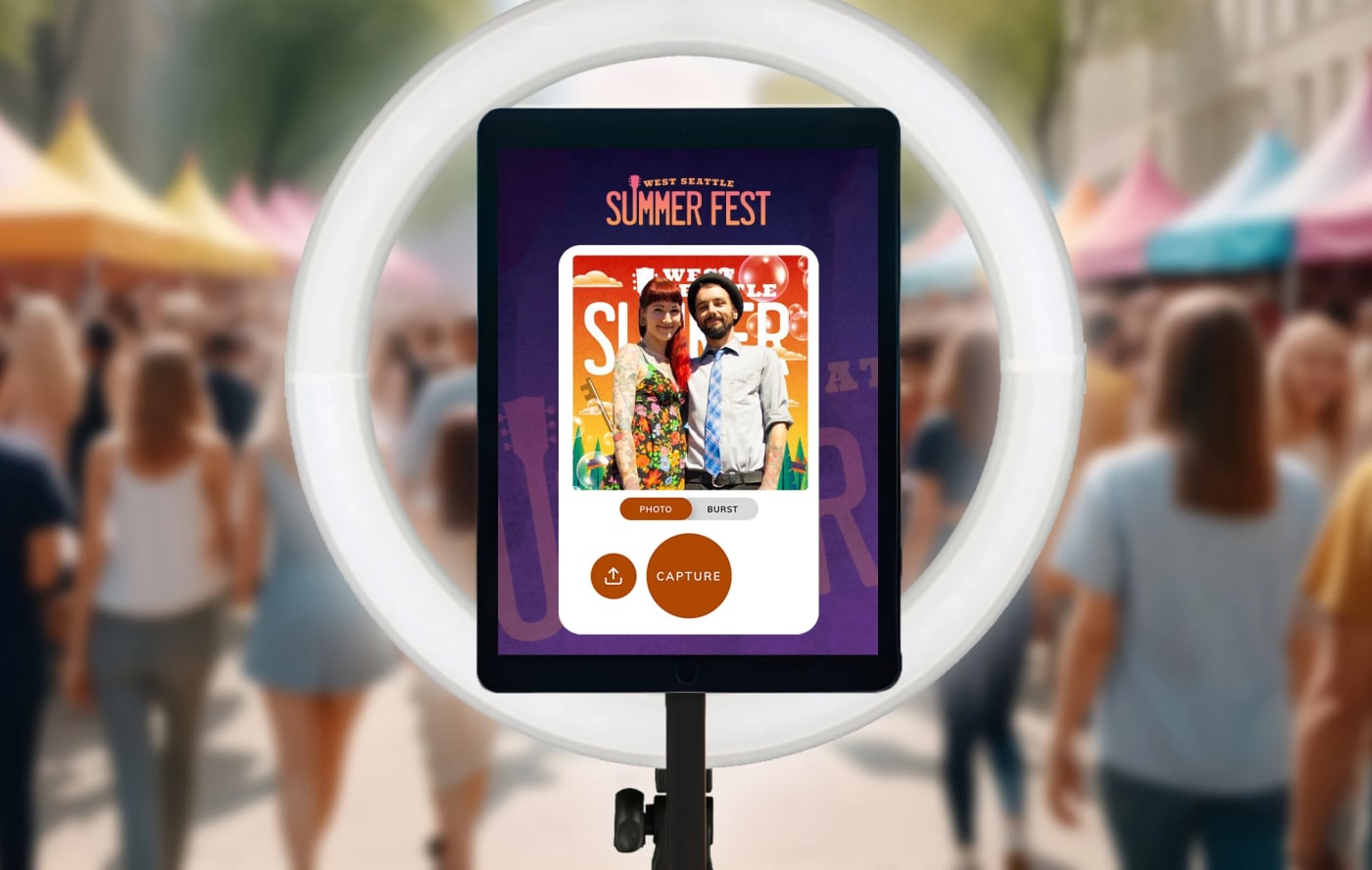
Snapbar prices the experience, so the device count is yours. The same browser-based experience runs on a high-end kiosk in the main hall, a DIY iPad setup at the sponsor table, a laptop at registration, or every guest's phone by QR code, or all of the above at once. Simultaneous use is unlimited, and nothing in the price moves when you add capture points. Add them: another capture point is the cheapest queue fix there is.
Bring the hardware you already have, rent it locally, or hand out a QR code; the branding, displays, data path and price stay the same. Snapbar vs Simple Booth runs the same licensing question against an owned iPad booth, and Snapbar vs Activation King runs it against a two-device licence.
What does the crowd see?
Pictor states one display type: a live feed on venue screens, "Display captures in real-time on venue screens, a live feed your clients love." No gallery wall, leaderboard or mosaic is named on the pages we checked.
Snapbar includes three with every activation: a live gallery, a dynamic slideshow, and an interactive leaderboard with guest upvoting plus a scannable code so passers-by can vote from their phone. Run as many instances of those as you want at no extra cost: twelve screens across the booth, the lounge and the main stage cost the same as one. Sponsor QR codes sit in the gallery and slideshow displays. Live Mosaic is the one add-on display; guests contribute by scanning a code and uploading from their phone.
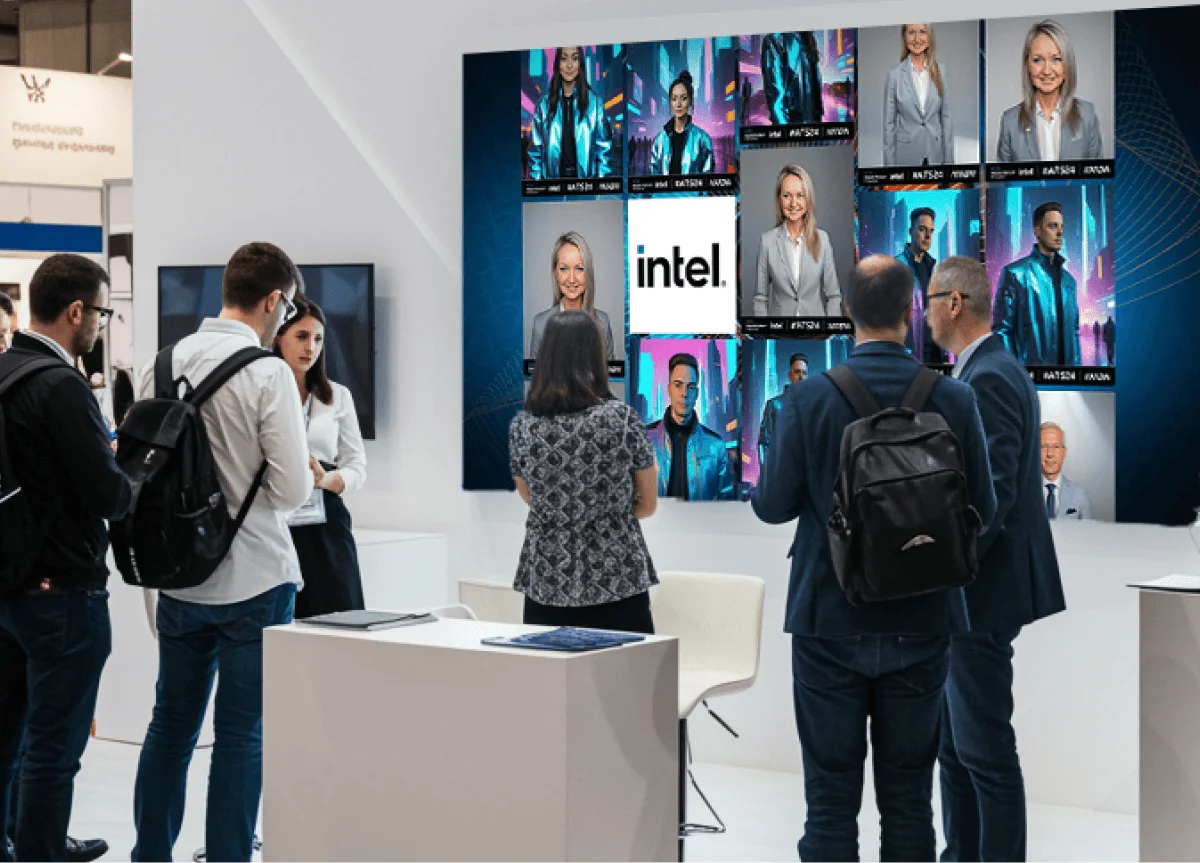
Displays are where activation budgets quietly get metered. We take the layer apart in live event displays compared.
Where does the lead data go?
This is the row where Pictor's published story is more open than ours, and it's better said first.
Pictor captures names, emails, opt-ins and custom questions at the booth, per its features page. Its corporate events page says results "can be exported as CSV or pushed in real time by webhook to any CRM, marketing platform, or internal tool that accepts webhooks." That's on every tier, self-serve, from $49 a month. If a self-serve webhook at a low monthly price is your requirement, Pictor publishes one today.
Snapbar delivers lead data in real time into HubSpot, Slack, customer-supplied signed webhooks and Zapier, plus a /v1 partner API with signed delivery, automatic retries and replay, and that delivery is pilot-gated per account and configured with our team rather than switched on by you. Bulk content exports with structured file naming sit alongside it.
One thing we'd weight heavily either way: consent. When a guest declines on our platform, non-consented personal details are dropped before anything fans out to a connected system, while their content still processes and still arrives. Consent-gated by default, which is the question a privacy reviewer opens with. Where your event lead data actually goes covers ownership, consent and retention; lead capture covers the capture step.
What does the price include?
Here's the $1,995 unpacked, from the live pricing page: 1,000 platform credits, 30 days of live runtime, unlimited platform admins, an admin dashboard with custom experience branding, real-time shareable analytics, live content moderation and lead data, flexible lead capture, branded email delivery, individual sharing galleries, live content galleries, dynamic slideshows and interactive leaderboards. Add a second experience and the page states 10% off experiences and add-ons.
A $99 Pro licence buys the software that runs the booth, across every event inside that month, a different unit and a good one at volume. Where it stops is set by Pictor's own page: the booth, the printer, the spares and the person operating it sit with the operator. Some companies have all four in a storage room. Most in-house marketing teams have none, and sourcing each separately is the actual project.
Both numbers are honest. They're priced at different points in the supply chain.
See it in action
One price, the whole activation
The Digital Photo Booth starts at $1,995 and includes full platform access and the core features needed to run a successful event, from custom lead capture to unlimited displays.
Explore the Digital Photo BoothWhat does Pictor do better?
Several things, and in a couple of rows it isn't close.
- Native apps with DSLR support. iOS and Android parity is rare here, and DSLR capture is a real quality difference.
- On-site printing. A free Mac and PC print app with DNP printers, in the subscription. If guests need a print in hand, that's Pictor's row.
- Charging guests at the booth. A paywall with Stripe and Square, and a platform fee dropping from 10% on Pro to 2% on Enterprise. For a business selling sessions or prints, that's revenue infrastructure.
- AI costs visible before you run them. Their AI pricing page states what an action costs in-app before it runs, which makes budgeting precise.
- A low starting price. A free build-and-test tier with no card required, then $49 a month, and a much lower cost per event for anyone who already owns the gear and the people.
For a rental or mobile booth business, or a venue running the same booth week after week, Pictor's model is the better fit today.
Choose Pictor if, choose Snapbar if
Choose Pictor if you own or hire the booth hardware and have someone to run it, you'd rather hold a monthly licence than a per-event price, you need on-site printing or DSLR capture, you want to charge guests at the booth, or you run enough events that a subscription unit beats a per-event one.
Choose Snapbar if you want the activation delivered rather than the software licensed, you're deploying across more than one device or screen, or all of them at once, you need more than a slideshow behind the experience, you want the guest data path designed with you, or you want one published per-experience price to put in a budget line.
If you're not sure which side you're on, ask us; the answer usually falls out of one question about who's running the thing on the day.
Other head-to-heads in this family: Snapbar vs Snappic, Snapbar vs Movebooth, Snapbar vs Dreamwave, and the best AI photo booth software roundup. On the same operator-software axis, see Snapbar vs Activation King and Snapbar vs AI PhotoBooth; for the quote-only end of the category, Snapbar vs PONS.
Want an activation priced for your guest count?
Tell us the event and the headcount, and we'll price the whole thing in one number.
Get a QuoteOr explore: Digital Photo Booth | AI Photo Booth
Sources: Pictor facts were checked against pictor.pro in September 2026, across the homepage, pricing, AI pricing, features, integrations, virtual photo booth, corporate events and brand activations pages; where a page did not state something, we say so. Snapbar figures come from the live platform pricing page, checked September 2026; totals for a guest count are approximate, computed from published experience prices and included usage.