






A live slideshow is a display that shows photos and videos from your activation on any screen, the moment guests create them. It runs on venue TVs, a laptop, a tablet, or embedded on your own site, and refreshes in real time as new content lands. You control the branding, the layout, which photos appear, and where sponsor tiles fall.
Live Slideshow for Events
Every photo your activation makes, on every screen in the room, the second it happens. Guests watch their own content appear, and others can't help but contribute their own.

Trusted by event teams at
What is a live slideshow?
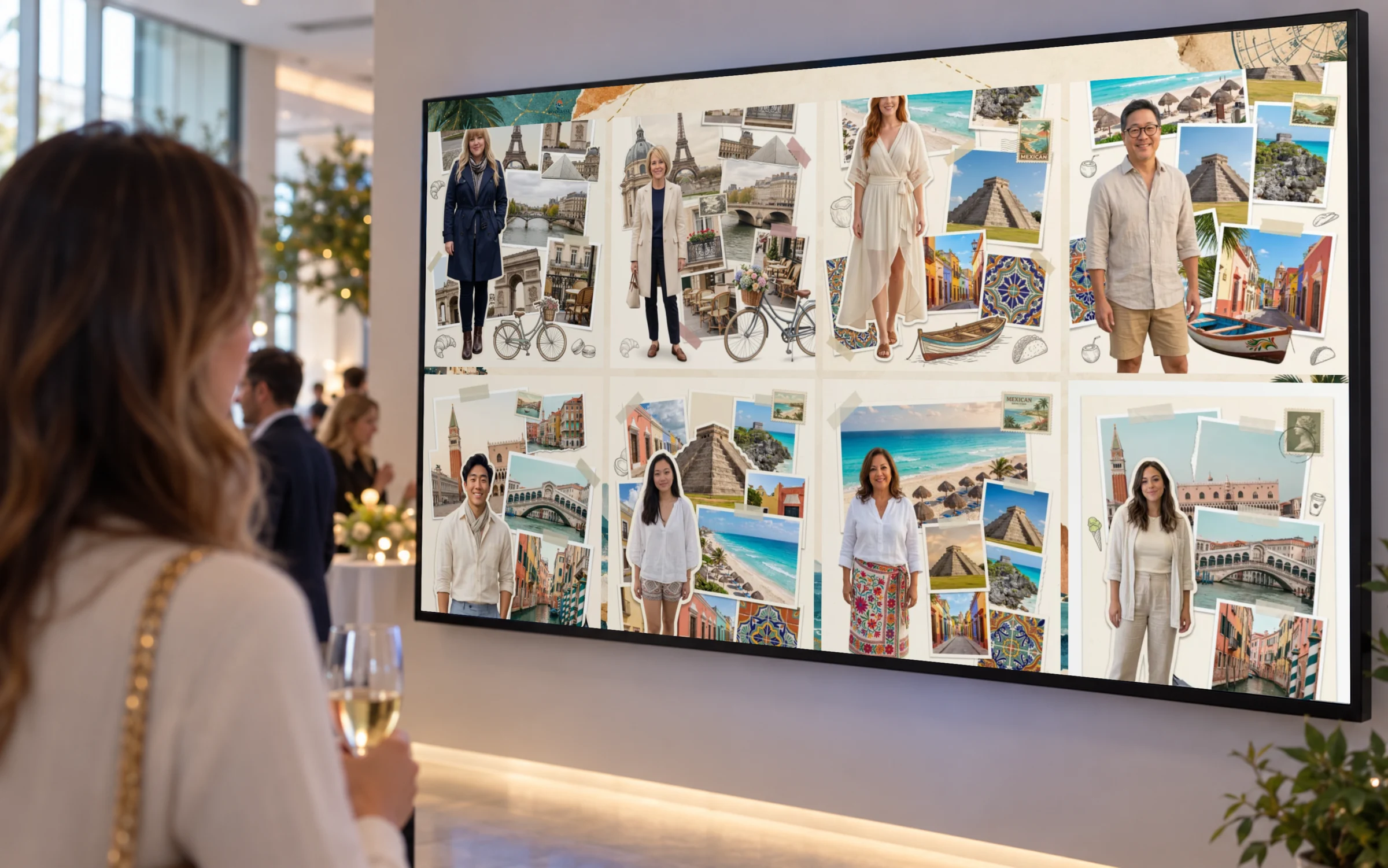
A display that does more than fill a screen
Content appears as it is captured
New photos and videos land on the wall in real time. Choose whether they load at the top for a newest-first wall, or at the bottom so existing photos never move.
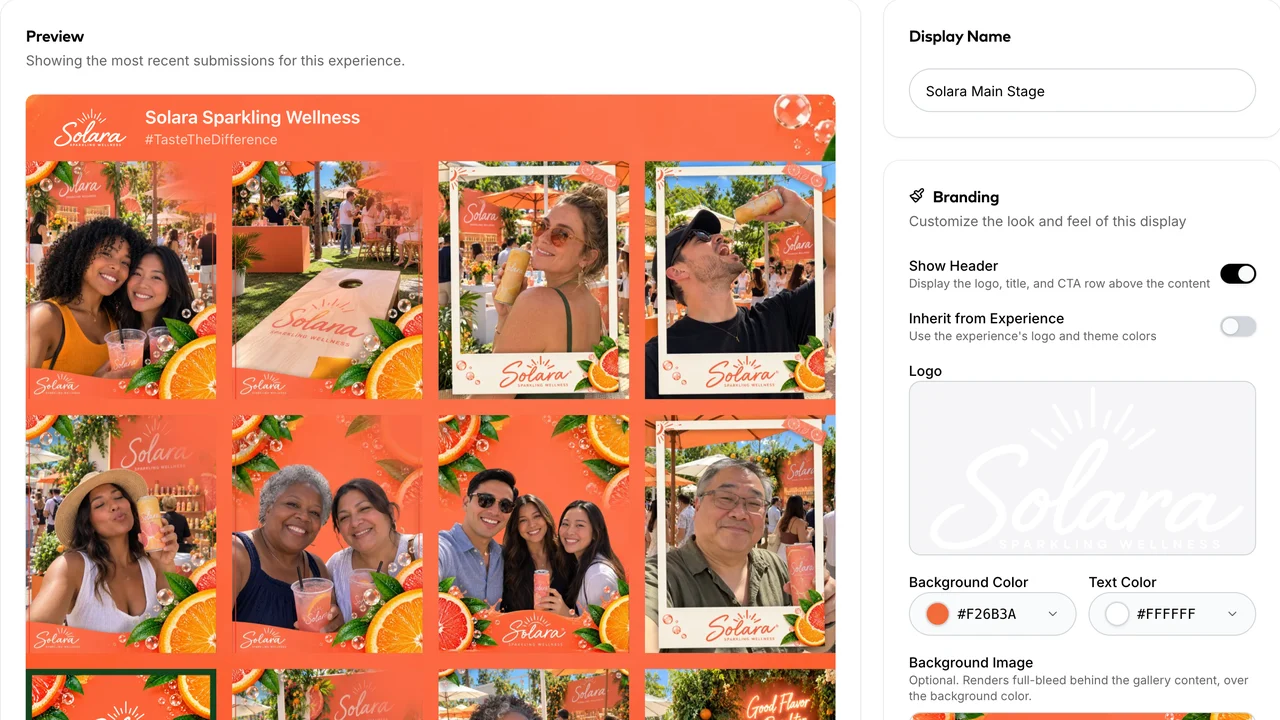
Branded from start to finish
Backgrounds, colors, logo and messaging follow the experience, so the screen matches the booth and the microsite.

Sponsors get a real placement
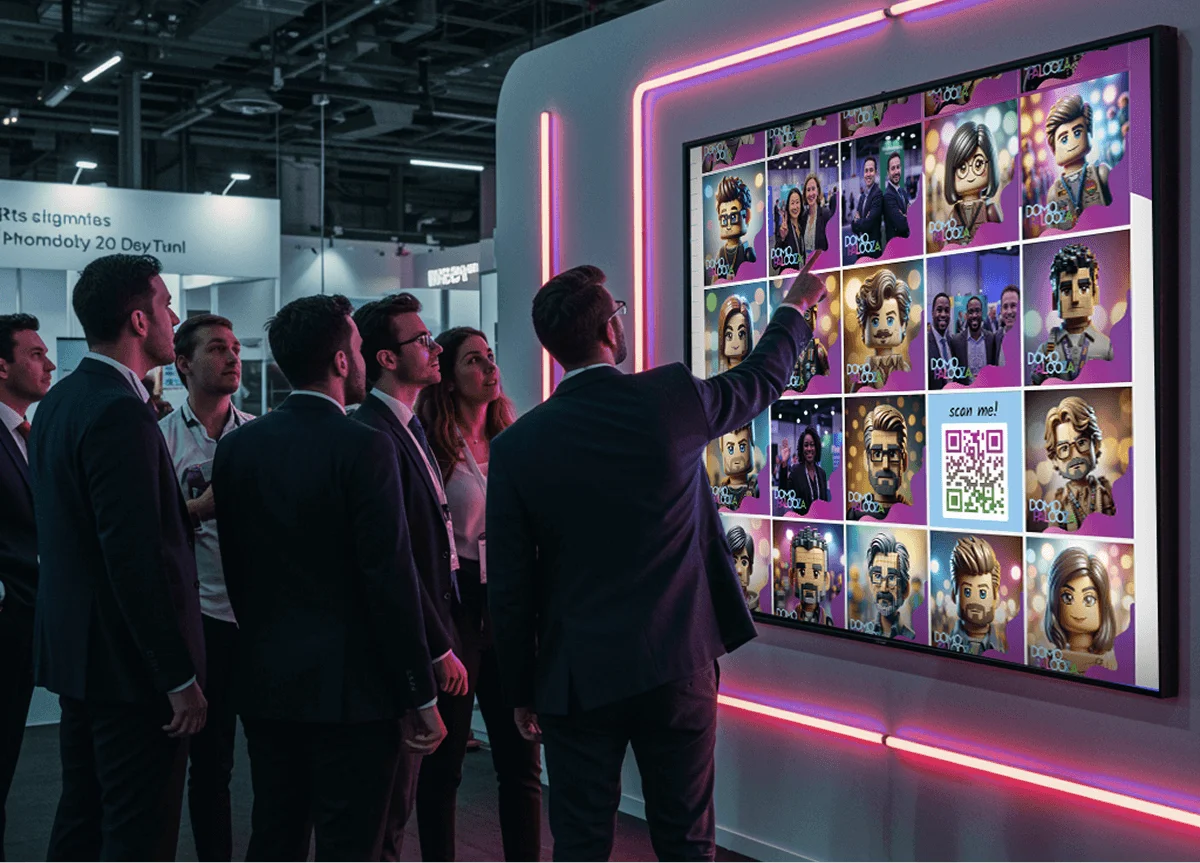
Drop sponsor tiles into the rotation at any interval from every 2 images to every 50. Swap a sponsor image for an auto-generated QR code with its own caption and background, and passers-by scan straight into the booth.
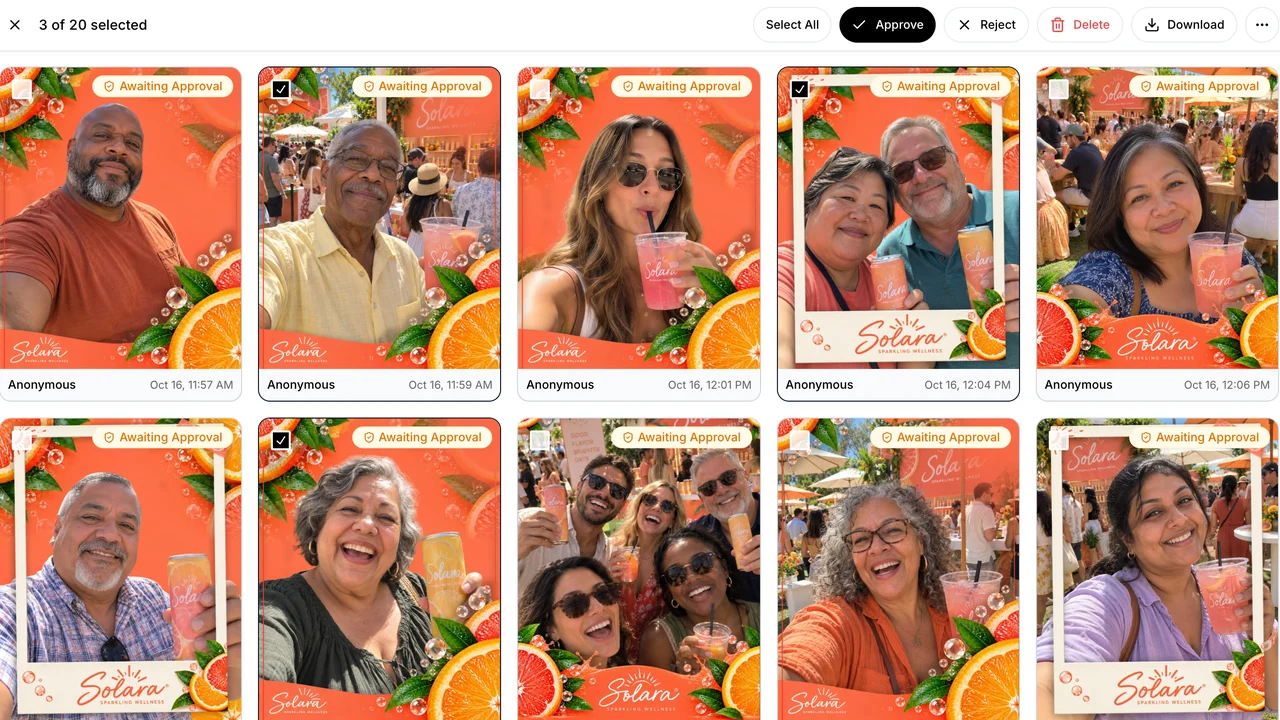
Moderation before anything goes up
Approve content automatically or by hand from the dashboard. Nothing reaches the screen you did not want there.
Run as many screens as the room needs
One slideshow at the booth. Another in the lounge. A third behind the main stage, and a fourth embedded on the event site. Create as many as you need in the platform, customized to where you plan to display them, and all included with every experience.
How to set up a live slideshow
1 of 4launch
Launch the experience
Once your activation goes live, so do your customized displays, with content showing up in real time as people participate.
Add a slideshow display
Add a slideshow display and set the layout, scroll behavior and sponsor frequency for that screen.
Match the branding
Upload a background image or video, add your logo, and choose an accent color, so the slideshow looks like part of the event.
Put it on screen
Open it on any screen in the venue or add the embed code to your event site. Every screen refreshes on its own as new content comes in.
Which display belongs at your activation
A slideshow is the right call when you want every photo seen and the room energized. Pair it with another display when guests should browse, vote, or build something together.
- Included
Slideshow
New content cycles across the room's screens as it comes in, so people see the activation happening and want in.
Learn more - Included
Live Gallery
Guests browse, share, and save the event's content on their phones, on the event site, or on a touchscreen kiosk.
Learn more - Included
Leaderboard
Guests vote for their favorites, and a live ranking keeps the whole room competing for the top spot.
Learn more - Available add-on
Live Mosaic
Every photo becomes a tile in one large branded image.
Learn more
Showstopping Slideshow Concepts
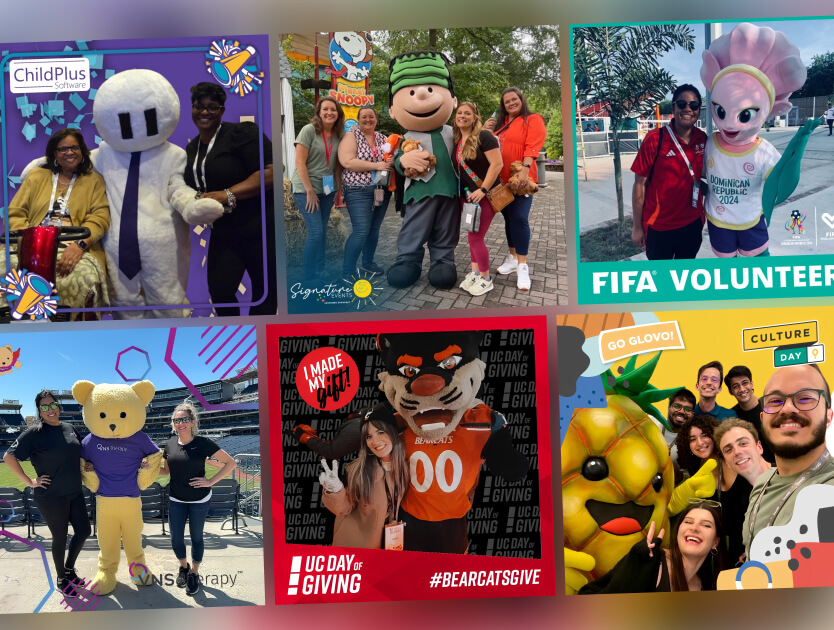
Candid Mascot Moments
Turn mascot moments into a viral photo challenge.
Fans seek out and capture shots with team or festival mascots using the digital photo experience, sharing their “candid mascot moment” to a live gallery where favorites can climb the leaderboard or land on the big screen. Add your own prize to fuel the challenge, and watch branded content celebrating team spirit and fan creativity roll in - all powered by the smartphones everyone already has.
Event Attendee Photo Wall
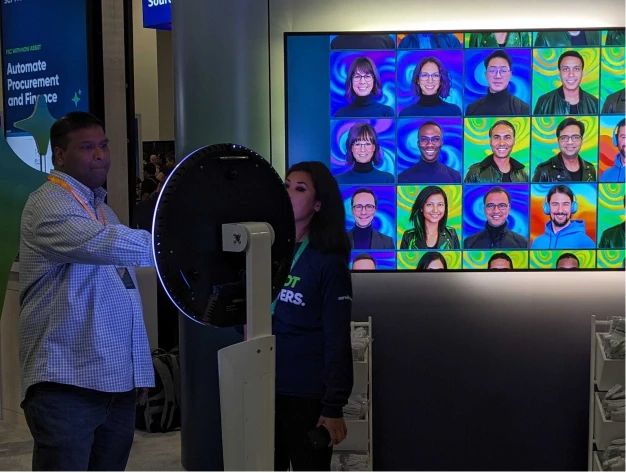
Collect and display attendee portraits in real-time.
Use kiosks and QR signage to promote engagement through a custom photo booth experience. Use AI to add fun transformations, and highlight user content on dynamic displays to promote participation - or even competitions.
Live UGC Gallery Walls
Showcase attendee generated content in a real-time display.
Attendees participate from their phones, and the custom content appears on a branded, dynamic digital display in near real-time. It's an amazing way to grab attention and drive more participation.
Add a live slideshow to your next activation
We have run more than 10,000 activations, and the ones that draw a crowd almost always have something on a screen. Share some details about what you're planning, and we'll recommend the right displays.
Something went wrong. Please try again.
Live Slideshow FAQs
What is a live slideshow at an event?
Snapbar's live slideshow is a display that shows photos and videos from your activation on any screen, the moment guests create them. It runs on venue TVs, a laptop, a tablet, or embedded on your own site, and refreshes in real time as new content lands.
Can we run the slideshow on more than one screen?
Yes. Every screen is included with your Snapbar activation, so you can put a slideshow at the entrance, another in the lounge and a third behind the main stage.
Can we embed the slideshow on our own website?
Yes. Every Snapbar slideshow has its own URL and can be embedded in your website, your event platform, or an app. Remote attendees see the same content the room sees.
How quickly do new photos appear on the slideshow?
In real time. Photos appear on a Snapbar slideshow as soon as they're taken and approved. You can show the newest photos first, or add them to the end so the wall stays steady.
Can we control which photos appear on the slideshow?
Yes. Approve content automatically or hold it for review, and your team moderates everything from Snapbar's dashboard, so only the photos you approve make it to the screen.
Can sponsors appear in the slideshow?
Yes. Sponsor tiles appear throughout Snapbar's slideshow rotation as often as you like. A tile can be a sponsor image or a scannable QR code with its own caption and background, so passers-by can jump right into the experience.
Does a live slideshow cost extra?
No. Live Gallery, Slideshow and Leaderboard are included with every Snapbar activation, and you can put them on as many screens as you like. Live Mosaic is available as an add-on. Tell us about your event and we'll put a quote together.
Do guests need an app to see the slideshow?
No. Snapbar's slideshow plays on the screens around your event, so guests just look up to see their photos. If they want to browse on their own, the live gallery opens in any phone browser, with no app or download needed.