



Stop the Clock Game for Events

A ten-second challenge guests play at your booth. The digits vanish, they stop the clock on the target, and a live leaderboard ranks the room.

Trusted by event teams at

  • Dreamforce logo
  • Facebook logo
  • Lowe's logo
  • GitLab logo
  • Call of Duty logo
  • Visa logo
  • KCU logo

What is a stop the clock game?

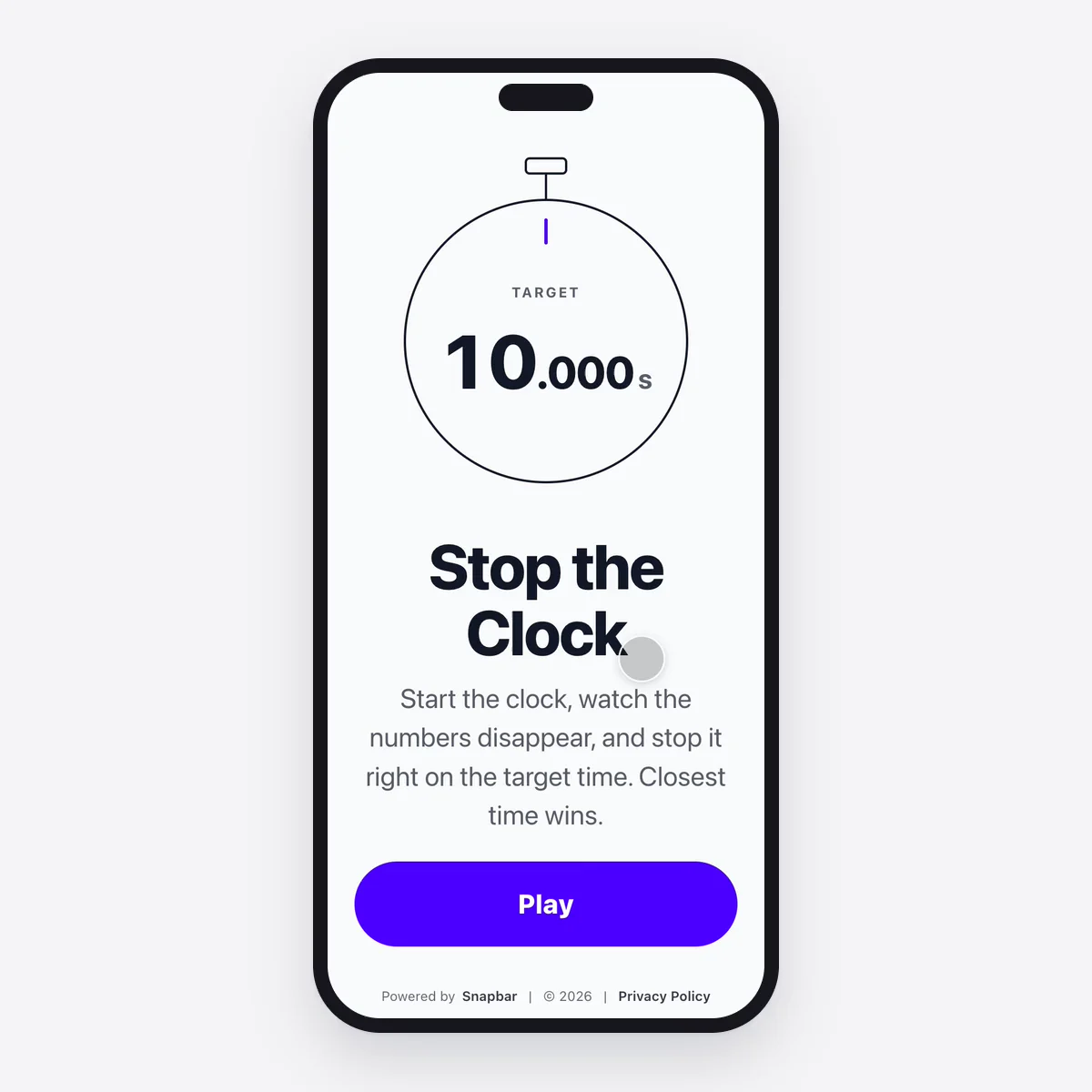
A stop the clock game is a ten-second challenge for events. Guests start a stopwatch, the digits disappear after three seconds, and they tap Stop as close to the target time as they can.

Snapbar's Stop the Clock records every play with the guest's details and ranks the closest times on a live leaderboard on your venue screen.
How a Stop the Clock Activation Works

1 of 4set up

  1. Set the target

    Choose the target time and how long the digits stay visible, add your branding and your terms, and decide how many plays each guest gets. The defaults, ten seconds with three seconds showing, are a good game out of the box.

  2. Guests step up

    A guest enters their name, agrees to your terms, and taps Start. The digits run, then vanish. They tap Stop and see their time, how far off they were, and where they rank.

  3. The board ranks the room

    Every finished play lands on the venue leaderboard within seconds, closest to the target first, with gold, silver, and bronze on the top three.

  4. Crown the winner

    Freeze the board when the window closes so the standings hold while you announce the prize, then export the results from your dashboard.

Ten Seconds That Hold the Aisle

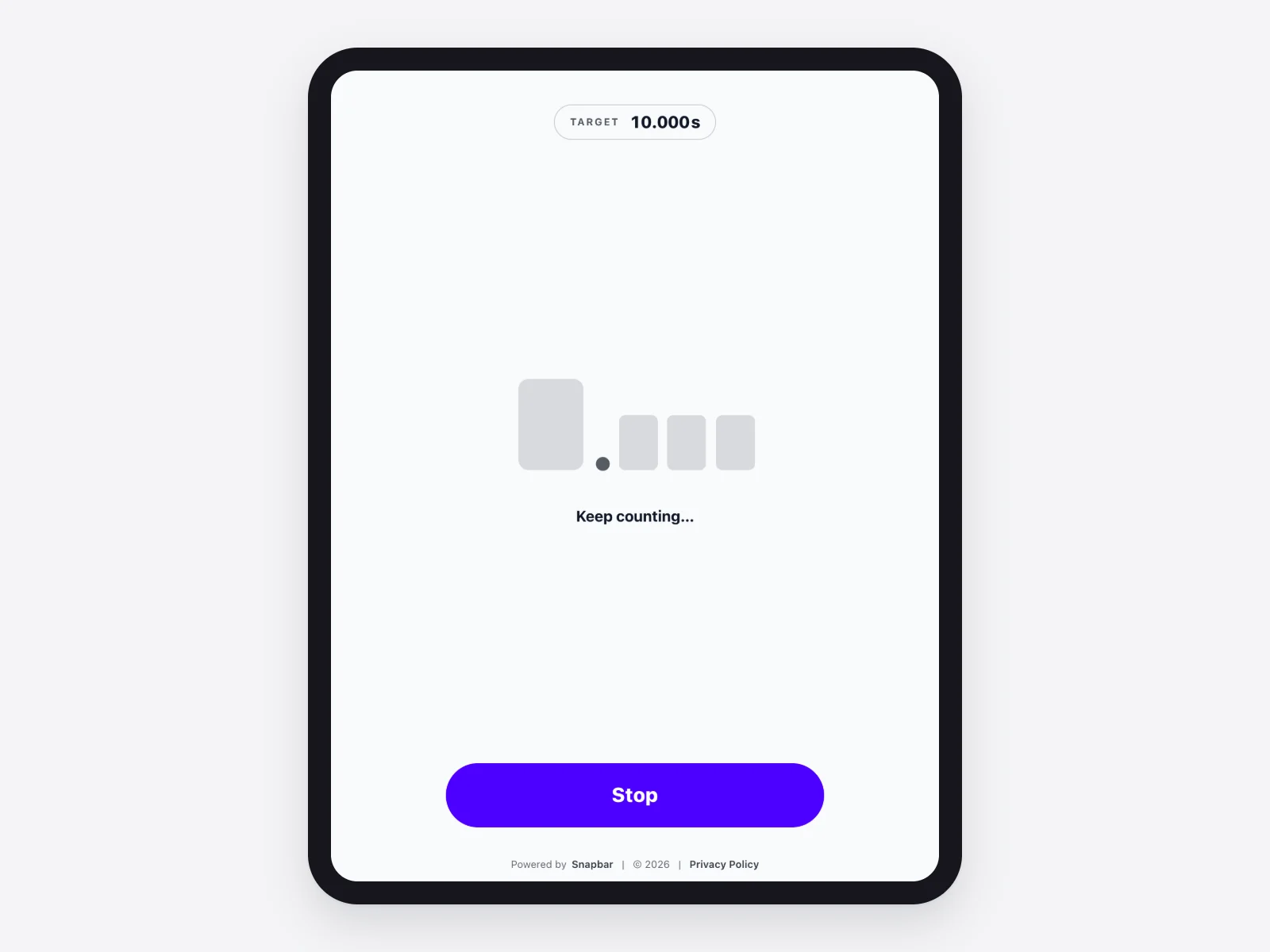
Stop the Clock game on a tablet with the stopwatch digits hidden

The digits vanish on purpose

Guests see the clock run for three seconds, then count the rest in their head. Hitting 10.000 is nearly impossible and landing within a few hundredths feels like a win, which is exactly what sends people back for another try.

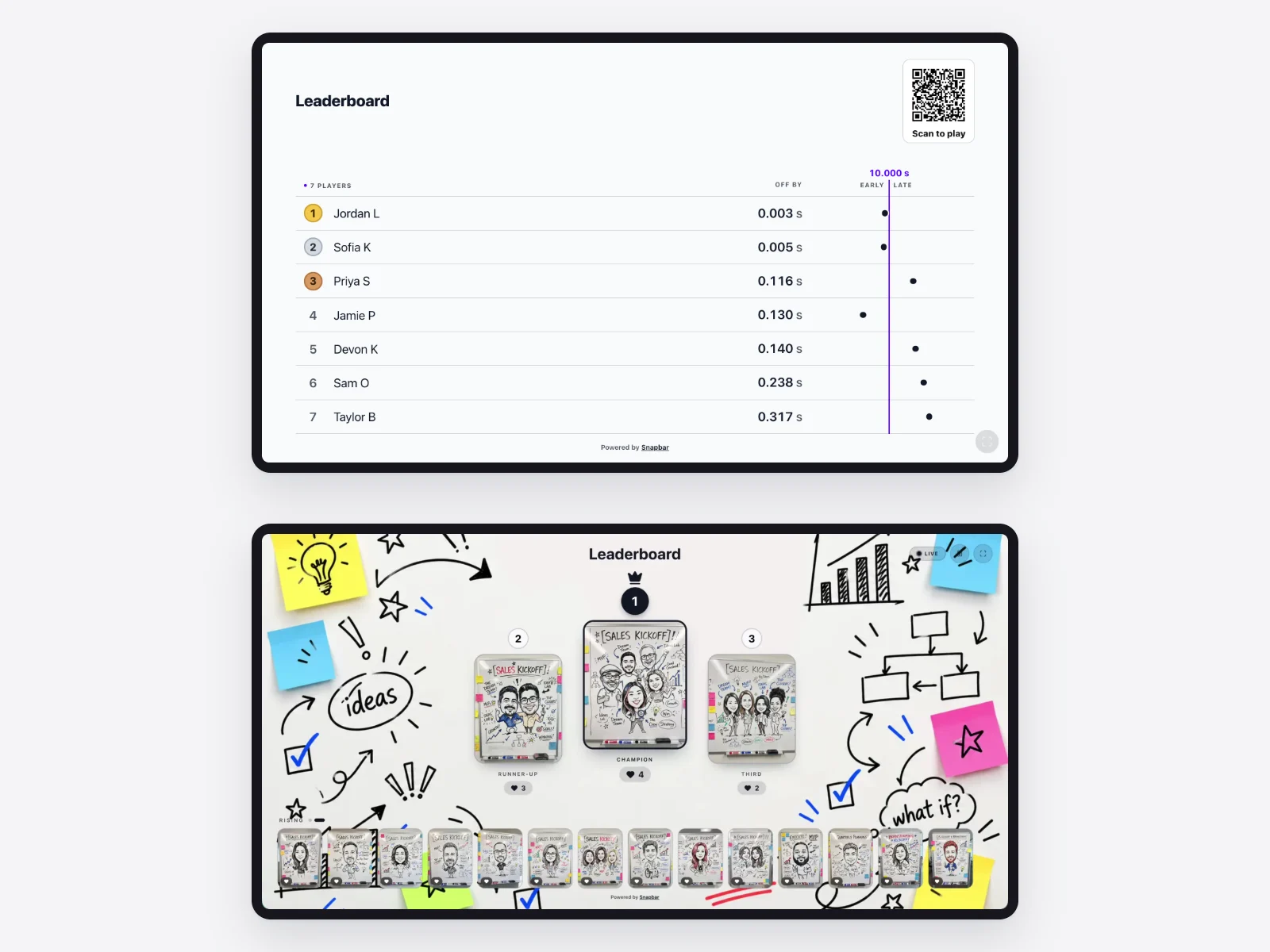
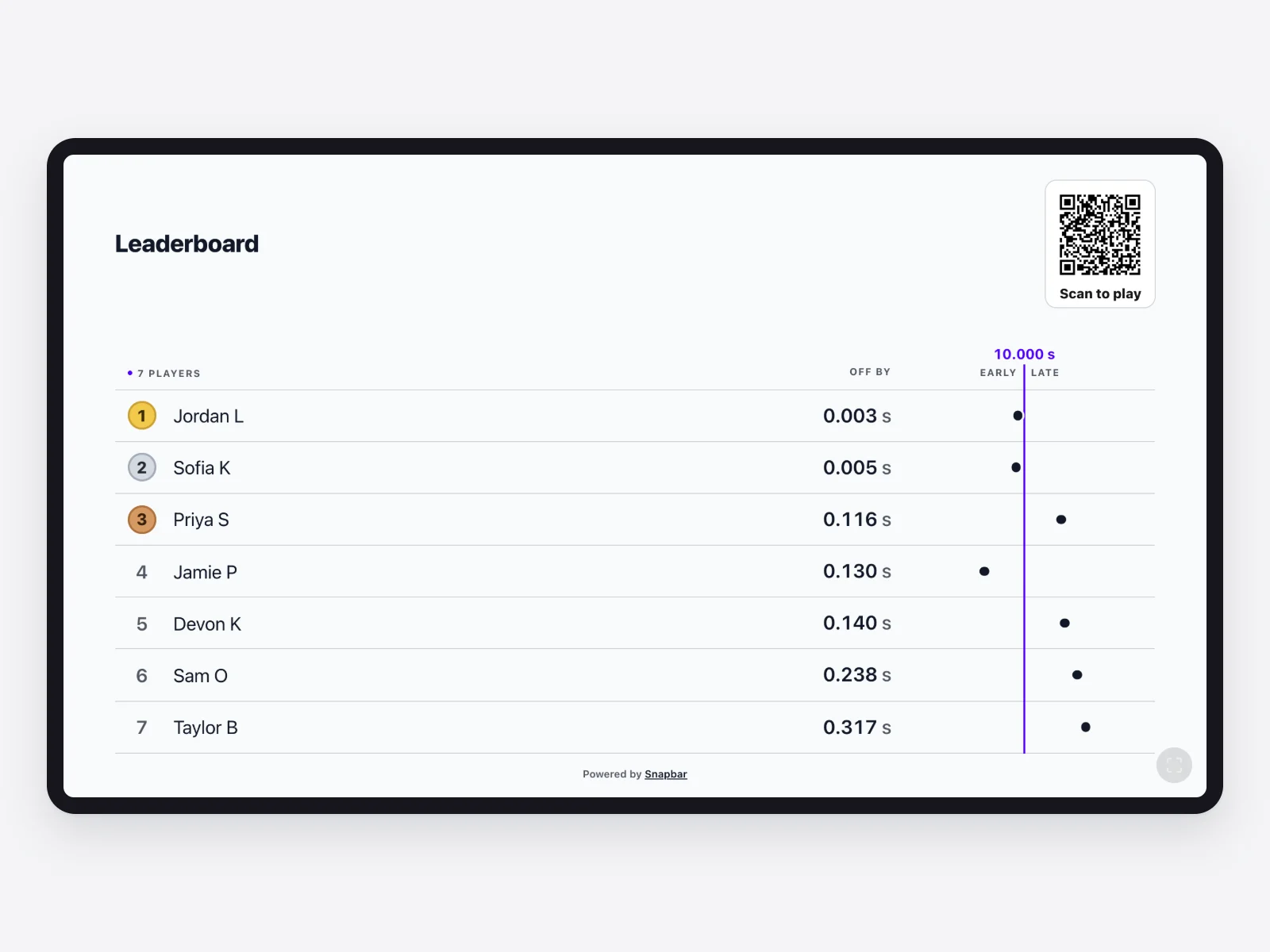
Stop the Clock venue leaderboard ranking the closest times, with gold, silver and bronze on the top three

A board the whole room can read

The venue leaderboard shows the closest times first, with a podium for the top three, and refreshes on its own every few seconds. Set it on a screen facing the aisle and the standings do the inviting for you.

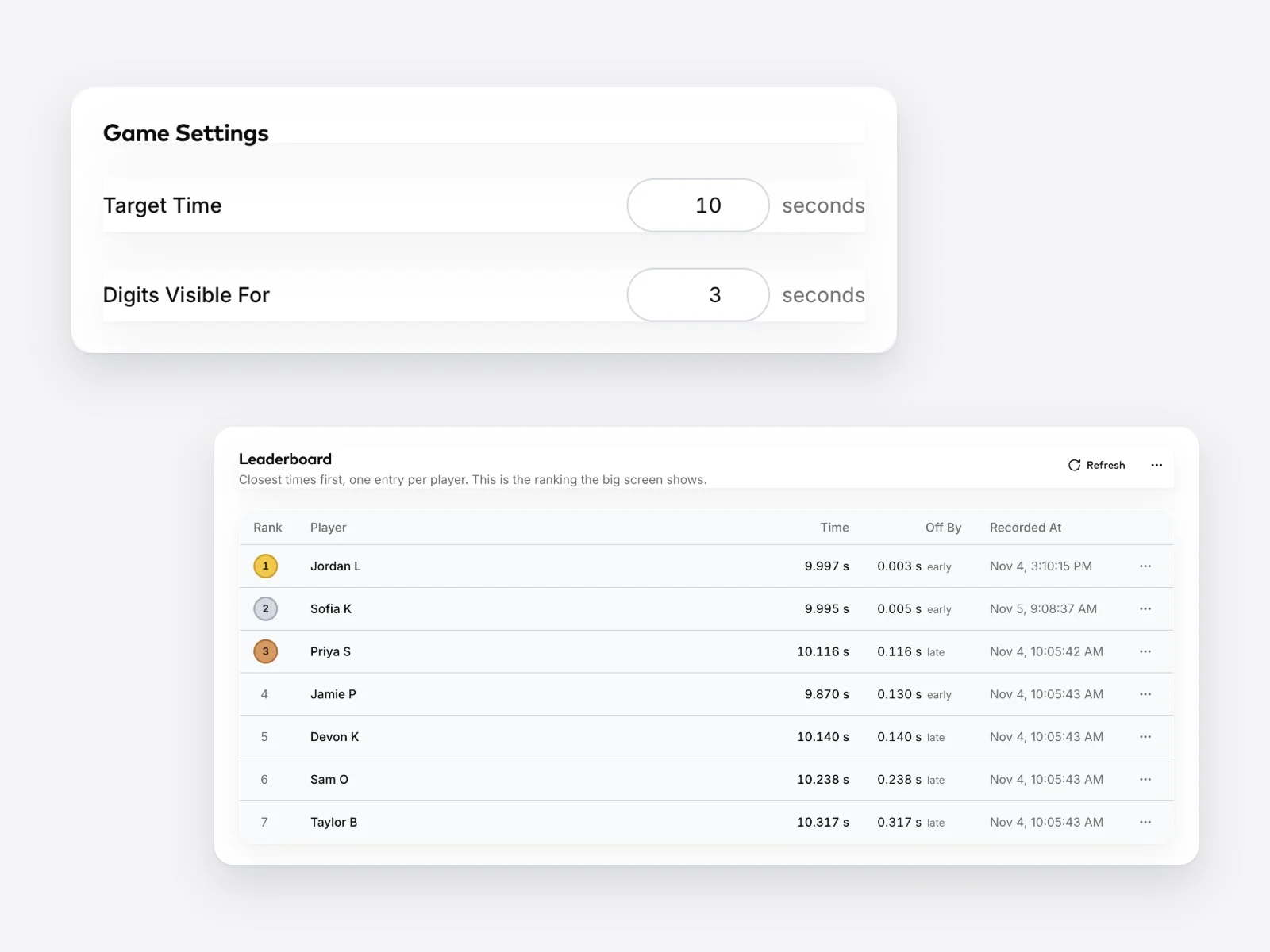
Snapbar dashboard Game Settings for the target time and digit visibility, above the Stop the Clock leaderboard list

Your rules, your target

Pick any target time and how long the digits show, limit plays per guest so the regulars share the kiosk, rename or hide an entry, and freeze the board when it's time to hand over the prize.

Why Teams Run Stop the Clock

  • Every play is an entry

    Guests give their name and agree to your terms before the clock starts. Turn on email capture and every finished play lands in your dashboard as a lead, ready to export.

    learn about lead capture
  • Ten seconds, no staff

    A guest can finish a play in the time it takes to say hello. One iPad or kiosk at the edge of your booth runs all day, and the leaderboard keeps score without anyone standing over it.

  • Built for repeat visits

    Set plays per guest and people come back between sessions to beat their own time. A competitive floor keeps a trade show booth busy for three days, not one.

  • A leaderboard made for the game

    The board ranks by closeness to the target, settles ties by who got there first, and can be frozen on a final set of standings while the prize goes out.

  • Part of the full platform

    Branded entry pages, your terms, live analytics, and the same dashboard that runs your other experiences.

    explore the experiential marketing platform

Which leaderboard belongs at your activation

Snapbar runs two kinds of live leaderboard. Stop the Clock ranks times, so it rewards the steadiest hand in the room and works on its own as a quick game at the edge of your booth. The photo leaderboard ranks votes on guest content, so it belongs with a photo or video experience you want the crowd to champion.

Run the game when you need traffic and a reason to come back; run the photo board when you want marketing fuel. Plenty of booths run both.

Stop the Clock time leaderboard above a Snapbar photo voting leaderboard on two venue screens

Run Stop the Clock at your next event

Share some details about your event, and we'll get you into the platform and set up the game with you: your target time, your branding, and a board for your screen.

Thanks, we've got it

Our team will be in touch soon.

Explore activation concepts

Stop the Clock Frequently Asked Questions

How does a stop the clock game work at an event?

A guest taps Start on an iPad or kiosk at your booth, watches the stopwatch run for three seconds, then counts in their head and taps Stop as close to the target as they can. Snapbar's Stop the Clock shows their time and rank right away, and the closest times climb a live leaderboard on your venue screen.
How much does a Stop the Clock activation cost?

Stop the Clock is one of Snapbar's lightest experiences, and the cost depends on how many guests play and how long the game runs. Tell us about your event and we'll put together an exact quote, on its own or alongside the other experiences you're planning.

Can we change the target time?

Yes. Snapbar's Stop the Clock defaults to a ten-second target with the digits visible for the first three seconds, and you can set both in your dashboard before the event. Pick the target that suits your room, then keep it for the whole event so every play on the board is ranked against the same time.

Does Stop the Clock capture leads?

Yes. Every guest enters their name and agrees to your terms before they play, and with email capture turned on, each finished play lands in your Snapbar dashboard as a lead with consent attached. Export the list after the event, or send leads to your CRM as they come in.

Can guests play more than once?

That's up to you. Snapbar's Stop the Clock lets you set how many plays each guest gets, so the regulars can come back for a better time without camping on the kiosk. The leaderboard keeps one entry per player, their closest result, so a repeat player climbs the board rather than filling it.

How do we pick and announce the winner?

Freeze the leaderboard when your window closes and the standings hold on screen while you hand over the prize. Snapbar ranks every play by closeness to the target, with the earlier play winning a tie, and you can rename or hide an entry, clear test plays, and export the full results from your dashboard.

Get in touch

For demos, pricing, and questions.