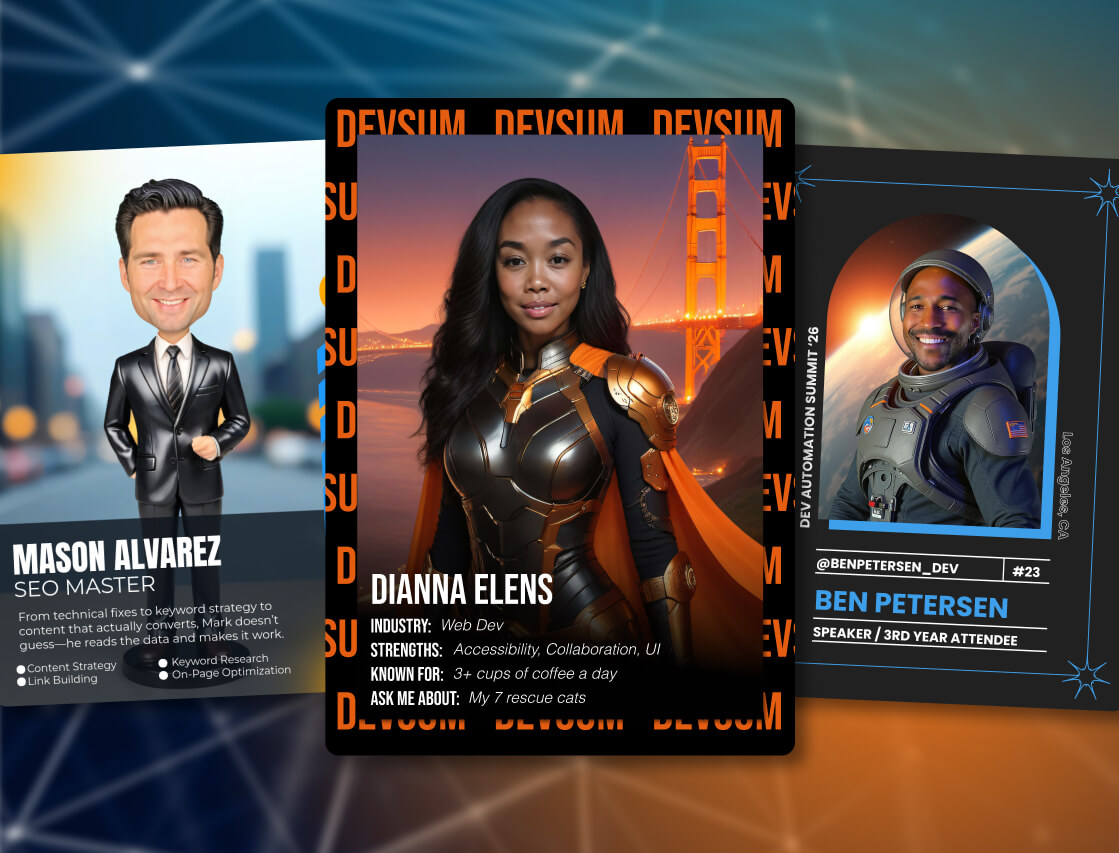
Picture the hallway at a user summit between the morning keynote and the first breakout. Two people who use the same product trade business cards. Each card says who the other works for and how to reach them. Neither says why they should talk again. You've already done the hard part of conference networking: you got the right people into one building, and you've probably planned a few conference networking ideas to get them mixing. What's less obvious is how much the object they swap is doing. Conference networking cards change that object. Each guest gets a card the event made for them, with their photo on the front and a back that hands the next person something to ask.
Key takeaways
- The back is the useful half. It gives the other person a question, not just a job title.
- A card with a guest's own face and name on it is the kind of object people value, keep and want to pass along; a business card mostly gets pocketed.
- You can print front and back on one sheet that folds into a two-sided card. The printer is yours.
- The platform reports participation and the data behind each card. It doesn't report flips or handshakes, and we'd rather tell you that up front.
What is a conference networking card?
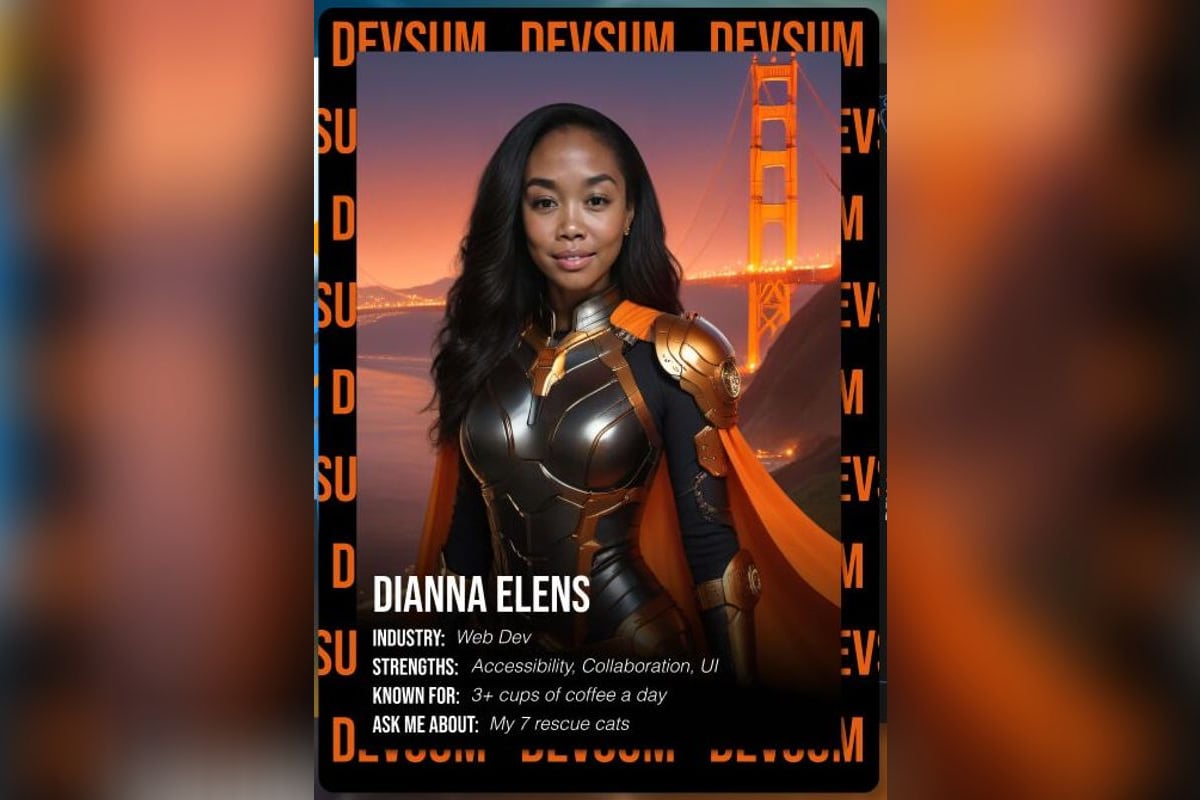
A conference networking card is a two-sided trading card the event makes for each guest. The front carries their photo and name in your event's design. The back is filled from what they told you when they made it: title, company and one thing to ask them about. Guests get it as a digital card they can share, and if you print, as a physical card they can hand over.
That's a different thing from the digital business card a professional buys for themselves. A personal card is the individual's own pitch, reused everywhere. A conference networking card is something the organizer gives every guest, built for one room and one community, and it arrives with a conversation starter already written. That's what digital networking cards for events should be: one shared design guests recognize across the floor, and a card that's still about the person holding it.
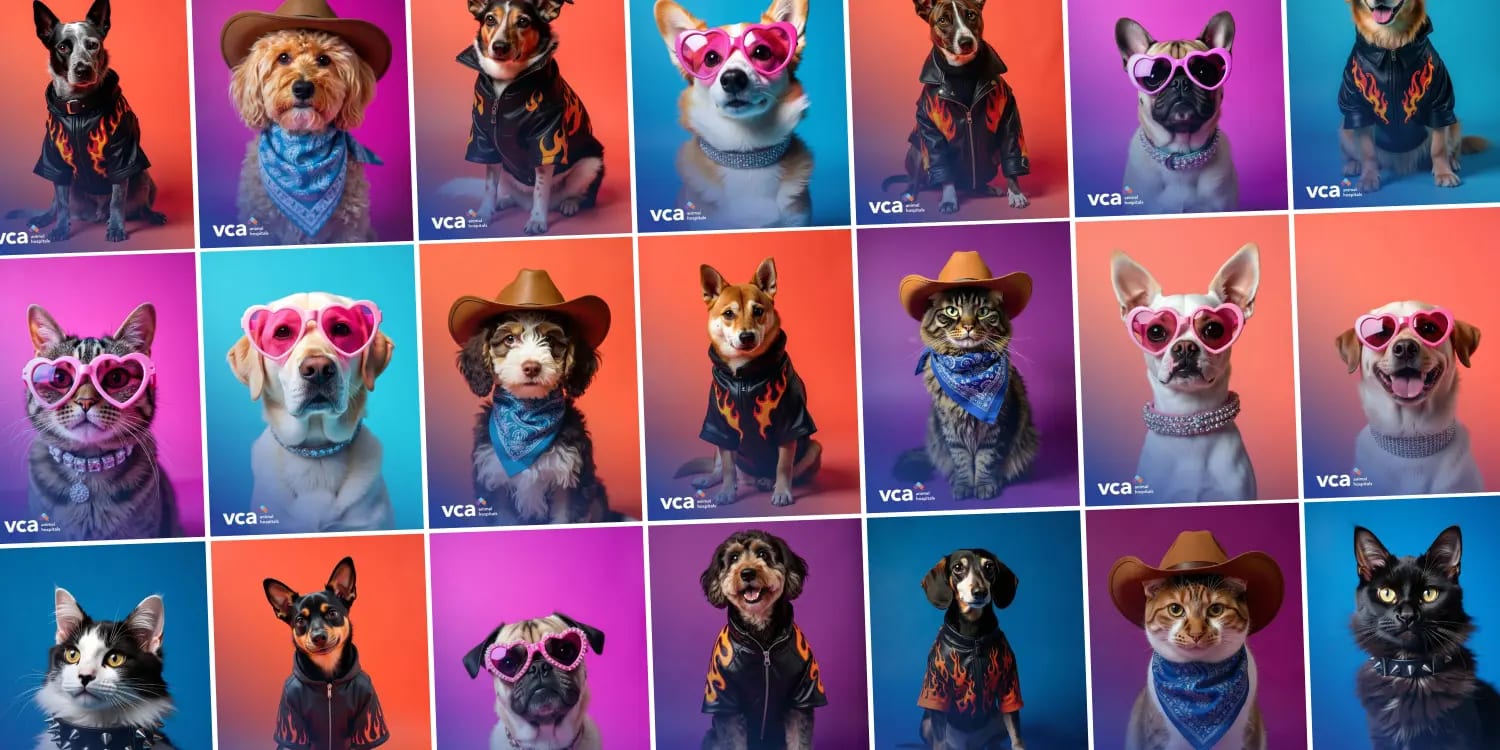
Trading cards work well beyond networking. Our guide to trading card activations covers the format, the styles and the digital-versus-printed decision in full. This piece covers one use: the card guests hand to each other.
Why do guests hand over a card with their face on it when the business card stays in their pocket?
Because people value physical things they feel they own, and they feel it most when the thing is about them. Ozgun Atasoy and Carey Morewedge tested this with tourists at Boston's Old North Church, who were offered a photo of themselves with a research assistant dressed as Paul Revere and could pay whatever they liked for it, including nothing (Atasoy and Morewedge, 2018).
$3.00 vs. $1.00
The median amount tourists chose to pay for a printed souvenir photo of themselves, against the median for the same photo as a digital copy. Participants estimated the two cost about the same to produce. The gap came from psychological ownership, and a later experiment found it grew the more closely the goods were tied to the person's identity.
A card with your own face and your own name on it is about as identity-tied as an object gets. That's the reason a printed networking card behaves differently from a business card: guests are more likely to keep it, show it to the person beside them and offer it as a way of introducing themselves. A business card is one of a stack of identical rectangles. This one was made that morning, and it says something you chose.
None of that makes the digital card the lesser version. It's where the sharing happens and where the data lives, and plenty of guests will never want paper. The print is the handoff, so run both.
What should go on the back of a networking card?
One question for the reader, plus name, title and company. The question matters most. Across live get-to-know-you conversations and speed dates, Karen Huang and colleagues found that people who asked more questions, especially follow-up questions, were better liked, and that people don't expect this to work. A good card back does that work for both sides: it hands the reader a question to ask, which makes the asker better liked and the card's owner easier to approach.
Here's what tends to earn a place on the back:
- An "ask me about" line. A current project, a hobby, the session they can't stop talking about.
- Something they're working on this quarter, in a few words.
- A chosen stat that opens a conversation rather than a boast. "Years using the product" beats "deals closed".
- A sponsor line, if a partner is paying for the station.
Guests will fill in a field when the field is about them. At the Super Bowl Experience Fan Zone, fans making EA Sports Madden trading cards entered their name and picked an "Overall" rating from 1 to 99 for their own card; that was a fan zone rather than a conference, and the cards were front-only, but the instinct carries.

Keep email addresses and phone numbers off the card. Whatever sits on the back travels with every copy a guest shares, so contact details belong in your lead data, where your team can use them and nobody else can. LinkedIn is the one exception people ask about, and a URL printed on paper isn't a link anyway. The live gallery handles that job digitally with clickable LinkedIn badges on each guest's content.
How does a two-sided networking card work at a conference or user summit?
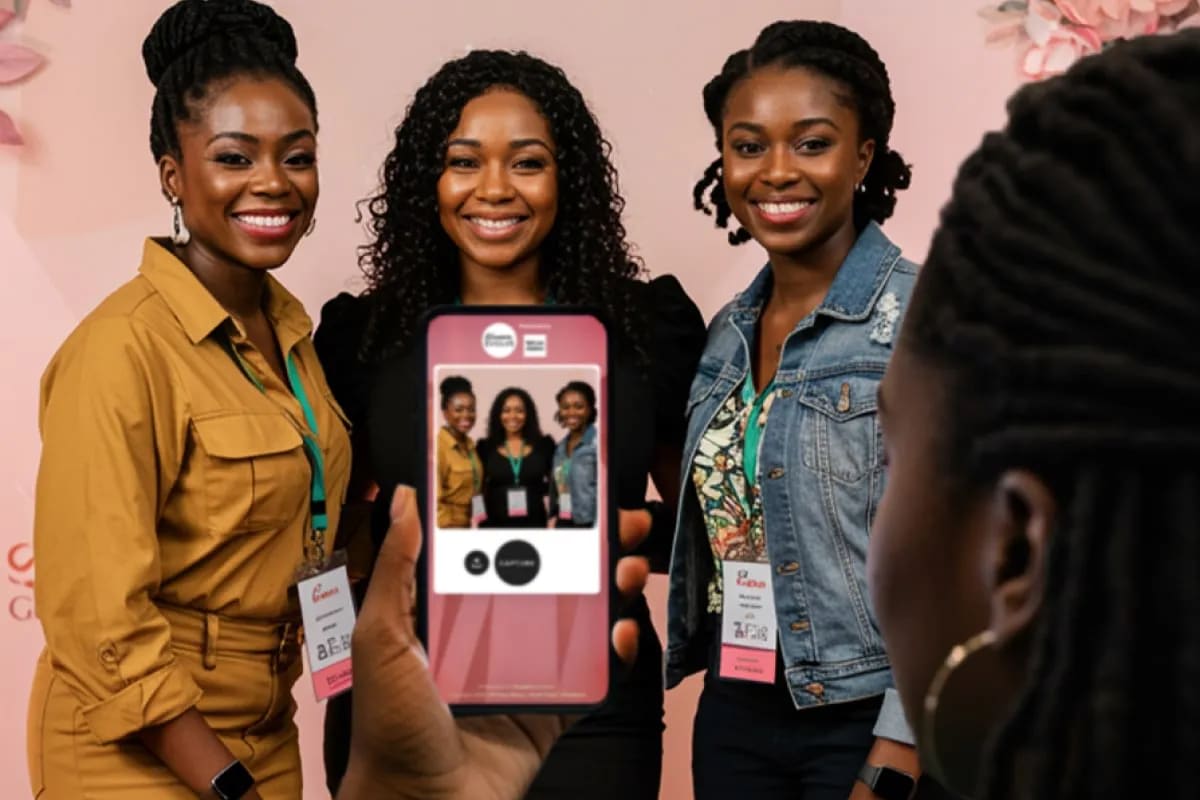
Guests make their card at a station, and you choose what the station is. A kiosk at registration, an iPad on a stand, a laptop at a desk, or their own phone by QR code, all at once if you want. They take a photo, answer the few questions that fill the card, and their card arrives by email or text a moment later.
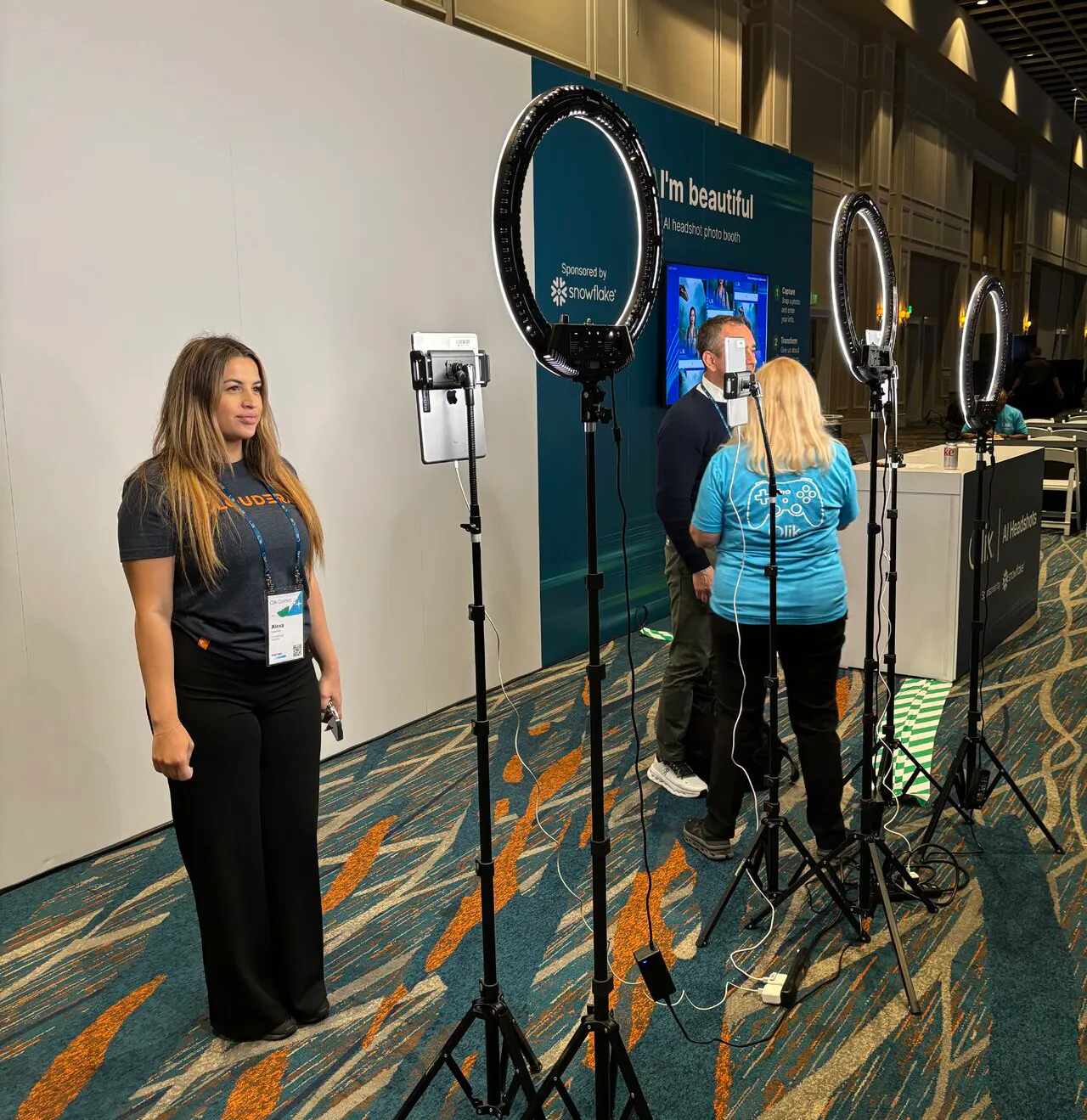
From their delivered gallery, guests share the card wherever they like, and if you choose to let viewers flip it, anyone who opens it can turn it over to read the back. Guests can save the front, the back or both. That matters, because the back is the half that makes a stranger want to say hello.
The physical card is the part people remember. Your event gallery or slideshow can print the front and the personalized back side by side on one sheet that folds in half into a two-sided card. Fold it, then laminate it, slip it in a sleeve or drop it in a card case. Nothing to cut and nothing to line up. To be clear about ownership: you bring the printer and the stock, and someone from your team runs it. Snapbar provides no hardware or staff, so plan the print table the way you'd plan badge pickup.
After the event, your team gets both sides of every card in the export, and the answers that filled each back are in your lead data.
See it in action
Build your own Trading Cards activation
Give every guest a card with their photo up front and a back made from their own answers, shared digitally and ready to fold into a printed card.
Explore Trading Cards
Where the station sits in the room decides how much networking the card actually does.
Where do networking cards fit at a user summit?
Conference networking cards fit best where guests are peers in one community: customer conferences and user summits, where everyone in the hallway already shares a product. Of all the conference networking ideas we see teams try, this is the one where the room's shared ground does most of the work, and the card just points at it.
A few placements that work well:
- Registration morning, so guests have a card in hand before the first session starts.
- Beside the gallery screen, where new cards appear as they're made and people stop to find their own.
- A partner or sponsor lounge, with the sponsor's line on the card back.
- A speaker meet-and-greet, so the queue has something to read and something to ask.
On your event displays, cards can sway and shimmer as a slideshow runs. Digital Networking Cards is the packaged version of this play in our activation concepts library, and the conference engagement page shows how it sits alongside the rest of a conference program. The card gives people a reason to talk; the formats that make time for talking, like hosted tables and small-group sessions, are covered in our piece on structured networking events.
It's a fit question. A fifty-person dinner where everyone already knows each other may need nothing more than a good seating card. The bigger and newer the crowd, the more the back earns its place.
How do you measure whether networking cards worked?
Count how many guests made a card, and how many filled the field that gives someone a reason to talk to them. Participation is reported directly. The completion rate on that conversation field is a ratio you work out from the lead export: guests who filled the "ask me about" line, divided by guests who made a card. It tells you how many people chose to be approachable, and it moves with things you control: the prompt wording, and whether someone at the station explains the back.
One design rule makes that number mean something. Keep the conversation field optional. A required field always reads 100%, which tells you nothing, so design the back to look finished without it and let guests opt in.
The other half of the answer, in the same breath: the platform doesn't report flips, cards handed over or conversations started. We'd rather say so than sell around it. If you want a read on the room, ask in your post-event survey whether guests met someone new because of a card. Our guide to measuring event success covers how to set those questions up, and where event lead data goes explains what happens to the details behind each card once the event ends.
What should you decide before you brief a networking card activation?
The general build decisions, like style, finish and one side or two, are in our trading card guide. These are the ones specific to networking:
- Which single field goes on the back, and exactly how the prompt is worded. "Ask me about..." gets better answers than "Interests".
- Whether you want a printed card at all, and who owns the printer, the stock and the sleeves.
- Whether people who open a shared card can turn it over to the back.
- Where the station sits relative to the screen and the coffee.
- Who on your team explains the card to guests in one sentence as they walk up.
Settle those five and the rest of the brief gets short. Guests leave the morning sessions holding something worth handing over, and you keep the data behind every card.
Planning networking for your next user summit?
Get a Quote
Or explore: Trading Cards | Conference Engagement