You've already made the hard call. The activation is booked, the creative is approved, and you know what guests will walk away with. Then somebody asks what goes on the screens, and nobody has budgeted an hour for it. Live event photo displays are the part of an activation the whole room experiences, including the people who never queue, and the type you choose changes who joins in.
If you searched for a "live photo wall," you're in the right place. Corporate teams don't choose a wall, though; they choose between four jobs a screen can do, and each recruits a different kind of guest. We've watched teams pick the wrong one and wonder afterwards why the room felt quiet.
Key takeaways
- A slideshow is the category default, and the least a screen can do.
- A gallery, a leaderboard and a mosaic each pull in a different non-participant: the colleague-spotter, the passer-by who'll vote but won't pose, and the guest who'll upload from their seat.
- On our platform a live gallery, a slideshow and a leaderboard come with every activation; the mosaic is the one add-on. Display instances aren't metered: twelve screens cost the same as one.
- The table below matches each type to its event, including where a simpler tool beats us.
What is a live event photo display?
A live event photo display is a screen that shows what guests are creating while they're creating it. Content lands seconds after capture, so the display grows through the event instead of looping a reel finished before the doors opened.
One thing to settle first: the screen itself is the venue's problem. Every platform we know of, ours included, puts its display on a TV, monitor or projector that you or your AV team supply. What differs is the display layer feeding it, and that's the only question here.
On our platform that display layer comes in four types: Live Gallery, Slideshow, Leaderboard and Live Mosaic. Each answers a different question a guest asks when they glance up. Am I in there? What's new? Who's winning? What is this becoming?
Why does the display decide who participates?
Because a display is proof, visible to the whole room, that people like you are doing this right now. Nothing else in an activation carries that message to someone who hasn't walked over yet, and the type of display decides which of those people it reaches: the guest who stops, or the one who walks past. It also decides who stays in the line once one forms, which is half of what keeps a conference photo lounge moving.
The research here is older and more measured than most event marketing advice. In 2008, Noah Goldstein, Robert Cialdini and Vladas Griskevicius ran two hotel field experiments, published in the Journal of Consumer Research, on getting guests to reuse towels. A standard environmental appeal got 35.1% of guests to reuse. Telling them most other guests reuse lifted that to 44.1%. Then the finding that matters for a screen: "the majority of guests who stayed in this room" beat the other three descriptive-norm messages combined, 49.3% against 42.8%. The paper, A Room with a Viewpoint, calls this the provincial norm. The same pull works in reverse: what's already on the screen also tells the next guest what's acceptable to submit, which is why event photo moderation matters most on public-facing displays.
A live display is the provincial norm made visible. It doesn't say "people participate in activations." It says people in this room, in the last ten minutes, did, and here they are. The gallery filling up is the argument, and nobody on your team has to make it out loud.
We've seen the lived version often enough to stop being surprised. When Medtronic ran a global holiday program, a live slideshow let attendees see new content populate in real time, and the result on record is more participation, because anyone could add a snapshot with the scan of a code. At a Microsoft activation, finished portraits on large screens drew crowds and encouraged even more participation. The screen wasn't the output. It was the recruiter.
Live gallery vs slideshow: what is the difference?
A live gallery is the record of the event, filling as guests participate and browsable on a phone. A slideshow is a rotating window onto that record, built for a screen people pass rather than study. Same content, two jobs.
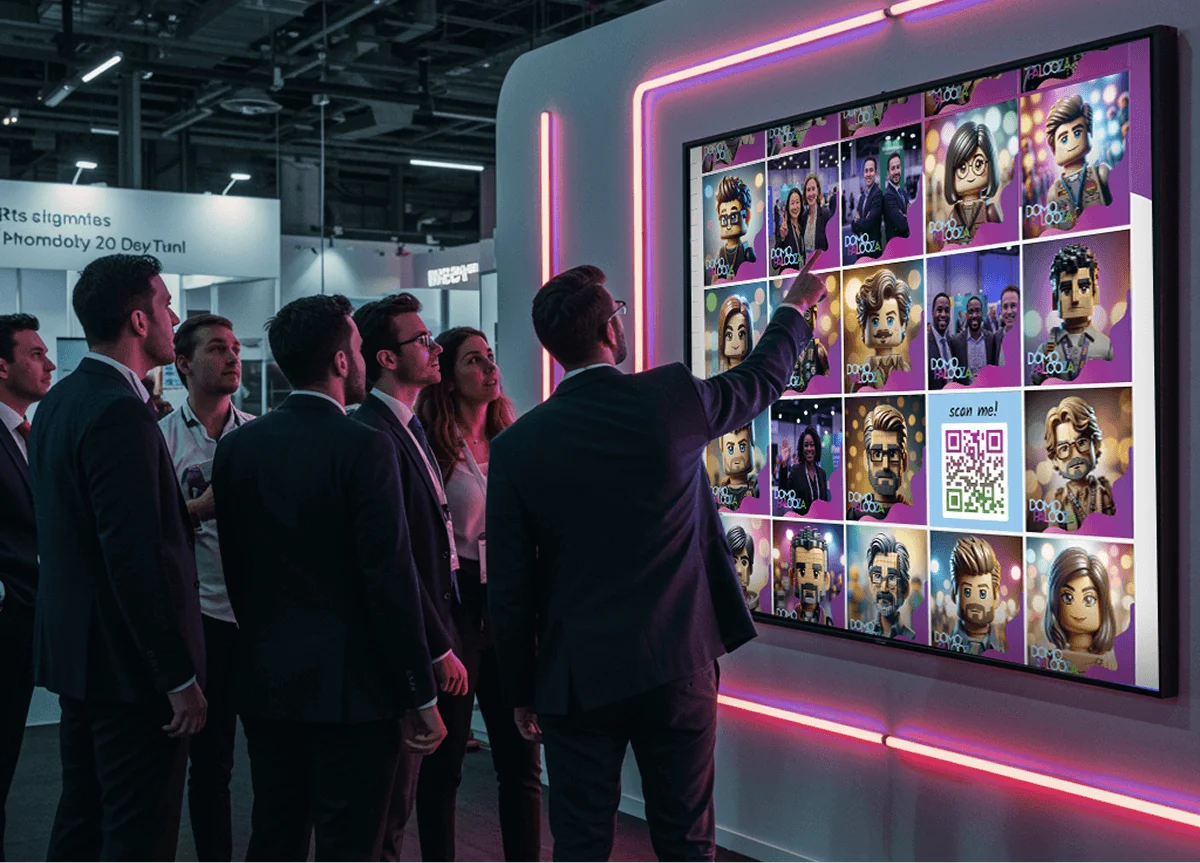
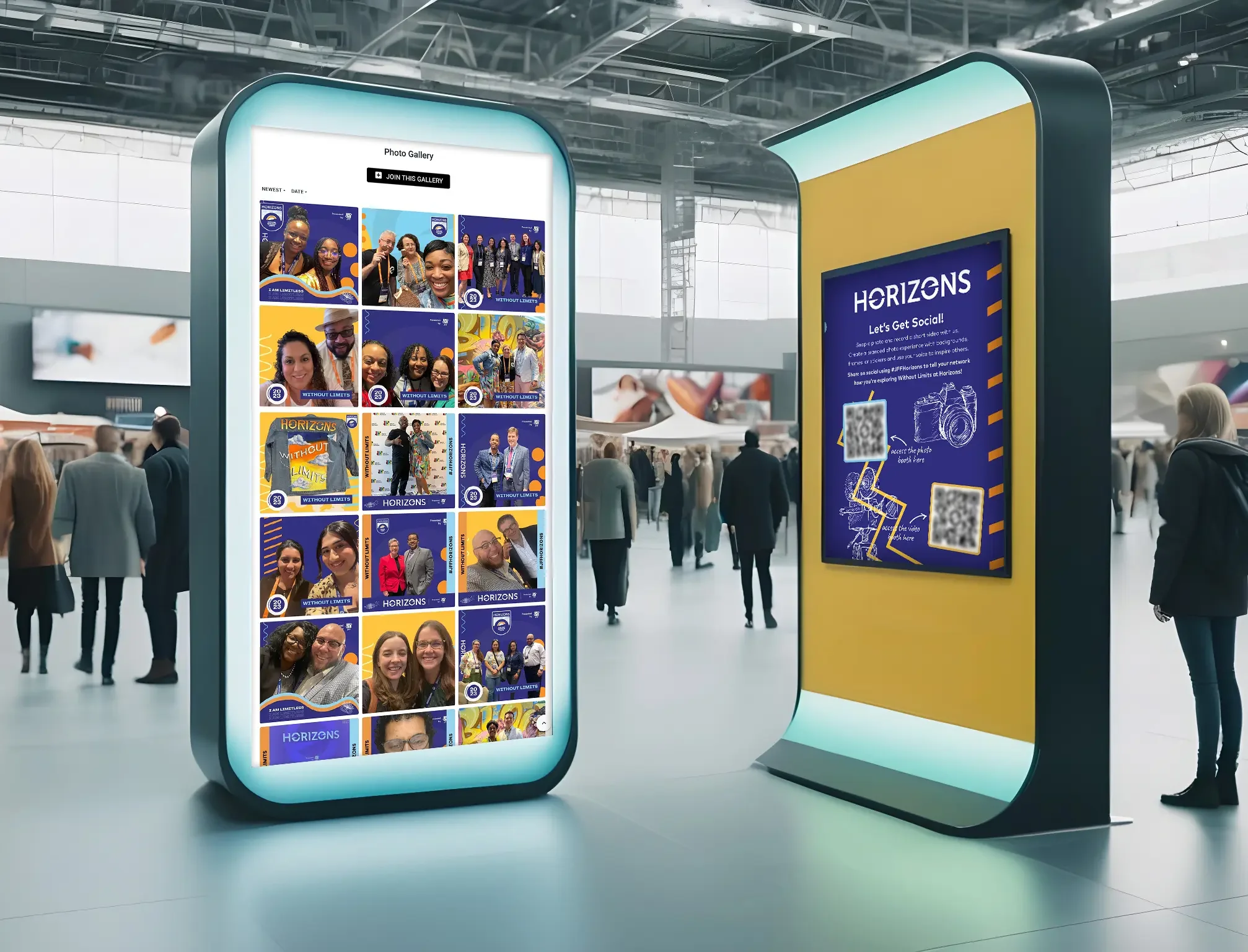
The gallery wins wherever people stop. A lounge, a registration area, a booth with seating. Guests scan the code on the screen, open the gallery on their phone, and scroll for colleagues. That scroll is where a spectator becomes a participant, because the gallery carries the join button and they're already holding it. It's the display we include with every activation.
The slideshow wins wherever people walk. Concourse screens, a stage backdrop between sessions, the monitors above a bar. Nobody browses a grid from thirty feet away, but a rotating feed with fresh faces every few seconds reads from across a hall. Medtronic's program is the pattern: whoever glanced up saw something new.
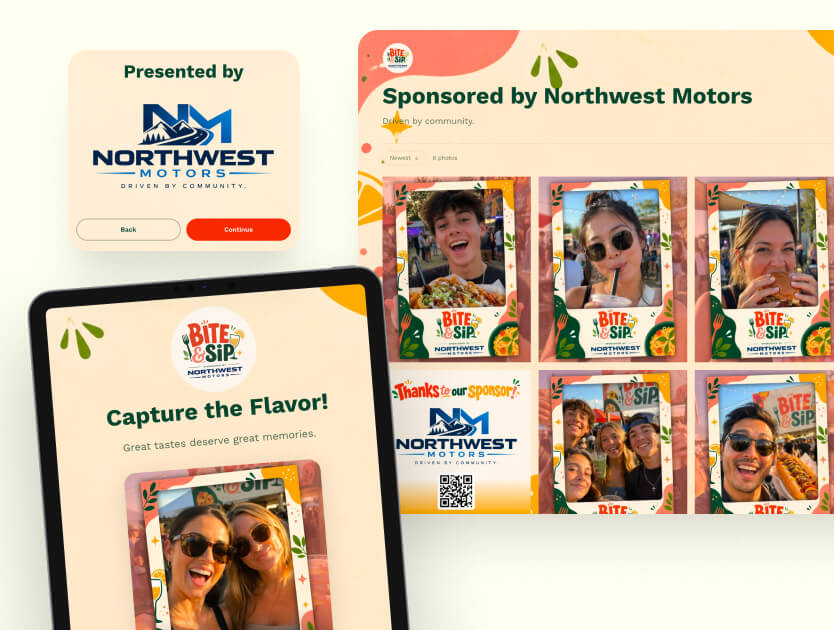
Both surfaces can carry sponsor tiles. Since August 2026, a sponsored post in a gallery or slideshow display can carry its own scannable code, with a link, a caption and a background, blended into the rotation. That turns a display into inventory. A sponsor's code on a screen guests are already scanning beats a logo on a lanyard. Two surfaces only: gallery and slideshow.
What does a leaderboard display do that a slideshow cannot?
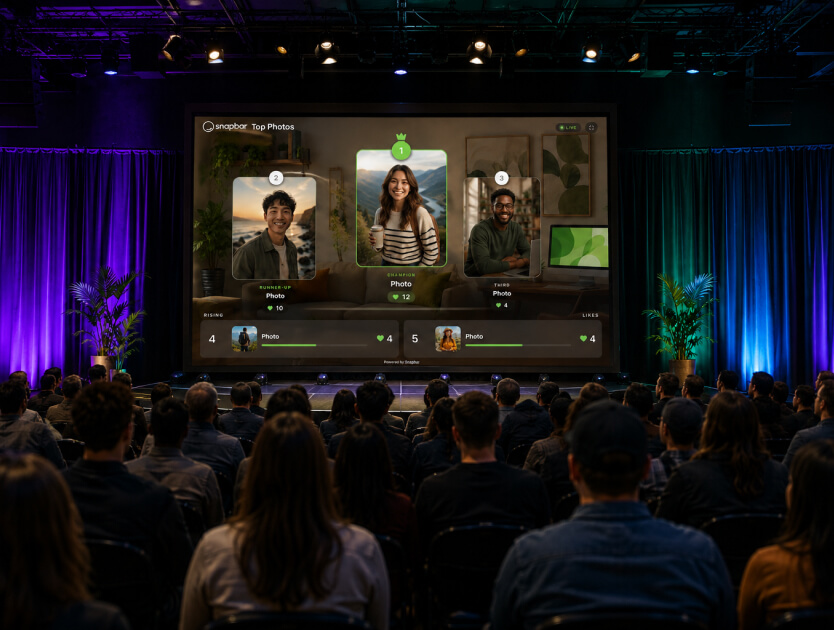
It gives the passer-by a job. A slideshow asks nothing of the person watching; a leaderboard asks them to pick a favorite, and the crowd's picks re-rank the board live. One is a screen people look at. The other is a screen people argue with.
Here, every gallery can run as a contest: guests tap a heart on the content they love, and a rotating podium-style display shows the front runners as votes come in. Since August 2026 the board carries a scan-to-vote code, so someone walking past scans it, lands in the gallery, and votes from their phone without joining a line.
Voting is cheap, public and social, which is why it recruits people who'd never pose. And it compounds.
+32%
The increase in the likelihood of a positive rating when a comment on a social news site carried a single prior up-vote, in a randomized experiment with real users. The early lift accumulated, raising final ratings by 25% on average. Source: Muchnik, Aral & Taylor, Social Influence Bias: A Randomized Experiment, Science, 2013.
A visible vote count is not neutral information. It recruits the next vote. In a hall, that means a board that gets more active the longer it runs, which is what you want beside your booth for three days. The dashboard reports votes cast per gallery, so the outcome you're buying is a number you'll see. Prizes, categories and seeding the first entries are their own subject; our event gamification guide covers them.
When is a live mosaic the right display?
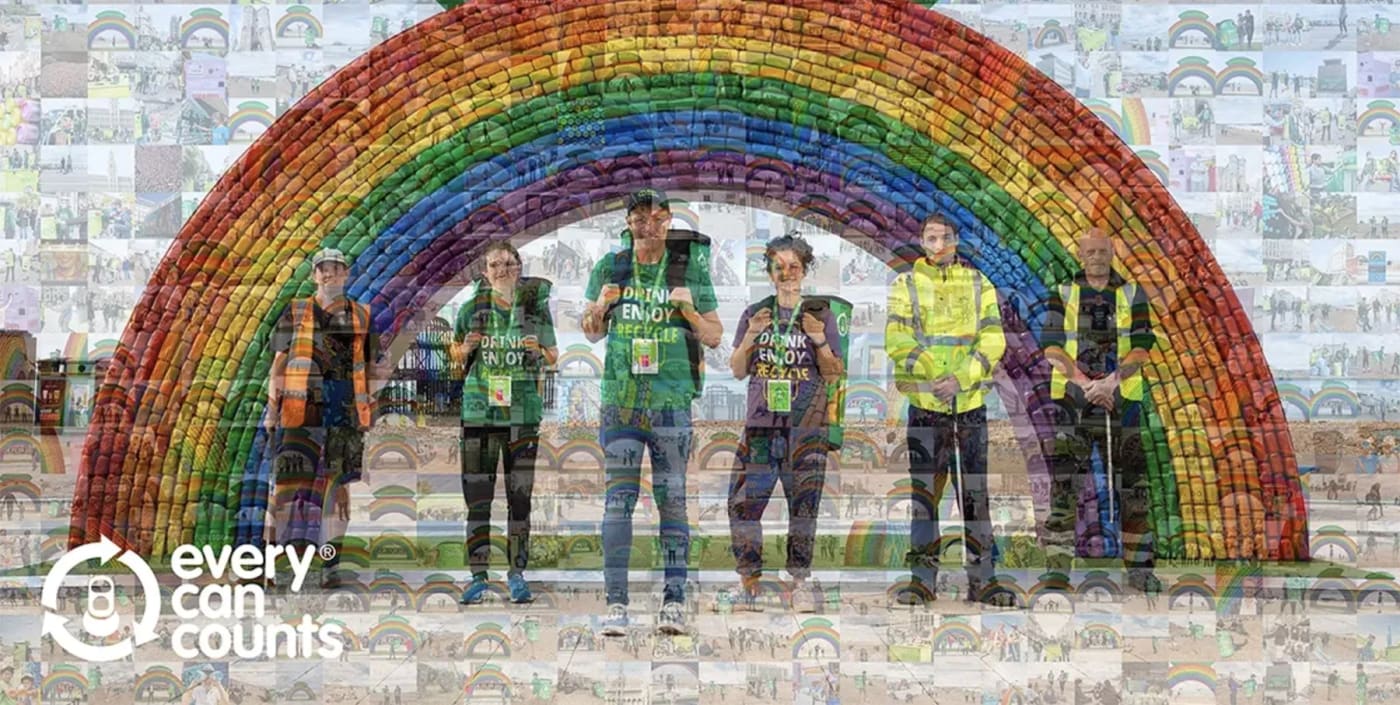
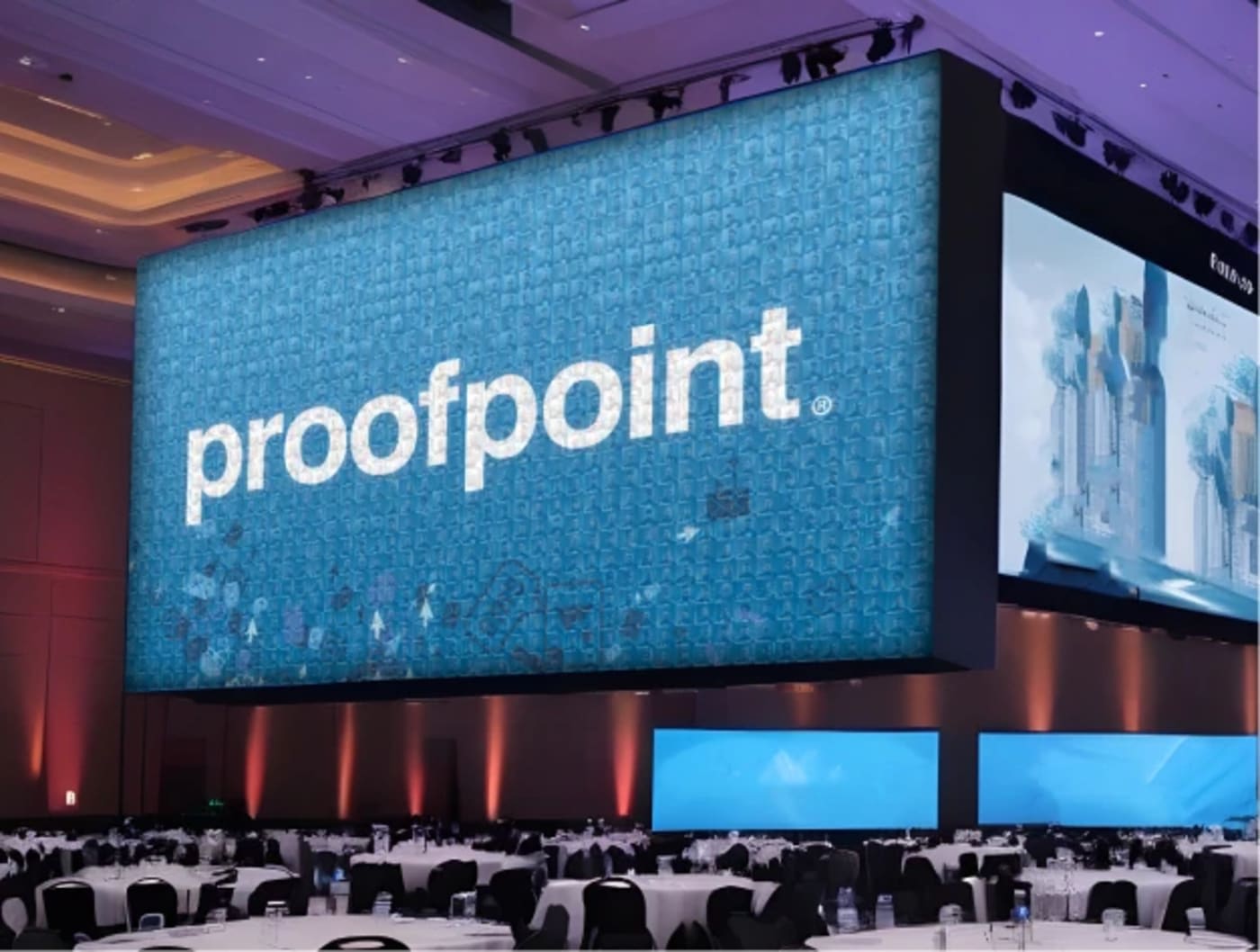
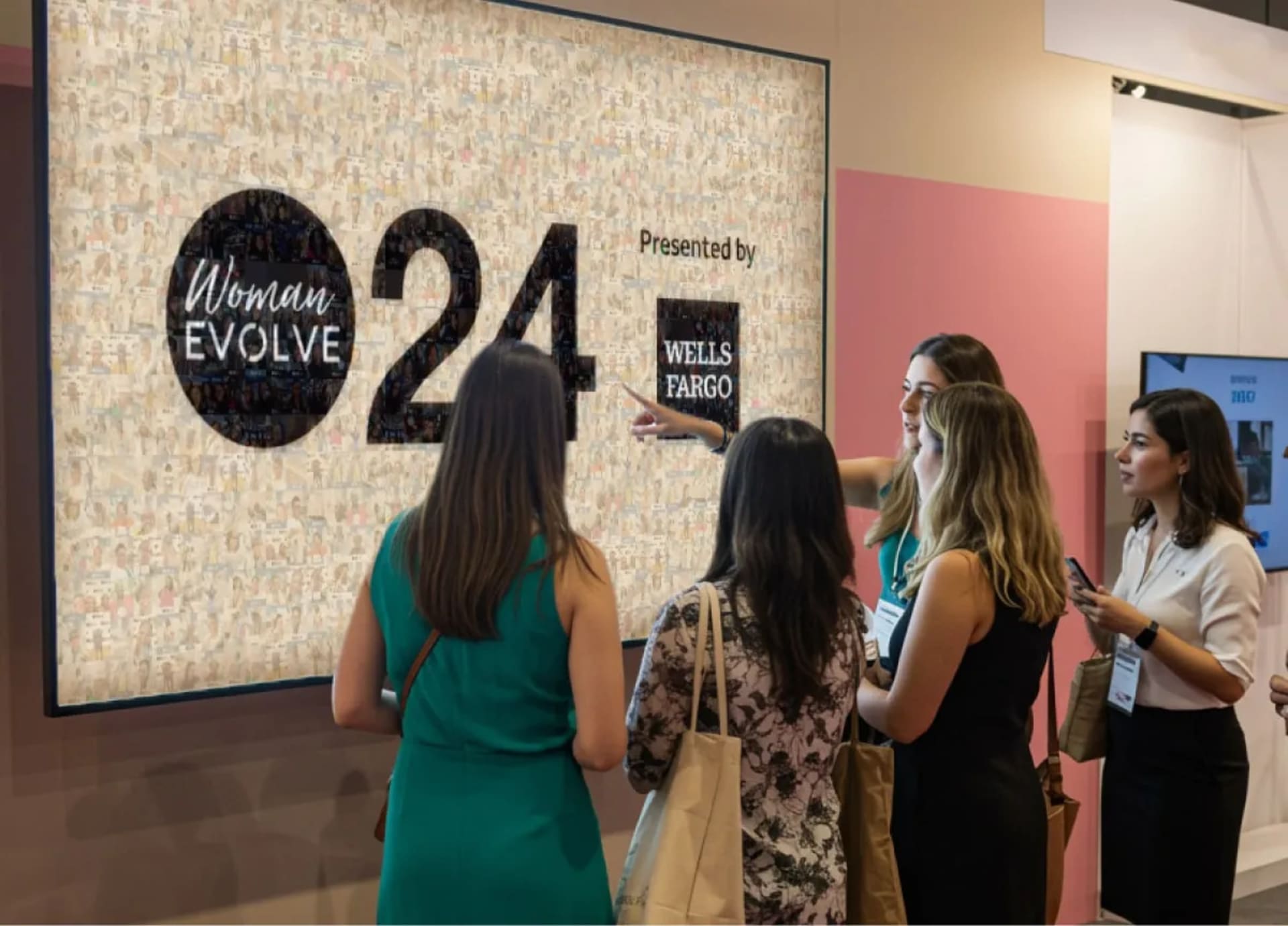
When the brand image is the point and the room is big enough to earn it. A mosaic assembles individual guest photos into one larger picture, usually a logo or campaign visual, and guests contribute because they want to see themselves become part of it.
Two things changed in summer 2026. First, guests can now upload straight from their phone by scanning a code, no booth session required, and the photo lands on the wall in seconds. That is the mosaic's answer to the person who was never going to queue: they contribute from their seat. Second, the wall never runs out of room, so every guest makes it in. A wall at capacity swaps out older repeats and grows denser, so the group arriving in the last twenty minutes still sees themselves. Ask any vendor what happens when their mosaic is full.
Smaller details: the wall takes a custom corner logo, including a sponsor variant, and tiles can be portrait or square. Afterwards, ask us to export an MP4 recap of the wall assembling itself; that's a request to our team, not a button. The trade-off is real: it's the heaviest build of the four and the one display sold as an add-on. Our live photo mosaic explainer goes deep on the build.

What do other platforms offer for live displays?
Mostly a slideshow. Per the September 2026 verification behind our software comparison, which checked eight vendors against their own documentation, seven put something on a screen. For six it's a slideshow (Simple Booth, Snappic, dslrBooth and LumaBooth, Darkroom Booth, Photo Booth Supply Co., LA Photo Party). TouchPix mirrors the session to a TV. Sparkbooth documents no audience display at all.
Two document a mosaic: TouchPix gates it to a top tier or sells it as a separate pass, and LA Photo Party sells Muse Mosaic as a separate product. Whether Muse Mosaic accepts guest uploads without a booth session is not stated publicly. None of the eight documents a leaderboard, or any way for the crowd to act on what the screen shows. Two slideshows carry sponsor ad slots; whether those take scannable codes is not stated publicly. One naming trap: Photo Booth Supply Co. calls its hosted online album a "Live Gallery," which is not a gallery on a screen in the room.
Pricing structure is where look-alike proposals come apart. Several vendors above tie the slideshow to an upper plan or sell it as an add-on. On our platform a live gallery, a slideshow and a leaderboard come with every activation, the live mosaic is a paid add-on, and you can run as many displays of the included types as you want. Twelve screens cost the same as one; the mosaic is the exception. Whoever you talk to, ask plainly whether extra screens cost extra.
| Display type | What the crowd sees | Who it recruits | Guest action from the screen | Sponsor placement | Included how | Best for |
|---|---|---|---|---|---|---|
| Live Gallery | A grid that fills through the event | The colleague-spotter | Scan to join | Sponsor tiles with codes | Every activation | Lounges, registration, anywhere people stop |
| Slideshow | A rotating feed of the newest content | The guest glancing up across the hall | Scan to join | Sponsor tiles with codes | Every activation | Concourse screens, stage backdrops, bars |
| Leaderboard | A podium of crowd favorites, re-ranking live | The passer-by who'll vote but won't pose | Scan to vote | None | Every activation | Trade show aisles, multi-day contests |
| Live Mosaic | Guest photos assembling into one brand image | The guest uploading from their seat | Scan to upload, no booth session | Sponsor corner logo | Paid add-on, separate build | Keynote halls, flagship brand moments |
Read the "who it recruits" column twice. It never appears on a feature grid.
See it in action
Build your own live display activation
A live gallery, a slideshow and a leaderboard come with every activation. Add a live mosaic when the brand wants a centrepiece.
Explore Live Displays
Which live display is right for your event?
Match the display to how your crowd moves, then to what the brand needs the room to see. A room that stops wants a gallery, a room that walks past wants a slideshow or a leaderboard, and a room that needs one picture to point at wants a mosaic. The three shapes below cover most corporate events.
A conference or all-hands, where the room is the audience: a live gallery on the screens people stop near, plus a mosaic if the brand wants a centrepiece the whole event builds toward. The gallery recruits; the mosaic gives the keynote hall something to point at.
A trade show, where traffic walks past and never stops: a leaderboard with scan-to-vote, placed where the aisle slows. The vote is the cheapest action you can offer a stranger on a schedule, and it's participation you can report. Our conference and large-event guide covers the floor side.
A sponsor-funded event: a slideshow on the high-traffic screens and a gallery where people gather, both carrying sponsor tiles. That pays for the display layer on paper before the doors open.
One caveat on leaderboards. A 2006 Science experiment by Salganik, Dodds and Watts found that when people could see what others had already chosen, popular items got more popular and outcomes less predictable; quality set the floor and ceiling, not the order. The board picks the winner about as much as the crowd does, so tie the contest to participation rather than "best."
Where we're the wrong answer. A single screen at a small internal party: a vendor slideshow or a shared album does that job, and we're rarely the economical option at that size. A staffed, printed-mosaic centrepiece: a full-service mosaic vendor, since we don't staff events. A hashtag or social-media wall as the primary display: a social wall product, a different family from these four.
Where to start
Two decisions before any vendor call. Where will the screens physically be, and do you want the crowd to do anything from them? The first tells you gallery or slideshow. The second tells you whether a leaderboard or mosaic earns its place.
Then the pricing question, which is really a screens question: how many, and whether the second costs what the first did. Get that in writing.
Ready to put your activation on the big screen?
Tell us where the screens are and who walks past them, and we'll tell you which display fits.
Get a Quote
Or explore: Live Gallery | How It Works