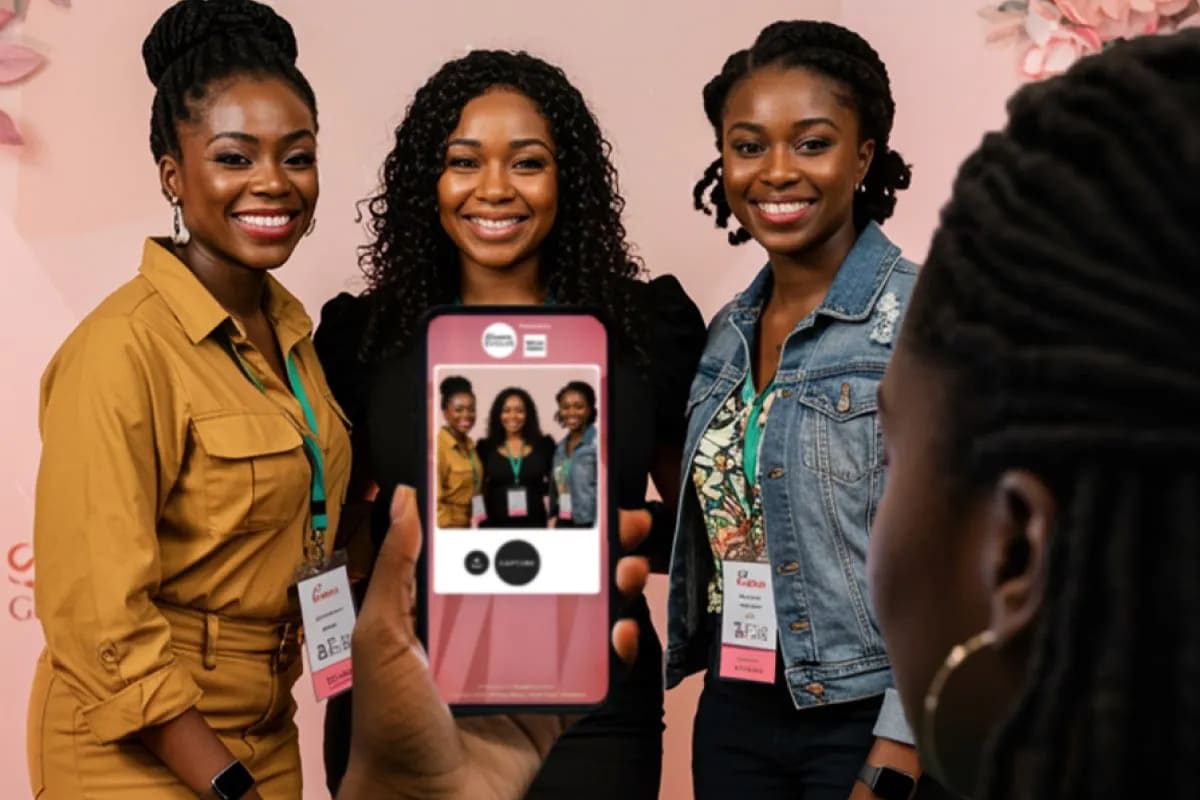
You already program for connection. The roundtables are on the agenda and the reception has a theme. So here's a question about how to encourage networking at events that the agenda can't answer: what happens in the four minutes after two people finish their first conversation, while both are still in the room?
Usually nothing. One heads for coffee, the other checks their phone, and the second conversation, the one where a contact becomes a colleague, never starts. Sam covered the first half of this problem in The Connection Gap at Events: planners say they value peer connection and rarely schedule for it. This piece is about the half after the format has done its job. The guest has met someone. Now what?
Key takeaways
- The mid-event networking gap isn't the first conversation. It's the second approach, which almost nobody makes.
- People leave a first conversation believing it went worse than it did, and they remember a face and a job title, not a name they can search.
- A badge the guest chose to attach is the opposite of a badge scan. One records proximity. The other is an invitation.
- The dashboard reports participation and LinkedIn-field completions. It doesn't report badge clicks or connections made.
How do you encourage networking at events while they're still happening?
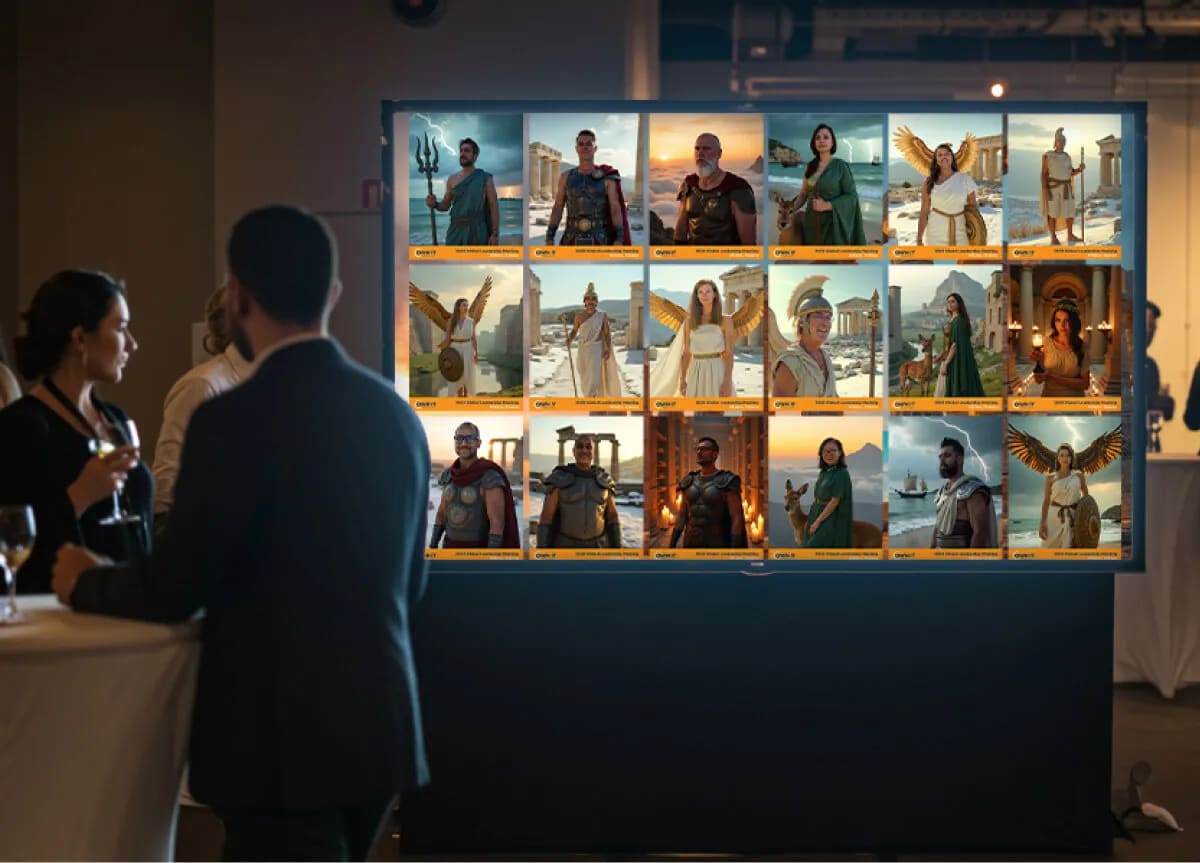
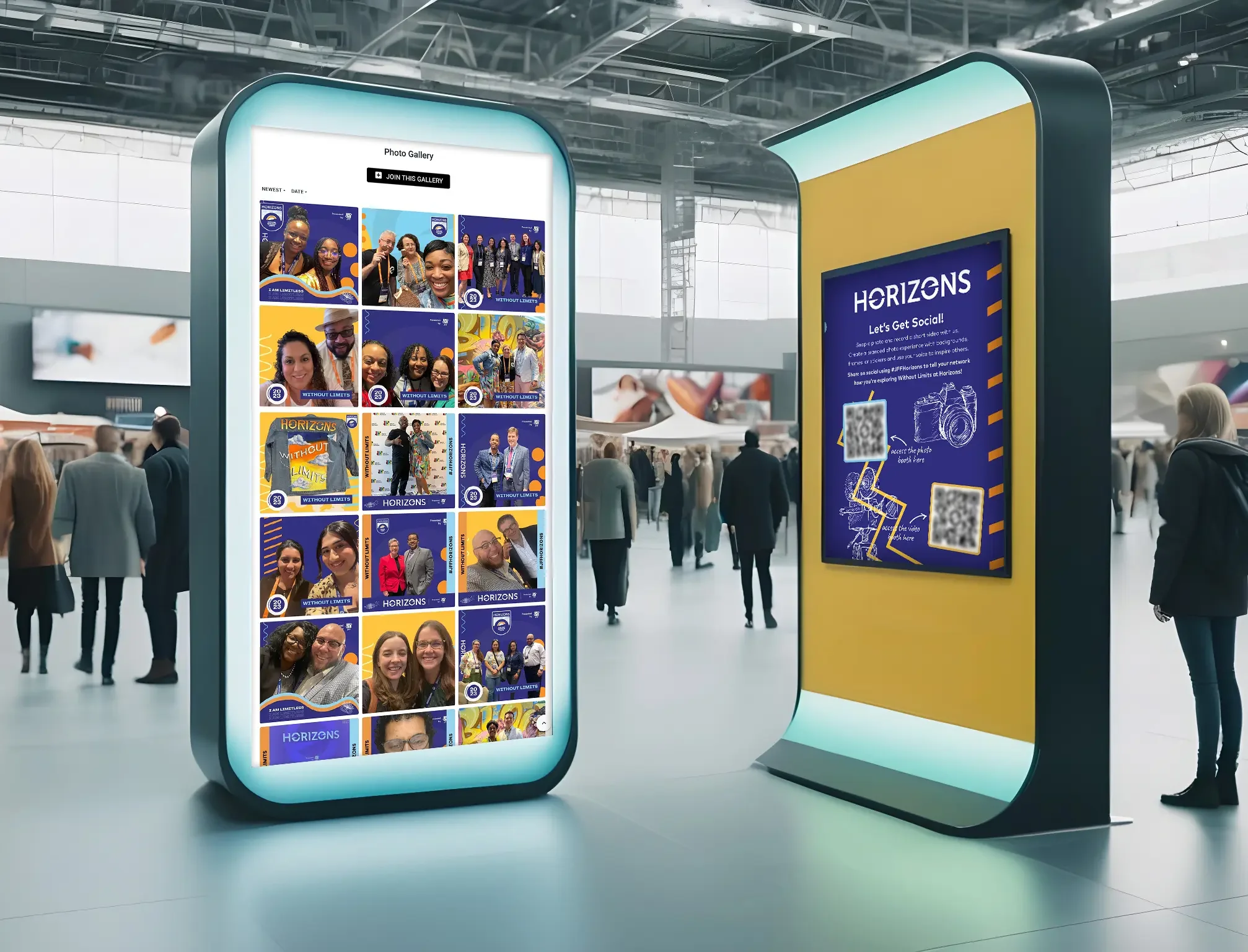
Give guests something to make, put it on a screen the whole room can see, and put each guest's own link on it. That's the play in one sentence. Guests participate in an activation, their content lands in the live gallery seconds later, and if they added their LinkedIn profile at the data capture step, it carries a badge that opens it. The person they were just talking to walks past the screen, spots them, taps, and connects while both are still holding a coffee.
Notice what the play doesn't do. It doesn't add a session or ask anyone to download an app. If you want formats for the conversation itself, from time-boxed roundtables to challenge-based networking, the Connection Gap piece covers those. This is about the moment the format hands back to the guest, and the reason that moment usually goes nowhere is more interesting than shyness.
Why don't guests go back to the person they just met?
Because they think it went worse than it did, and because they couldn't find the person if they tried. Two separate failures, both measured, and an event can fix the second. The first has a name in the research.
In 2018, Erica Boothby, Gus Cooney, Gillian Sandstrom and Margaret Clark published "The Liking Gap in Conversations" in Psychological Science (volume 29, issue 11). Across five studies, people who had just met underestimated how much the other person liked them. One study ran inside "How to Talk to Strangers" workshops in the UK, which is about as close to a conference coffee break as a lab gets.
4.30 vs 3.61
How interesting workshop participants found the stranger they'd just spoken with for about five minutes, versus how interesting they believed that stranger found them. One hundred participants, same conversation, and on average people assumed they had made the weaker impression. Source: Boothby, Cooney, Sandstrom & Clark, The Liking Gap in Conversations, Psychological Science, 2018.
Read that gap as a decision. Two people leave a good conversation each believing the other was only mildly interested, so neither circles back. On a conference floor that happens a few hundred times an hour, and it's usually wrong.
The second failure is memory. In 1987, McWeeny, Young, Hay and Ellis published "Putting names to faces" in the British Journal of Psychology, and their summary line has been quoted ever since: it is much harder to recall that a person's surname is Baker than to recall that a person is a baker. With context stripped out and word frequency equalized, names stayed the hardest thing to retrieve. So a guest walks away with a face, a company, a job, and a name that's already going. An event app search needs the one thing they've lost.
A screen full of faces with a link on each one answers both. The face is the retrieval cue, so the name doesn't matter. And the badge is the other person saying, in advance, that they'd like to be found, which takes the sting out of circling back.
How do LinkedIn badges in the live gallery work?
A LinkedIn field goes on the data capture step of the activation. When a guest captures, they type their handle or paste their profile link, with no LinkedIn login involved, and the platform tidies whatever they entered into a clean profile link. Their content then shows up in the event gallery with a LinkedIn badge that opens that profile. The field is on only when it has been added to the capture step, a guest who skips it simply doesn't get a badge, and a badge never links anywhere except LinkedIn.
What makes this a mid-event play rather than a post-event one is the live gallery. It updates as content arrives, has its own URL, and embeds wherever you already have a screen or an event app. The badge is visible on the floor as soon as the content lands, not in a recap email next week. Content still reaches the guest by email or text; the gallery is the shared copy the room browses.
It's not a badge scan. Our own event lead generation playbook argues that five hundred badge scans are worth less than fifty leads who meant it. A scan records that someone stood in front of a reader. A LinkedIn badge in the gallery records that someone chose to be findable, which is the opposite signal. We'd call it a networking mechanic before a lead-capture one, even though the data lands in the same export.
The play on the floor: capture, gallery, connect
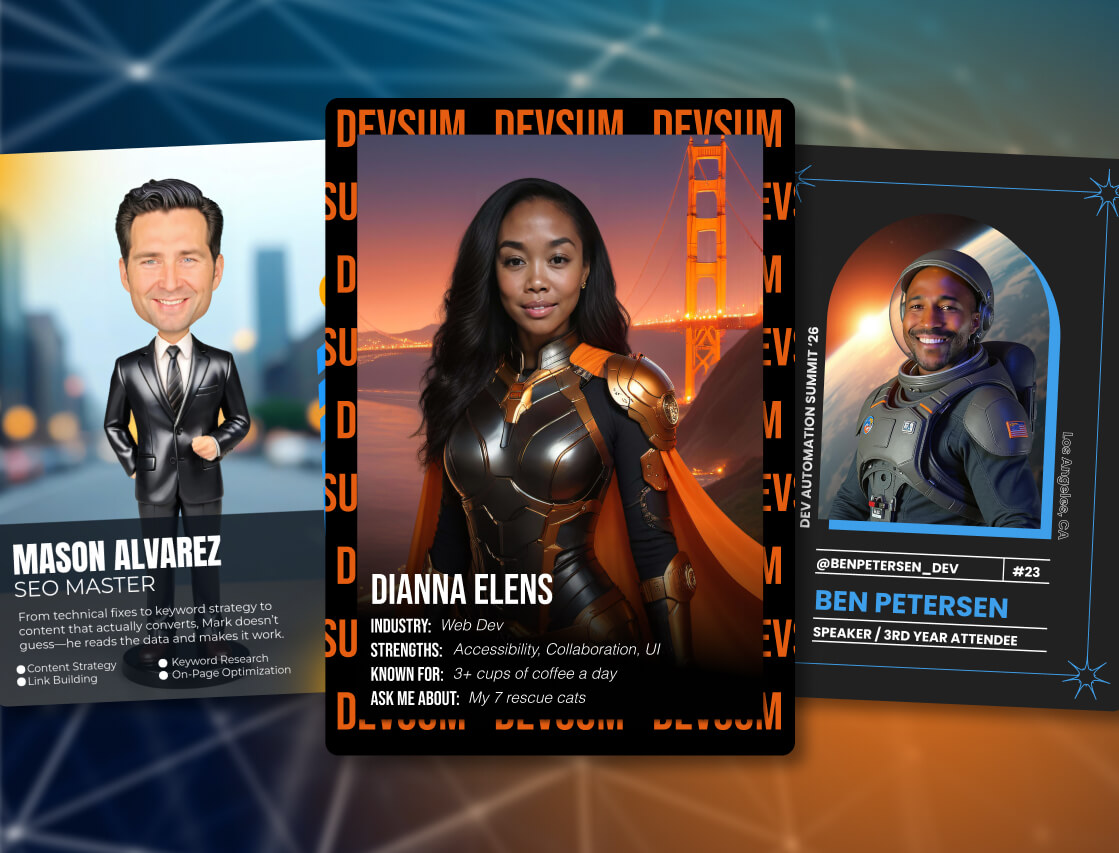
Here's how it runs at a conference or user summit, where networking at conferences has the most to gain from it. Capture happens at a station people queue for together: an Event Headshots lounge, or a Digital Networking Cards station, built on Trading Cards, where the capture step already asks for a LinkedIn profile, company and title before it turns the guest's selfie into a branded card. The queue is where first conversations start. Two people compare cards and talk for four minutes.
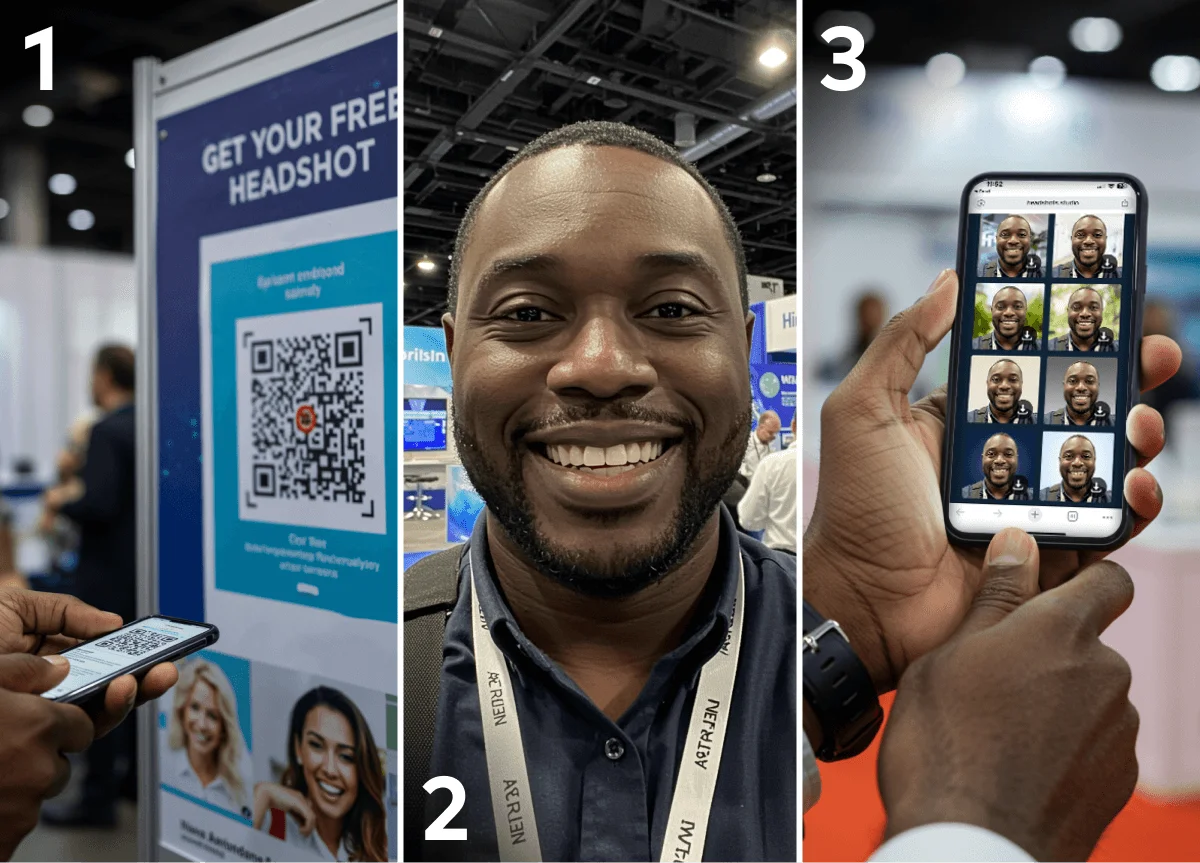
Here's the Event Headshots version of that station from the guest's side, from one selfie to a finished headshot in their inbox.
Put the gallery on the screen beside the station and at its URL in the event app. The content lands there while those two are still standing together, badge included. Peter Gollwitzer and Paschal Sheeran's meta-analysis of implementation intentions in Advances in Experimental Social Psychology found, across 94 studies, that linking a goal to a specific cue ("if I see X, then I do Y") had a medium-to-large effect on whether people acted (d = 0.65). Most good intentions at a conference have no cue. "I should connect with her" has nowhere to land. Her card on the screen thirty seconds later is the cue, and the action takes one tap.
This matters most at scale. On a large conference floor, a guest may meet twenty people in a day and lose nineteen. One gallery holds all twenty, with a face on each.
See it in action
Build your own Event Headshots activation
A professional headshot every guest actually wants, delivered in minutes, with the option to carry their LinkedIn badge into the live gallery.
Explore Event Headshots
One practical note: keep the LinkedIn field optional. Guests who want to be found will fill it in. Guests who don't will still finish the experience, and you'd rather have their participation than a handle typed to get past a required field.
What does the dashboard report, and what does it not?
It reports participation, meaning the guests who completed the experience, and LinkedIn-field completions, meaning the guests who chose to attach a profile. It does not report badge clicks, and it does not report whether two people connected on LinkedIn afterward. We'd rather state those limits than sell around them.
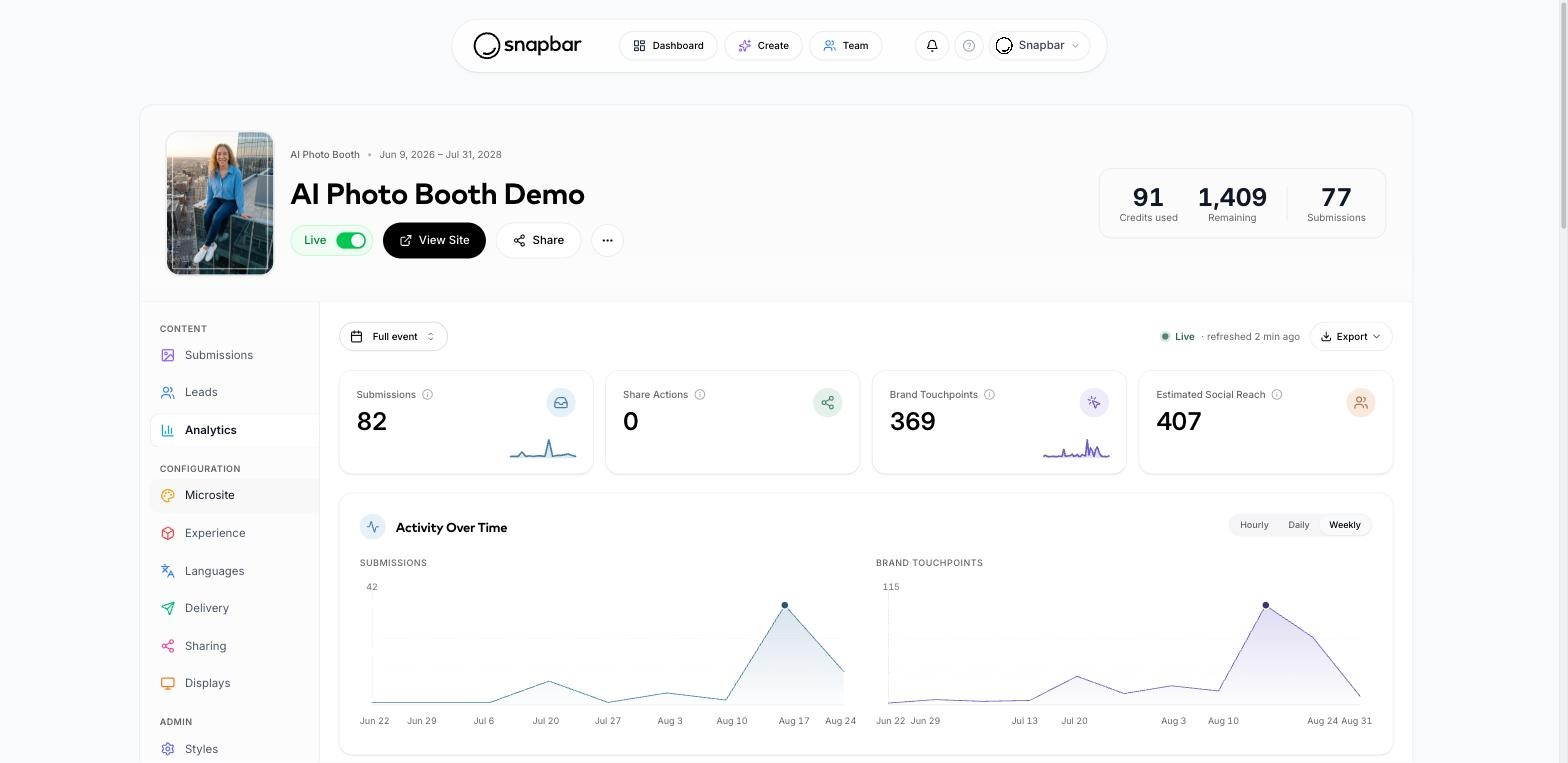
Completions divided by participants gives you an attach rate. It's a ratio we derive, not something the platform labels, but it answers a question no badge scanner can: of the people who took part, how many wanted the room to be able to find them? That's a measure of intent, and it moves with things you control, like where the gallery is displayed and whether station staff mention it.
Our guide to measuring event success covers where a networking number sits alongside attendance and pipeline. Follow-up rate stays the hard one. What changes is that you now have a count of guests who made follow-up possible.
What about after the event?
Nothing closes when the hall does, and that's where event networking follow up gets its second chance. The gallery URL keeps working, the badges keep opening profiles, and the guest who didn't circle back on the day can still find the person's face a week later. Post-event networking usually fails at the search box. A gallery of faces skips it.
There's a reason to bother. Daniel Levin, Jorge Walter and Keith Murnighan's "Dormant Ties: The Value of Reconnecting" in Organization Science asked executives to consult contacts they hadn't spoken to in at least three years about a live project. The advice compared favorably with what their current contacts offered, and reconnected strong ties carried both the novelty of a weak tie and the trust of a strong one. Most conference contacts go dormant fast. They aren't lost value; they're value waiting for a way back in.
The content is headed for LinkedIn anyway. When Guru Media Hub ran an AI photo experience for Guru Conference with a LinkedIn share contest attached, the portraits drew over 2 million organic impressions there. That campaign predates the badge, so it proves nothing about the badge. It does show where the content goes.
Could the gallery do more than a badge?
Nothing we ship today matches guests to each other, and we'd rather say so than let the word "networking" imply it. Two things come close. A Persona Quiz gives every guest a result specific enough to compare, so two strangers whose persona results land side by side in the gallery have a reason to talk that's already on screen. And where matching is the whole point of a summit, a custom build is a conversation we're happy to have, with the caveat that it's a build, not a toggle.
Every event says it's for the people in the room, and the simplest way to encourage networking at events is to act like it while they're there. A scanned badge is the organizer's record of who attended. An attached badge is the guest's invitation to be found, and the best place to accept an invitation is while the person who sent it is still across the room.
Want your next conference to produce connections while everyone is still there?
Let's Talk
Or explore: Event Headshots | How It Works