





Tilt Maze Game for Events and Trade Shows

Guests tilt their phone to race a steel ball through your branded maze, and the fastest finishes climb a leaderboard displayed in real time on screens at the event. Each new best time pulls the next guest in.

See pricing

Trusted by event teams at

  • Adobe MAX logo
  • Jack Morton logo
  • ServiceNow logo
  • Call of Duty logo
  • Lowe's logo
  • Project Management Institute logo
  • CES logo

What is a tilt maze game?

A tilt maze game is a labyrinth you steer by tipping the board: players tilt it to roll a ball past the holes and into the goal, usually against the clock. Anyone gets it in seconds, but steady hands win, so a fast time feels earned and a ball lost at the last hole sends people straight back for another go.

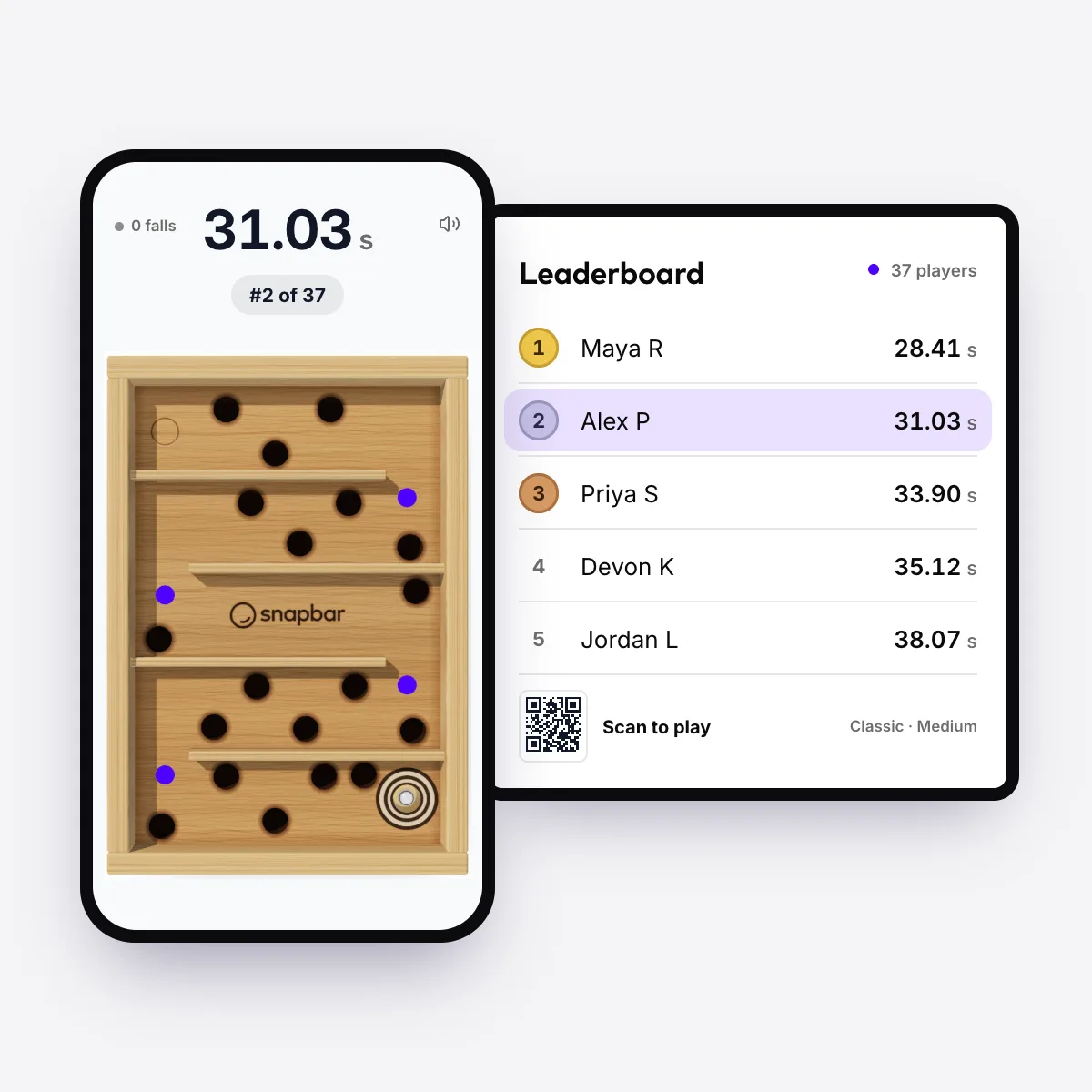
Snapbar's Tilt Maze puts that board on a guest's own phone, or on a tablet on a stand at your booth. The brand picks the maze and the time limit and puts its logo, or a sponsor's, on the board. The fastest finishes rank on a live leaderboard on the venue's screens, and every run lands in your dashboard, ready to export.
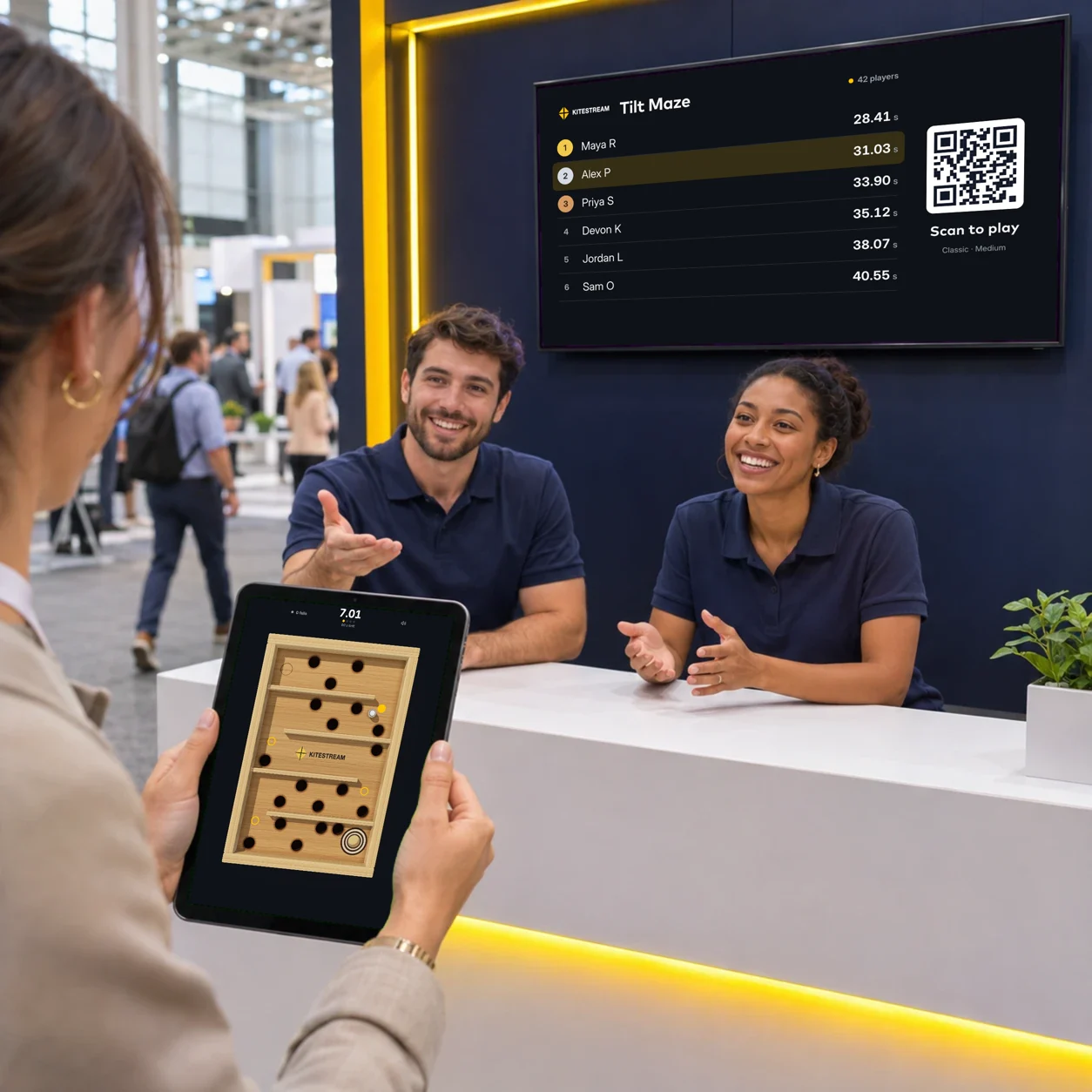
A guest at a trade show booth holds an iPad and steers the ball through a branded Tilt Maze while two booth hosts cheer her on, the leaderboard on the TV behind them

How a Tilt Maze activation works

1 of 4build

  1. Pick your maze

    Choose Breeze, Classic, or Gauntlet, set a time limit anywhere from 20 seconds to three minutes, and put your logo or a sponsor's on the board. Use tilt controls when guests play on their own phones, or touch controls for a tablet on a stand.

  2. Guests race

    Guests scan the code on your leaderboard screen or open the link you share, enter their first name, agree to your terms, and tap Start. They tilt to roll the ball past the holes and into the goal before the clock runs out.

  3. Fastest finish on top

    Every finished run lands on the venue leaderboard, fastest first. A run that hits the time limit ends as Time's up and stays off the board, so the standings only ever show real finishes.

  4. Freeze the board, crown the winner

    Freeze the standings when the window closes so the board holds while you announce the prize, then export every run from your dashboard.

What's included with Tilt Maze

Everything you need to run Snapbar's Tilt Maze, with no experience fee.

Free

No experience fee

1 credit per run

Each run uses one credit when it ends, test runs included. Buy as many as you need, and add more anytime.

30 days live

Included with this experience

  • Three mazes and your own time limit
  • Live leaderboard on any screen
  • Every run captured with the guest's details
  • Branded entry pages
  • Custom terms
  • Live analytics
  • Unlimited devices
  • Unlimited admins
  • Data exports

Build it yourself, run it on any device

  • Phones
  • Tablets
  • TVs

Made to fit your booth

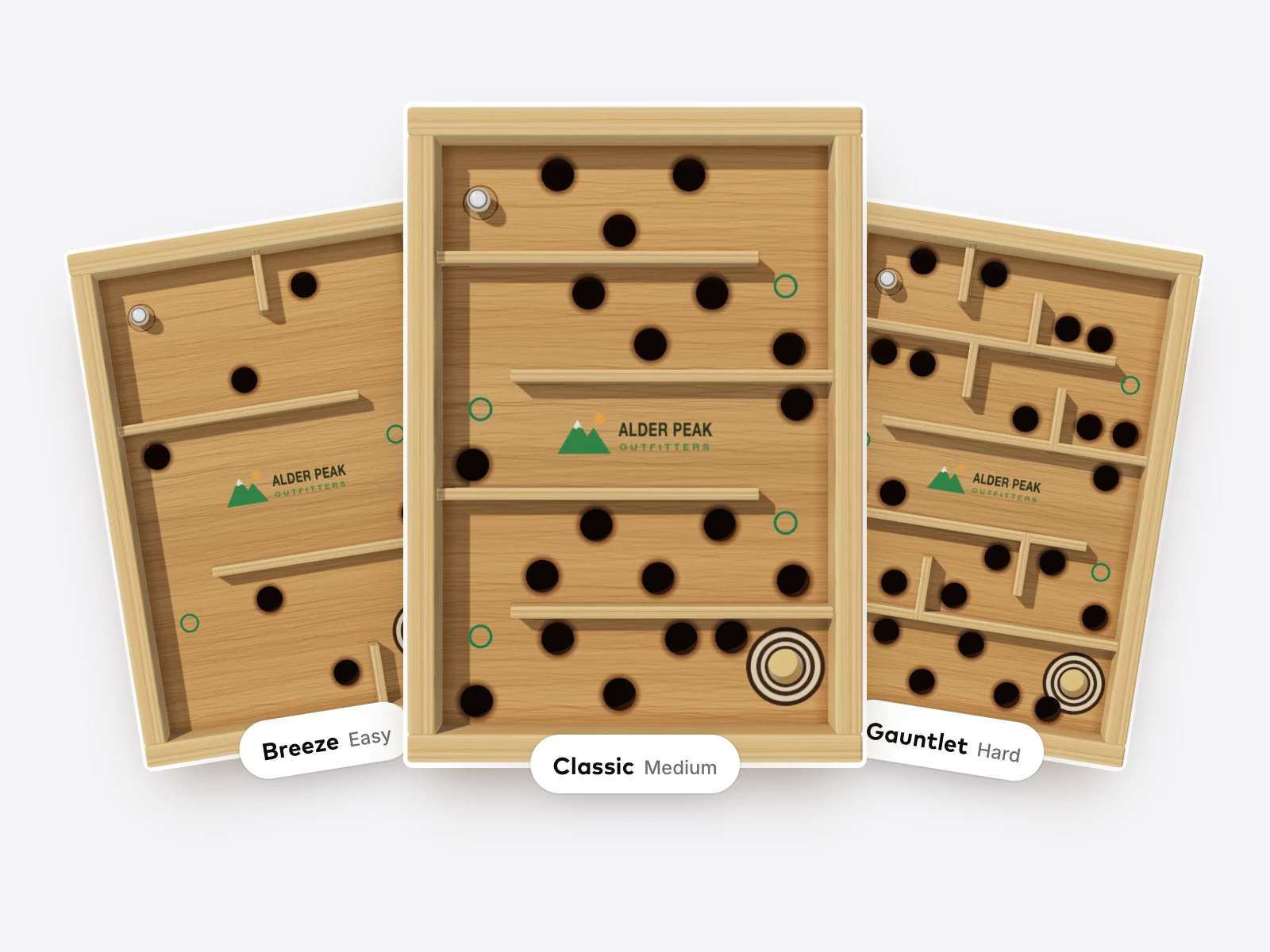
The three Tilt Maze boards fanned out with an outdoor brand's logo, Classic in front with Breeze and Gauntlet behind it, from easy to hard

Three boards, from Breeze to Gauntlet

Snapbar's Tilt Maze comes with three boards. Breeze is gentle enough for a first-timer, Classic rewards a steady hand, and Gauntlet is for the guests chasing bragging rights. Pick the one that suits your crowd and how long you want each run to take.

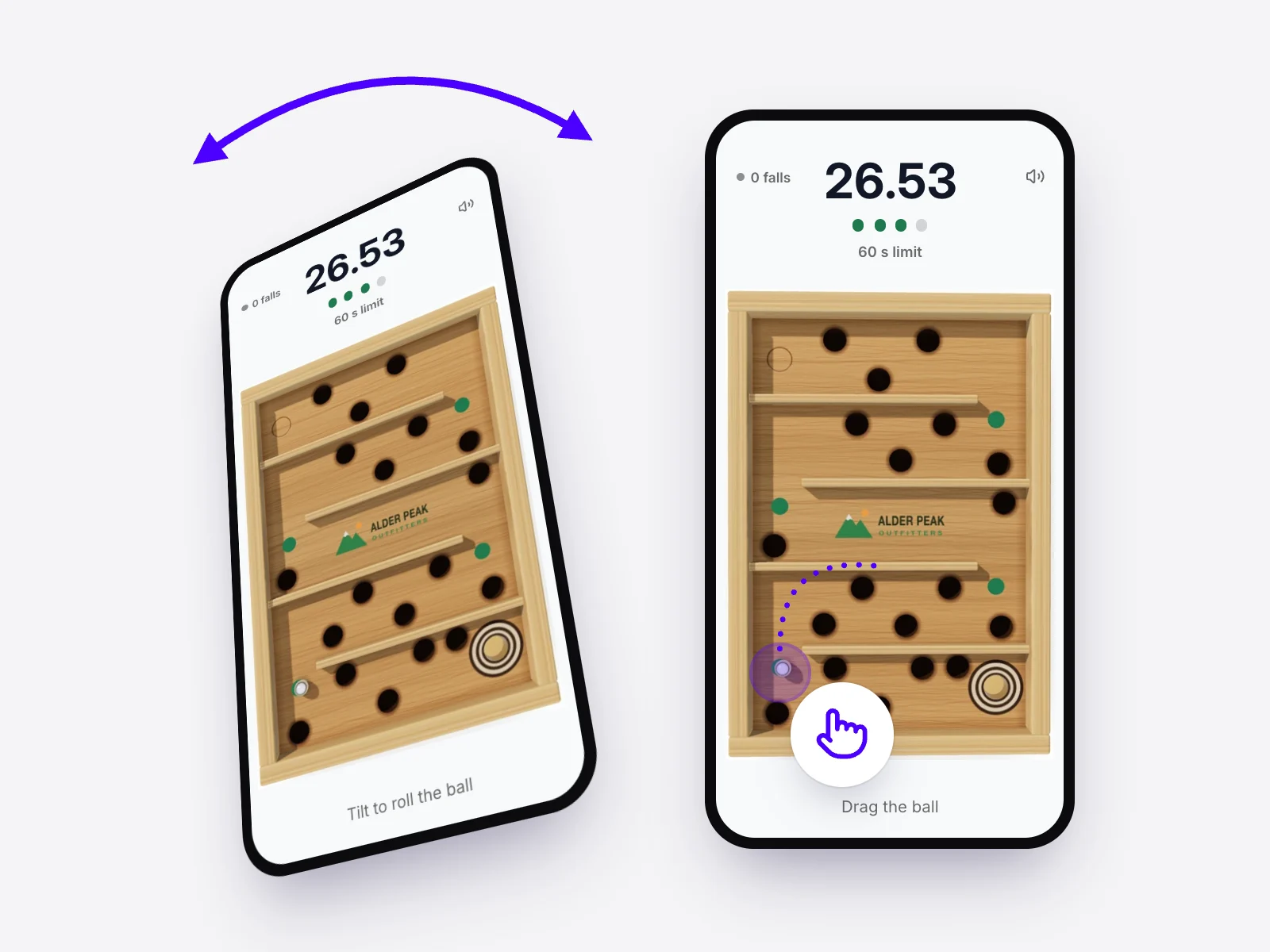
One phone tilts back to roll the ball through an outdoor brand's maze, and on a second phone a pointer drags the ball with touch controls

Tilt or touch, whatever the setup

On their own phones, guests tilt to steer, and anyone who'd rather not allow motion access drags the ball with a finger instead. At your booth, switch to touch controls and a tablet on a stand runs the game all day.

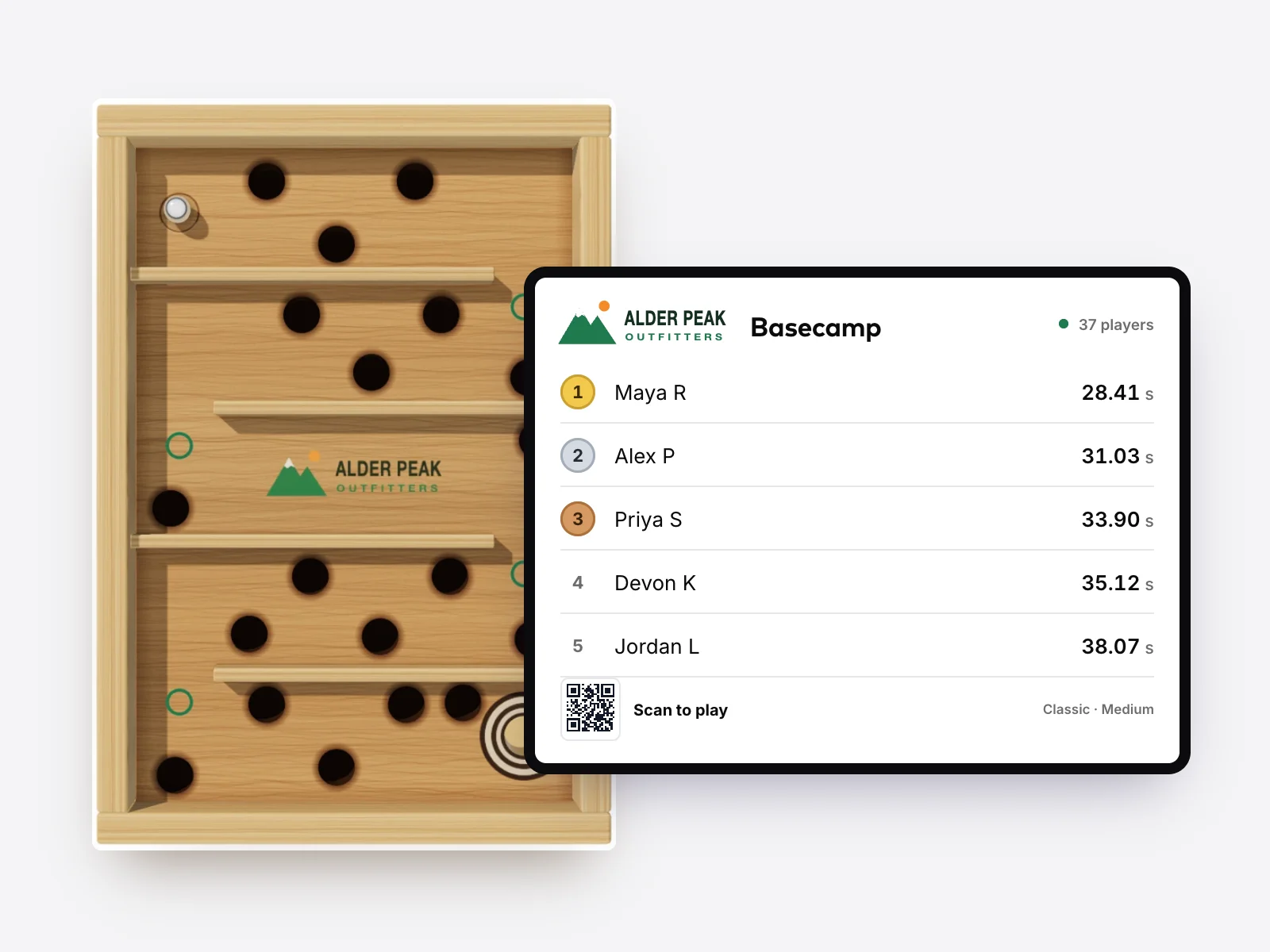
A Tilt Maze board with an outdoor brand's logo in full color, beside its green leaderboard with the brand's logo, event title and a Scan to play code

Your brand on the board

Put your logo, or a sponsor's, on the maze itself, burned into the wood or in full color. The leaderboard carries your title and a Scan to play code, so people watching from the aisle can join from their own phones.

Why teams choose Snapbar for Tilt Maze

  • Every run is an entry

    Guests give their first name and agree to your terms before they start. Turn on email capture and every live run lands in your dashboard as a lead, with one row per guest on the board.

    learn about lead capture
  • No experience fee

    Snapbar's Tilt Maze has no experience fee. Every run, test runs included, uses one credit when it ends, so you buy credits for the runs you expect and add more anytime.

  • Built for repeat visits

    A best time is always there to beat, so regulars come back between sessions to shave off a second. Turn on email capture and limit runs per guest, so one person can't take over the board.

  • A leaderboard made for the race

    The board ranks the fastest finishes, keeps test runs apart from the live standings, and freezes on the final results while the prize goes out.

  • Part of the full platform

    Branded entry pages, your terms, live analytics, and the same dashboard that runs your other experiences.

    explore the experiential marketing platform

Loved by event teams

  • 10,000+brand activations delivered since 2012.
  • 40+Fortune 100 companies trust Snapbar for live engagement.
  • 300+experiential agencies power client events with Snapbar.
  • It was a very successful on-site activation!
    Ceren K.
    Global Event and Sponsorship Manager
  • Really pleased to see so many leads here!! No doubt we will be in touch again for another event in the near future.
    Jennifer J.
    Global Events Manager
  • The Snapbar at our conference was a HUGE success, and we'd like to start looking at doing it more frequently at other events.
    MacKenzie G.
  • It was a hit! People were really engaged with it. We can send more detailed retro notes but thanks for making it a success!
    Greg V.

Which game belongs at your booth

Snapbar's Tilt Maze and Stop the Clock are both booth games with their own live leaderboards. Stop the Clock is ten seconds of judgment, quick enough to play between conversations. A Tilt Maze run lasts as long as the maze takes, up to the limit you set, so it holds a guest, and the people watching, a little longer.

Run Stop the Clock when the aisle moves fast and you want plays by the dozen; run Tilt Maze when guests can linger and the board is worth watching. When you want marketing fuel instead, the photo leaderboard ranks votes on guest photos and videos.

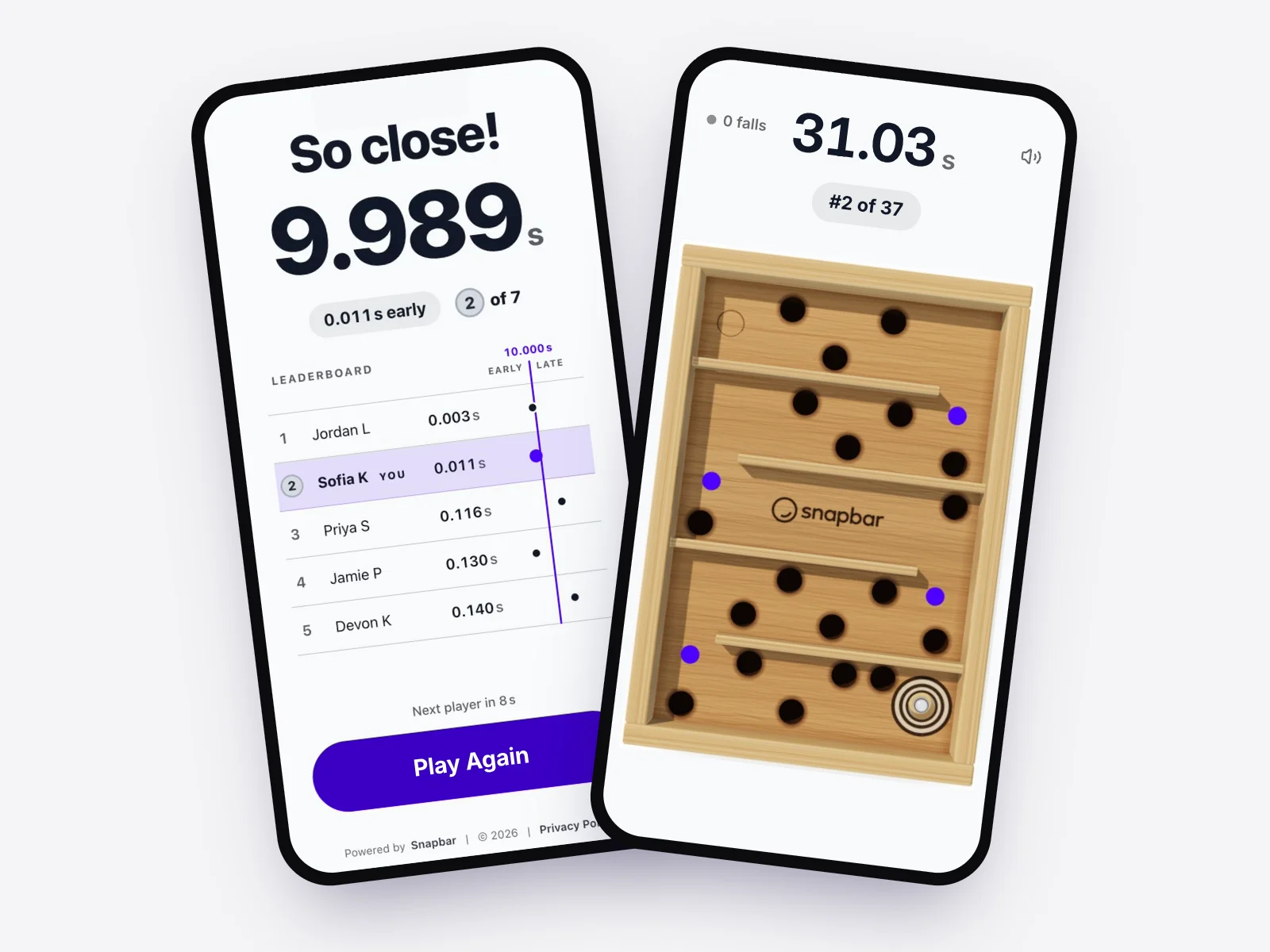
Two phones fanned out, Stop the Clock's result of 9.989 seconds behind Tilt Maze's finished run of 31.03 seconds

Run Tilt Maze at your next event

Share some details about your event, and we'll get you into the platform, where the maze, the branding, and the leaderboard on your booth screen are all yours to set.

Thanks, we've got it

Our team will be in touch soon.

Explore activation concepts

Tilt Maze FAQs

How does a tilt maze game work at an event?

Guests open the game on their phone by scanning the code on your leaderboard screen, enter their first name, and tilt to roll a steel ball past the holes and into the goal. Snapbar's Tilt Maze times every run, and the fastest finishes climb a live leaderboard on your venue screen.

How much does Tilt Maze cost?

Snapbar's Tilt Maze has no experience fee. Every run uses one credit when it ends, test runs and Time's up runs included, and it runs for 30 days live. See credit prices and build your own quote on our pricing page.

Can we run Tilt Maze ourselves?

Yes. Snapbar's Tilt Maze has no experience fee, and you build it in the dashboard: pick the maze and time limit, choose tilt or touch controls, add your logo, and put the leaderboard on your screen. Request launch when you're ready and our team activates it. Runs use credits, and the Help Center guide has every step.

Can guests play without tilting their phone?

Yes. On an iPhone, Snapbar's Tilt Maze asks guests to allow motion when they tap Start, and anyone who declines drags the ball with a finger instead. For a tablet on a stand at your booth, switch the game to touch controls so every guest steers the same way.

How long does each run take?

As long as the maze takes, up to the limit you set. Snapbar's Tilt Maze lets you choose a time limit from 20 seconds to three minutes and an easy, medium, or hard maze. A run that reaches the limit ends as Time's up and stays off the leaderboard.

Does Tilt Maze capture leads?

Yes. Every guest enters their first name and agrees to your terms before they play. Turn on email capture in Snapbar's Tilt Maze and each live run lands in your dashboard as a lead, the board keeps one row per guest, and you can contact the winners after the event.

3 more questionsShow fewer questions

Can guests run the maze more than once?

That's up to you. Snapbar's Tilt Maze lets you limit runs per guest once email capture is on, so regulars can come back for a faster time without one person taking over the board. With email on, the leaderboard keeps one row per guest instead of filling up with one person's runs.

How do we announce the Tilt Maze winner?

Freeze the standings on the leaderboard display when your window closes, and the board holds while you hand over the prize. Snapbar's Tilt Maze lets you hide a time or rename an entry from the dashboard, and the CSV export includes every run.

Should we run Tilt Maze or Stop the Clock?

Run Snapbar's Stop the Clock when the aisle moves fast, since a play takes about ten seconds. Run Tilt Maze when guests can linger and you want a race the room watches, since a run lasts as long as the maze takes, up to your limit. Neither has an experience fee, and each has its own live leaderboard.

Get in touch

Share a few details and we’ll be in touch shortly.