




Sticky Note Wall for Events

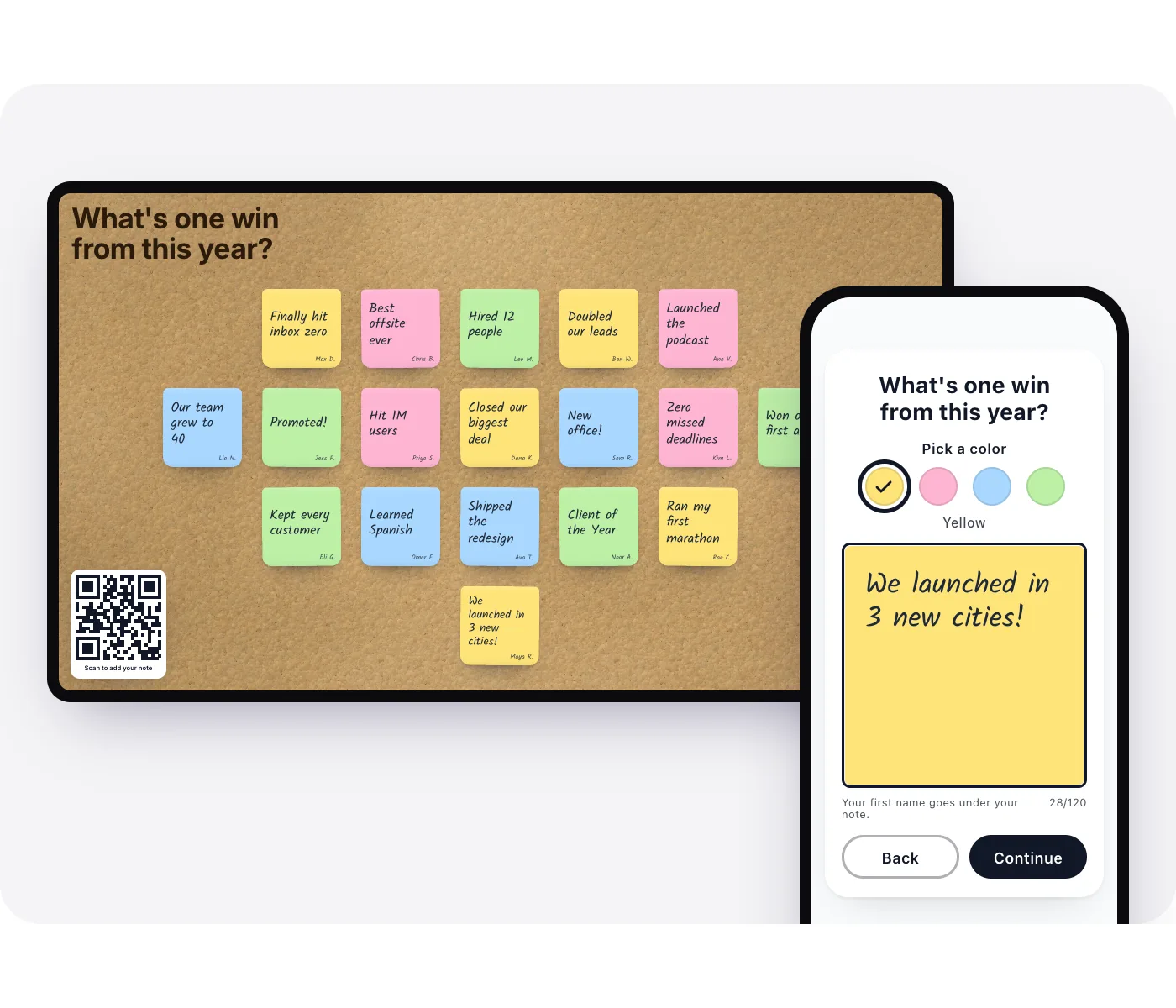
Every guest writes an answer in their own words and watches the note write itself onto the big screen at your event. You leave with a wall of honest answers, kept in your dashboard and ready for your recap.

See pricing

Trusted by event teams at

  • ServiceNow logo
  • Dove logo
  • Adobe logo
  • Project Management Institute logo
  • GitLab logo
  • Mansueto Ventures logo
  • Hispanic Scholarship Fund logo

What is a sticky note wall for events?

A sticky note wall invites everyone at an event to answer one question on a note and add it to a shared wall. It's the paper wall from workshops and conference lobbies, moved onto a big screen, so answers keep arriving as the event goes on and everyone can read what the room is thinking.

Snapbar's Sticky Notes puts your question on a branded note that guests write from their phone, an iPad, or a kiosk. Each note writes itself onto the Note Wall on the venue's screens in the color the guest picked and the lettering you chose, signed the way you set it. Every note stays in your dashboard to export.
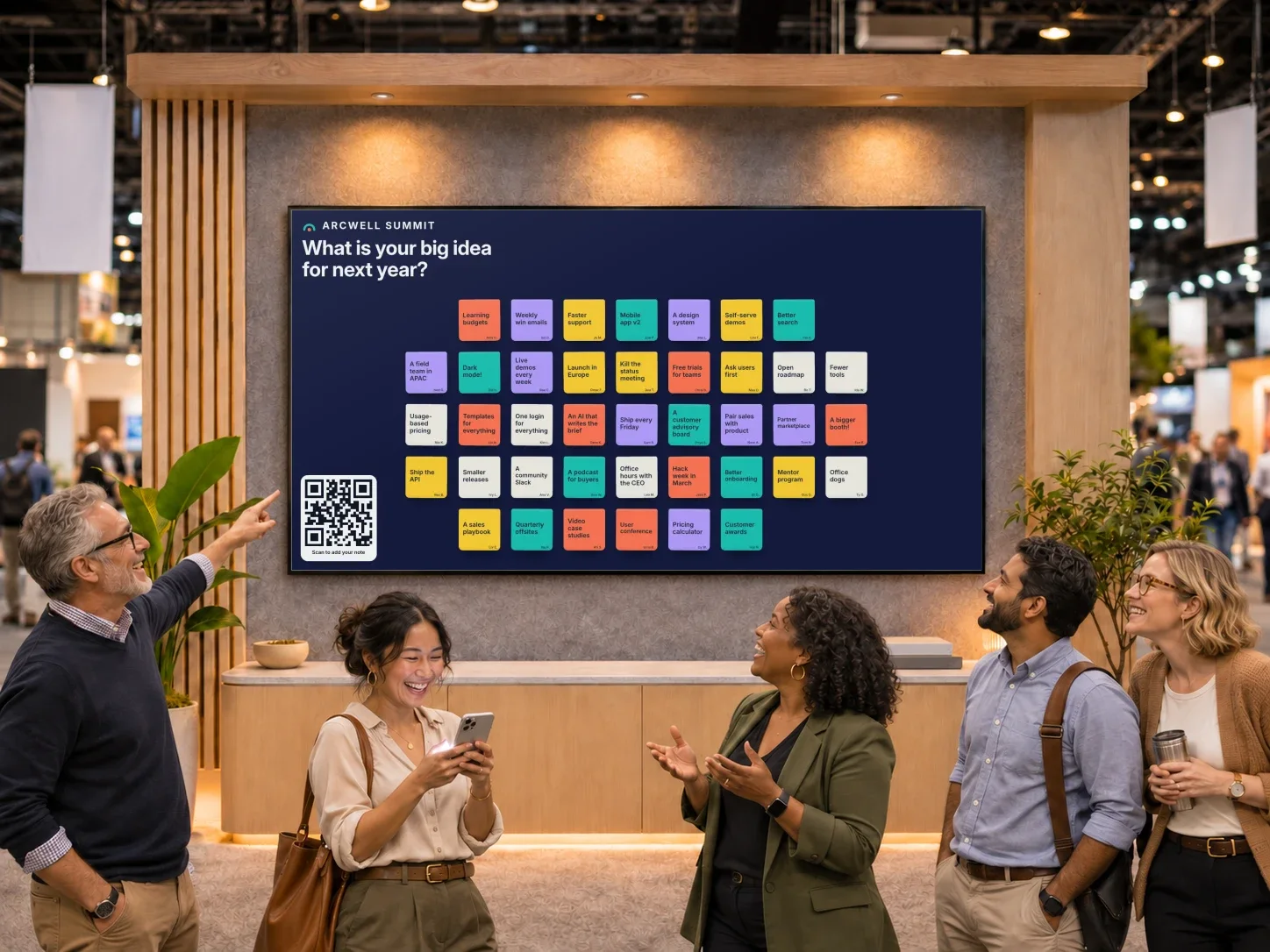
Attendees at a trade show booth point and smile at a big-screen sticky note wall full of guests' notes

How a Sticky Notes activation works

1 of 5question

  1. Ask your question

    Write the prompt guests will answer, then brand the note: up to eight colors from your palette, the lettering, how long a note can be, and whether it's signed with a first name or a last initial.

  2. Guests write a note

    Guests scan your event's QR code or walk up to an iPad or kiosk, pick a color, write their answer, and add their name. Your content filters check every note before it's accepted.

  3. Watch it land on the wall

    Each note writes itself onto the Note Wall on your venue's screens, and the wall moves through the answers as they arrive, so everyone in the room sees them and adds their own.

  4. Let people move the notes

    Put a Touch Note Wall on a touchscreen and guests can drag notes into groups. The layout saves for that wall, and you can reset it whenever you like.

  5. Keep every note

    Every note's text and color lands in your dashboard with the guest's details, ready to export when the event wraps.

What's included with Sticky Notes

Everything you need to run Snapbar's Sticky Notes, for one price per experience.

$495 / experience

Save when you buy three or more.

500 submissions

Each submission, one note, uses 1 credit, so your 500 included credits cover 500. Need more? Add credits anytime.

30 days live

Included with this experience

  • Your palette, lettering, and signatures
  • A live Note Wall and a Touch Note Wall
  • Content filters on every note
  • No app or login
  • Lead capture
  • Unlimited screens
  • Unlimited admins
  • Analytics and exports
  • Custom terms

Run it on any device

  • Phones
  • Tablets
  • Kiosks
  • Touchscreens
  • TVs

Every voice on the wall

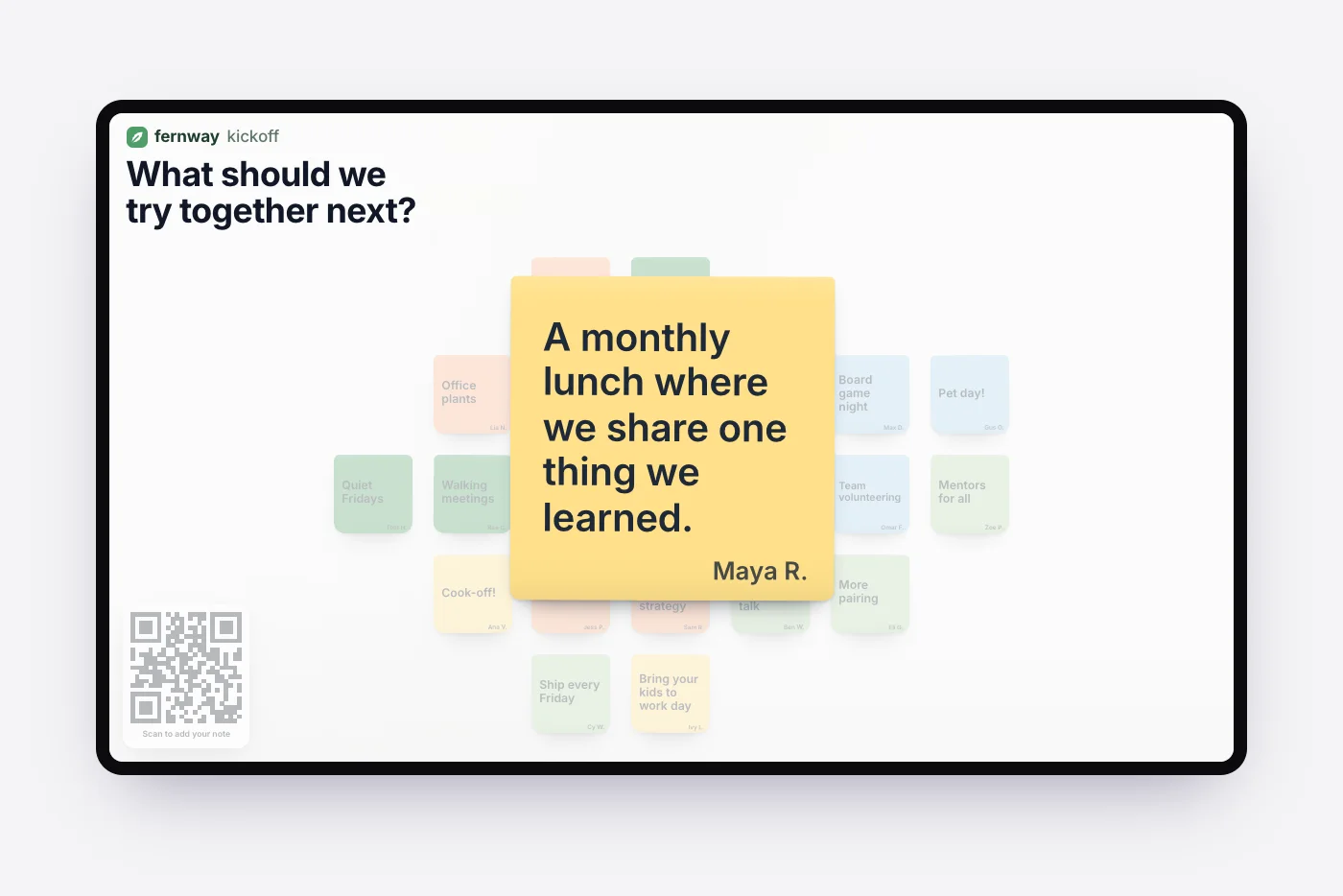
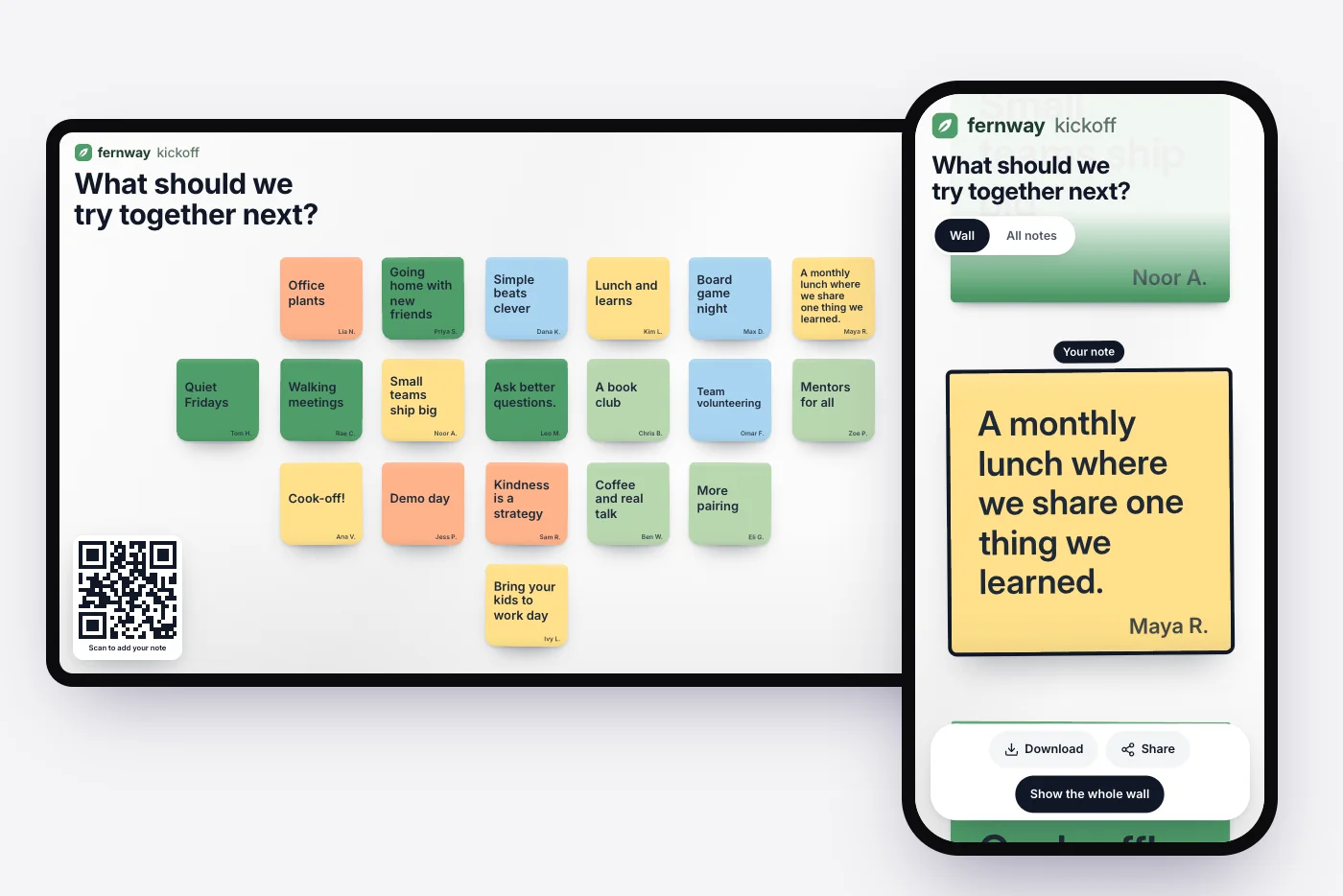
A guest's signed note marked Your note on their phone, beside the same wall on the event screen

Their words, in their own note

Guests pick a color, write their answer, and add their name, and the note writes itself onto the wall in the lettering you chose. They can find their note on the wall afterward and share it, so the answer they gave stays theirs.

The Note Wall touring guest notes on a large venue screen

A wall that moves through the room's answers

The Note Wall tours the notes as they come in, so a stage or lobby screen always has something new to read. Put it anywhere a crowd gathers and the answers do the inviting.

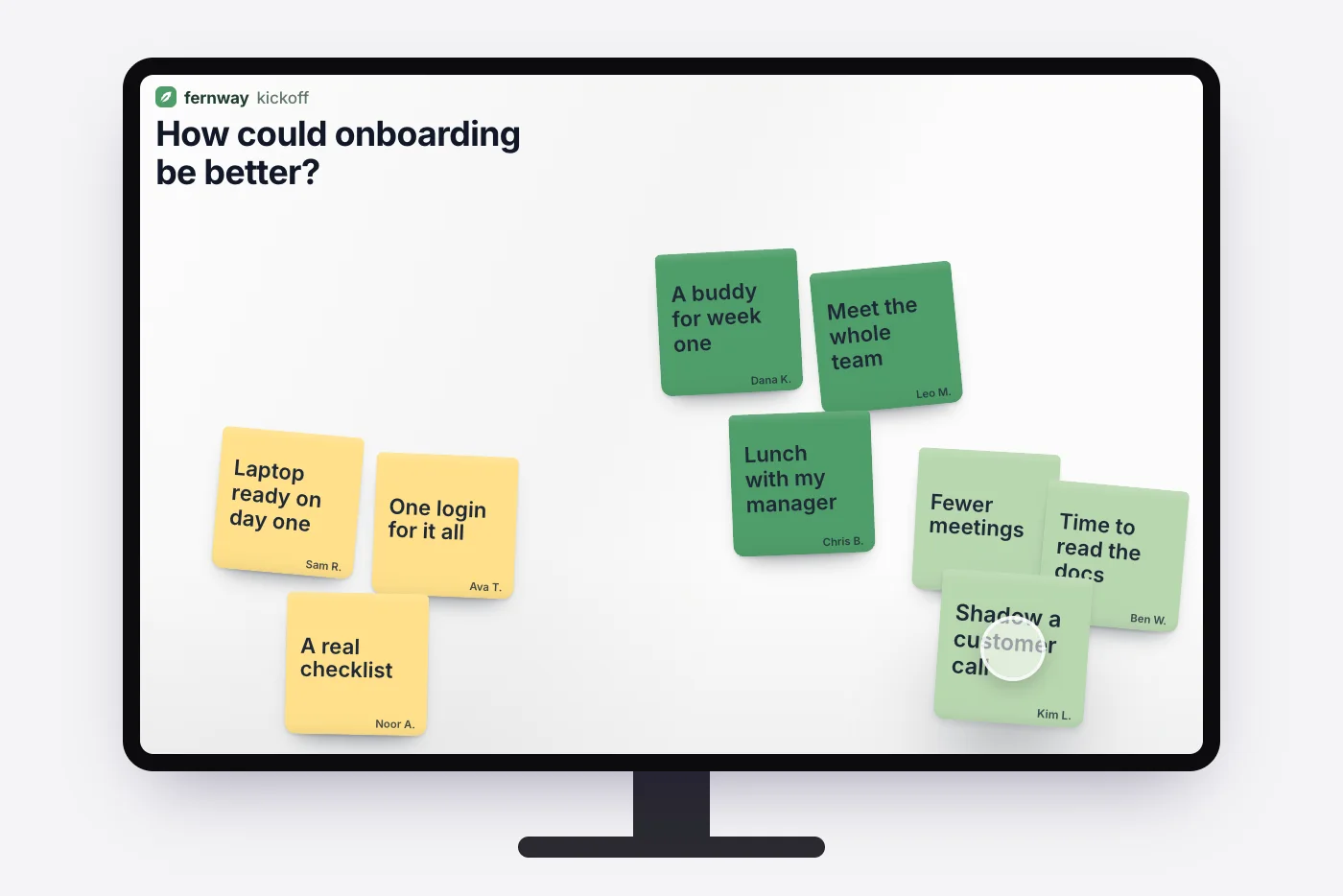
Notes grouped into clusters on a Touch Note Wall touchscreen

A wall people can rearrange

On a touchscreen, the Touch Note Wall lets guests drag notes into groups and clusters. Placements save for that wall, which turns a workshop's sorting exercise into something the whole room can see. Reset the layout from the wall's settings whenever you start a new session.

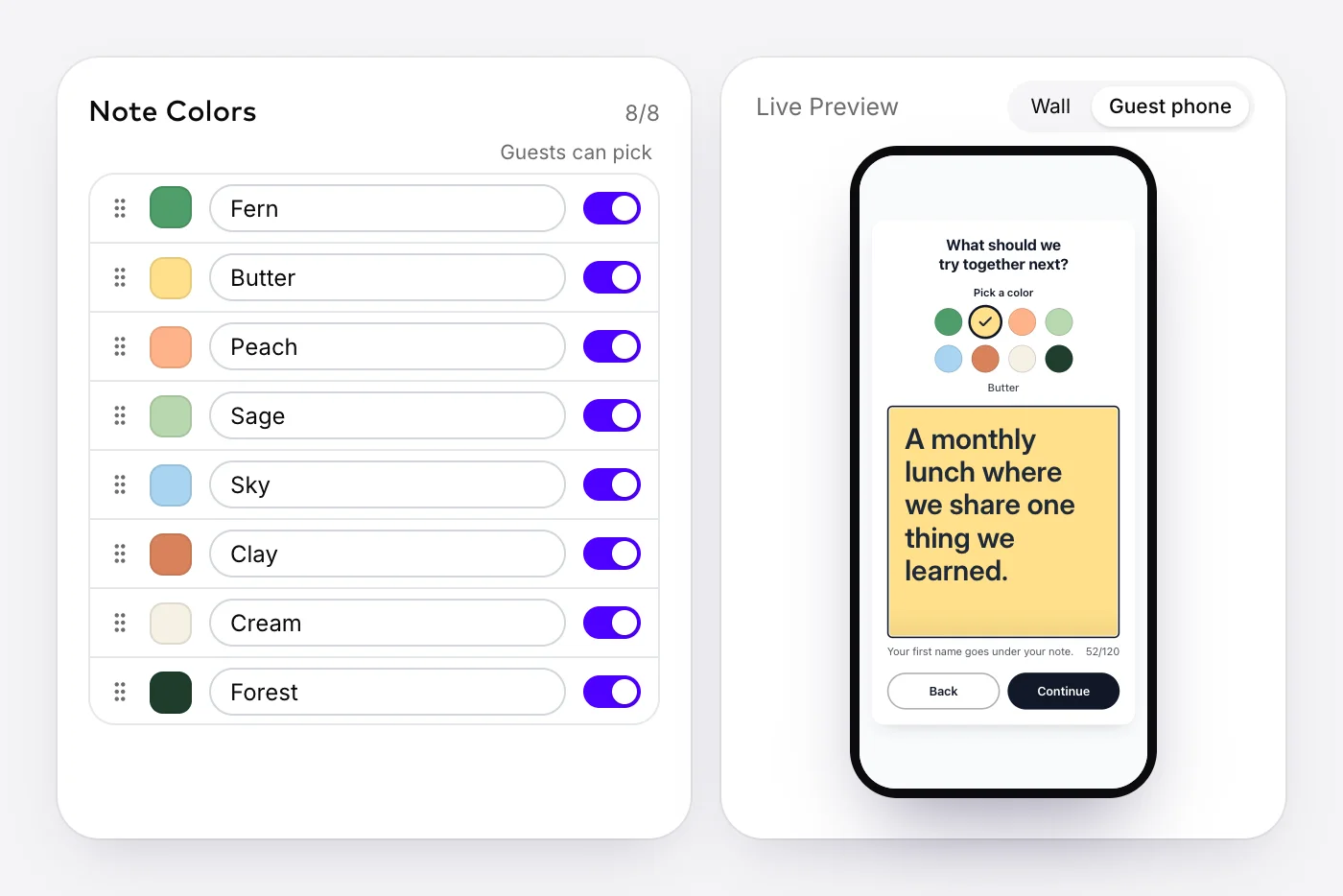
Sticky Notes palette editor with eight brand colors, beside the guest's phone offering all eight to pick from

Your colors, all the way through

Recolor or remove any of the built-in note colors and fill the palette with up to eight of your brand's own. Choose how names show, and whether decorative notes greet guests on the start screen.

Questions worth asking a room

  • All-hands and kickoffs

    "What's one win from this year?" Every team member adds an answer, and the wall becomes the year in review.

  • Workshops and breakouts

    Gather ideas before the discussion starts, then sort them into themes on a Touch Note Wall while everyone watches.

  • Conference sessions and lobbies

    Ask guests what they're taking home, and give the next session's speaker a wall of answers to open with.

  • Celebrations and milestones

    Anniversaries and retirements fill a wall with messages people will want to keep.

Why teams choose Snapbar for Sticky Notes

  • Every voice, not just the loudest

    Everyone writes at once from their own device, so the quiet half of the room gets heard too. In our experience, people love seeing their words go up beside everyone else's.

  • Filtered before it's posted

    Snapbar checks every note and signature against your content filters on the guest's screen and again before it's accepted, so blocked words never reach the wall.

  • Answers you can use after the event

    The room's answers don't vanish when the screens go dark. Every note lands in your submissions and lead export, ready for the recap.

    learn about lead capture
  • Runs on any screen

    The Note Wall is a link. Put it on the stage screen, a lobby monitor, or a touchscreen, in as many places as you want.

  • One platform for the whole event

    Run Sticky Notes alongside every other experience at your event, in the same dashboard, with 10,000+ activations behind it.

    explore the experiential marketing platform

Sticky Notes or Live Polls?

Snapbar has two live ways to hear from a room. Live Polls is run by a presenter: one question at a time, everyone answers together, and the screen shows the room's combined result before the next question goes up. Sticky Notes is run by the guests: one open question that stays up all day, with every answer on its own note on a wall people come back to read.

Reach for a poll when a speaker needs the room's verdict before moving on; a note takes longer to write than a tap on a choice. Reach for Sticky Notes when you want each answer on its own note, signed and in the guest's color, on a wall that keeps filling as the event goes on. Plenty of events run both, a poll in the keynote and a wall in the lobby.

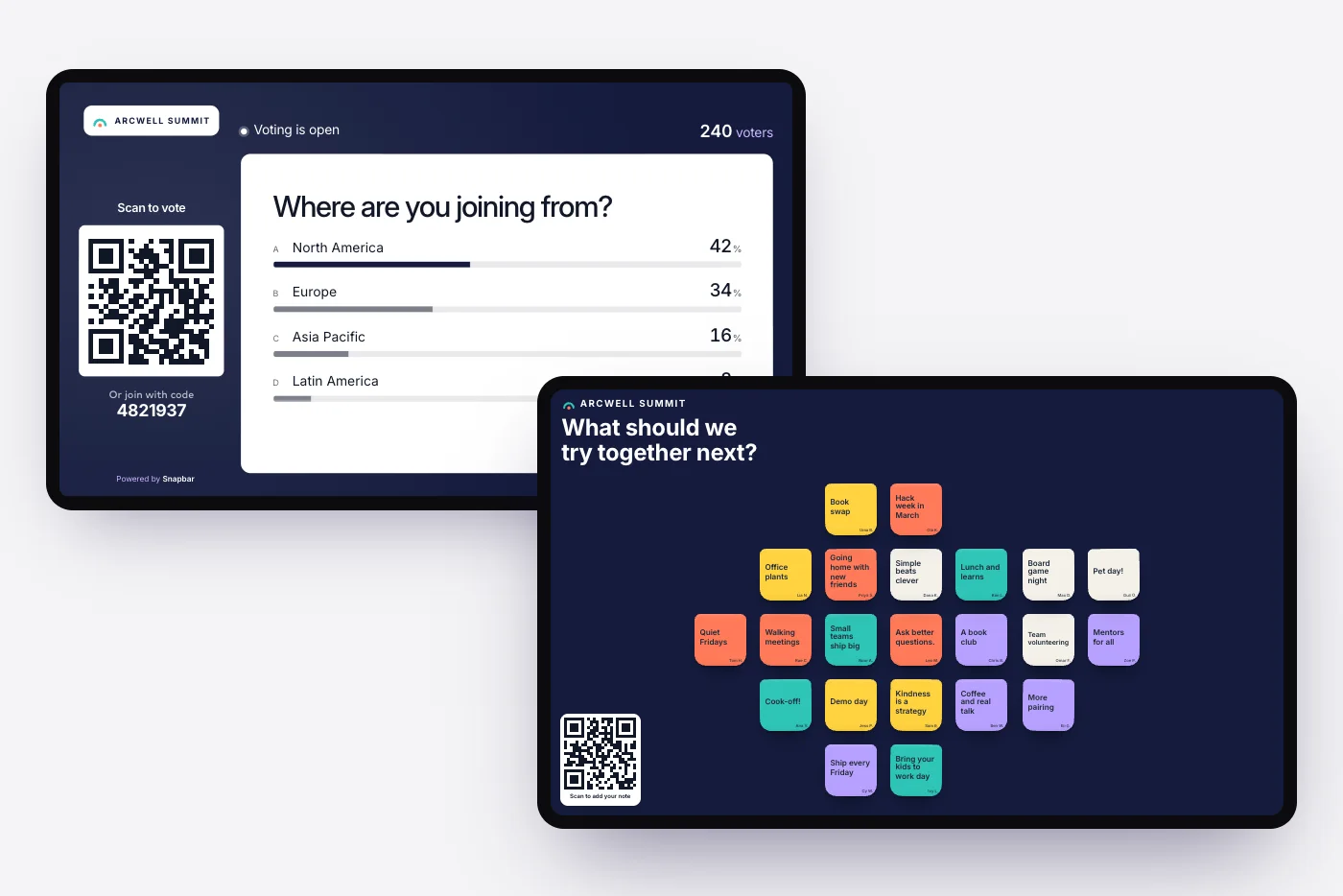
A branded Snapbar live poll result beside a branded sticky note wall on two event screens

Run Sticky Notes at your next event

Share some details about your event and the question you want to ask, and we'll get Sticky Notes into your account, with the colors and the wall on your screens in your hands.

Thanks, we've got it

Our team will be in touch soon.

Explore activation concepts

Sticky Notes FAQs

How does a sticky note wall work at an event?

Snapbar's Sticky Notes gives guests a QR code to scan, or an iPad or kiosk to write on. They pick a note color, write their answer to your question, and add their name. Each note writes itself onto the Note Wall on your screens as it's added, so the whole room watches the answers arrive.

How much does Sticky Notes cost?

Snapbar's Sticky Notes is $495 per experience, with 500 credits and 30 days live included, and it costs less per experience in a pack of three or more. See every option and build your own quote on our pricing page.

Can we run Sticky Notes ourselves?

Yes. Once your proposal is signed, Snapbar adds Sticky Notes to your account and activates it. From there your team writes the question, sets the colors and signatures, and puts the Note Wall on your own screens from the dashboard, so changes never wait on anyone. Our team is happy to help along the way.

Can we filter what guests write?

Yes. Snapbar's Sticky Notes checks every note and signature against your content filters, first on the guest's screen and again before the note is accepted, so blocked words never reach the wall. You also set how long a note can be, which keeps answers short enough to read from across the room.

Can guests move the notes around?

Yes, on a Touch Note Wall. Snapbar's Touch Note Wall runs on a touchscreen and lets people drag notes into groups, which works well for sorting ideas in a workshop. The layout saves for that wall, and you can reset it whenever a new session starts.

Can the notes use our brand colors?

Yes. In Snapbar's Sticky Notes you can recolor or remove any of the built-in note colors and fill the palette with up to eight of your own. You also choose the lettering and how names show, so every note on the wall looks like it belongs to your event.

3 more questionsShow fewer questions

Can we export the notes after the event?

Yes. Snapbar saves each note's text and color in your dashboard with the guest's details, and both appear in your submissions and lead export. Download them when the event wraps and the room's answers are ready for your recap, a sponsor update, or planning the next event.

How is a sticky note wall different from a word cloud?

A word cloud shrinks the room's answers to the words that come up most. Snapbar's Sticky Notes keeps every answer whole and signed, in its own color, on a wall people keep adding to all day. For a quick read of the room in a session, Snapbar's Live Polls word cloud is faster.

Can the Note Wall run on more than one screen?

Yes. Snapbar's Note Wall is a link, so you can put it on a stage screen, a lobby monitor, and a TV in the lounge, in as many places as you like. Each one fills as guests add their notes, so people who pass more than once always find something new to read.

Get in touch

Share a few details and we’ll be in touch shortly.