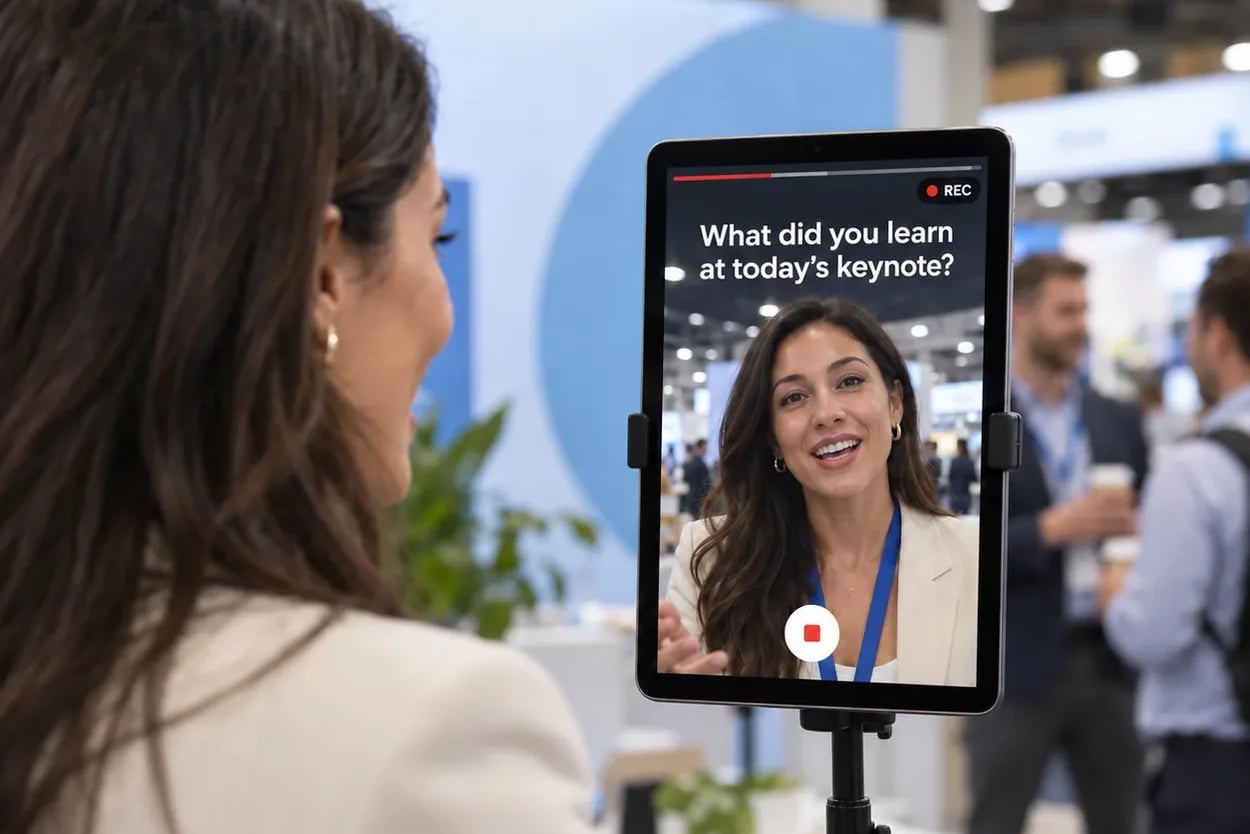
The best testimonial your company hears this year will probably be said out loud in a hallway at your user conference. A customer stops their account manager between sessions and explains, in detail, how the rollout went and what changed for their team. It's specific, it's warm, and it's gone by the closing keynote. The usual fix is an email three weeks later asking for a quote, and by then the detail has faded and the inbox has won.
We wrote this for marketing teams who'd rather collect video testimonials at events, in the room, while the customer is still standing in it. It covers the one question worth asking, where the station goes on a summit floor, what to count afterward and what to do with the clips. The tool we built for this is a video testimonial booth called Video Testimonials, and every clip is delivered exactly as recorded. A real person, a real voice, no AI.
Key takeaways
- Ask in the room. The detail is freshest while the customer is at your summit, and nobody has to be chased.
- One question beats three.
- The voice is what persuades, so protect the audio. A quieter corner matters more than a better camera.
- Judge the event on a handful of usable clips, each of which already carries the customer's details and consent.
Why collect video testimonials at events instead of afterward?
Because when you collect video testimonials at events, the customer is already in your space, already in the mood to talk about you, and the story is fresh. You don't have to win their attention back. Video Testimonials runs on the same experiential marketing platform as the rest of your activations, so the station sits next to everything else your team is running at the summit, with the same branding and the same lead data behind it.
Compare that with the method most testimonial advice teaches: send a link after the event, set a deadline, follow up, follow up again. It works, but it's a campaign of its own, and it collects answers from the customers who happen to be least busy that week rather than the ones who were most excited on the day. The enthusiasm you heard in the hallway doesn't survive the trip to the inbox.
Remote collection still has its place. For a long-form case study interview with several questions and a few minutes per answer, a dedicated remote recording tool is the better fit, and we'd tell you so. The in-room version is built for something else: a short, honest answer from a customer who's standing right there. It's the same argument we make about turning event moments into marketing fuel, applied to the most valuable thing a customer can give you.
What makes a spoken testimonial more convincing than a written quote?
Hearing a person say it. In a set of experiments published in Psychological Science, Juliana Schroeder and Nicholas Epley had evaluators judge job candidates from the same pitch, either read as text or heard as audio. The spoken versions won.
Heard beats read
Evaluators rated a candidate as more competent, thoughtful and intelligent when they heard the pitch than when they read the same words. Adding video to the audio didn't change the judgment. The voice carried it.
That finding should shape how you set up the station. If the voice is doing the persuading, audio quality matters more than lighting or framing. Put the station somewhere a customer can be heard without shouting, keep the microphone on, and leave their words alone afterward. A testimonial that sounds like the person who said it reads as proof. One that's been polished into marketing copy reads as marketing copy.
This is also why "delivered exactly as recorded" is the point of the product rather than a limitation of it. Video Testimonials doesn't generate, retouch or rewrite a single frame. Your logo or sponsor mark sits on every clip, and everything else is what the customer actually said, in their own voice, with their own pauses.
What one question should you ask customers at a user conference?
Ask one open question a customer can answer in under a minute without preparing. Each experience shows a single question, and it stays on screen while the customer records, so nobody loses their place halfway through an answer.
One question is a choice worth defending. When every clip answers the same prompt, the clips cut together, compare against each other and slot into the same spot on a landing page. Three questions produce three half-answers and a customer who's checking their watch. Short answers don't have to fill the clock, either. A strong, quick reply beats a padded one.
Questions that work well for customer advocacy at a summit:
- What would you tell a peer who's evaluating us right now?
- What changed for your team after you rolled it out?
- When did it click for you?
- What's one thing you saw at this summit that you're taking back to your team?
- What do you want us to build next?
Skip yes-or-no prompts and anything that asks the customer to say your product name. The first gets you a nod; the second gets you an awkward read-back of your tagline. Pick the question that matches what your sales team most needs to hear from a customer, and leave the others for next year's event.
Where should the testimonial station go at a customer summit?
Somewhere quiet that customers already pass with a minute to spare. The corridor outside a customer-led breakout, the customer lounge, or the area where customer success teams hold meetups all work. The loudest corner of the expo floor doesn't, however much foot traffic it gets.
The station runs on what you already have: a kiosk, an iPad on a stand or a laptop, plus every guest's own phone by QR code, all at once if you want several points of entry around the venue. Snapbar provides no hardware or staff, so your team brings the devices and someone to invite customers over. In practice, the best person to do the asking is the customer success manager or account manager who already knows them. "Would you tell the camera what you just told me?" is an easy yes from a customer who's mid-story.
Ahead of the summit, our team reviews the experience before it goes live, so build that review into your timeline before the first customer walks up. For the wider plan of a capture point at a large event, see our guide to running a conference photo lounge without the line and the planning notes on our conferences and large events page.
See it in action
Build your own Video Testimonials activation
Ask your customers one question and leave with real clips, delivered exactly as recorded, with your brand and a lead on every one.
Explore Video Testimonials
Once the station is placed and the question is set, the next decision is how you'll judge whether it worked.
How many usable video testimonials should you expect from one event?
Plan for a handful of great clips, not a hundred. The platform counts every clip recorded and attaches the customer's details and consent to each one, but "usable" is your team's call, made in a review pass after the summit.
A handful is enough. Research from Northwestern's Spiegel Research Center found that nearly all of the lift in purchase likelihood comes from a product's first ten reviews, and most of it from the first five. That's retail review research, not B2B testimonials, but the shape carries over: the first few credible voices do most of the work. The same study found shoppers grow skeptical of reviews that look too positive, which is one more reason not to script your customers or trim their clips into ads.
A simple rubric for the shortlist:
- Clear audio you can understand without captions.
- One specific detail, like a result, a moment or a before-and-after.
- A name and company the customer is happy to have shown.
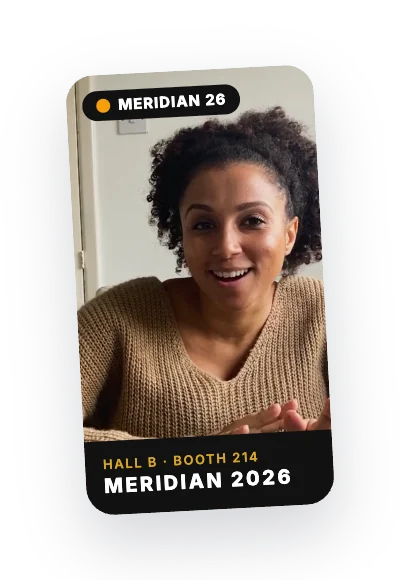
Because every clip already carries the customer's details and consent, the shortlist does a second job. Hand it to customer success as a list of advocates who just volunteered, on camera, to say something good about you. That's a reference list most teams spend a quarter trying to build.
What should you do with event video testimonials after the summit?
Put them where a prospect is deciding. Sales can drop a customer's own words into a follow-up with the next account that looks like them. Marketing can use clips on landing pages, in nurture emails and on social.
Don't forget the customer who recorded it. Every clip arrives in that customer's inbox, and delivery is by email only, which suits the moment: Snapbar delivery emails average a 95% open rate, so the customer actually sees their own clip with your brand on it. Any sharing they do happens from the page that email delivers. For more on making that message count, see our guide to event delivery emails.
During the summit itself, clips can play on your live gallery or live slideshow. On a display wall they play muted, so they work in a loud room, with sound on the guest's own page. Each clip lands in your dashboard with the details and consent the customer gave attached.
Clips are kept for the run of your experience plus 90 days, so put the download on your post-summit checklist rather than next quarter's. You can download every clip in one go. And if a customer changes their mind, every delivery email includes a link to ask for their clip to come down; our guide to event photo consent covers how that works for photos and video.
Next year's summit will have the same hallway conversations. The difference is whether you leave with them on camera, each one tied to a customer you can thank by name.
Want your next summit to leave you with real customer proof?
Get a Quote
Or explore: Video Testimonials | How It Works