Table of Contents
Most audience engagement strategies for B2B events are written for the session room, and the session room is not where your budget gets judged. Attendees told Freeman they'd ideally spend 54% of their learning time outside conference and general-session rooms, and 64% at trade shows. That's the floor: the aisle, the booth, the coffee queue. You already know how to fill a keynote. What's harder to find is a set of plays that work in the fifteen seconds someone gives you as they walk past, and leave a number behind when the show closes. That's this list.
Key takeaways
- An engagement strategy for a B2B event is a mechanic with a reportable outcome. If nothing gets counted, it's decor.
- 78% of organizers say their attendees had a peak moment. 40% of attendees agree (Freeman, 2025).
- Choose a tool by the outcome you have to prove, not the category name. Session feedback, points, and opted-in leads with content are three different purchases.
- The strongest floor plays give guests something to make, put it on a screen, and deliver it to their phone within the minute.
- Count what the platform records. Name proxies as proxies. Hand attribution to your CRM.
What are audience engagement strategies for B2B events?
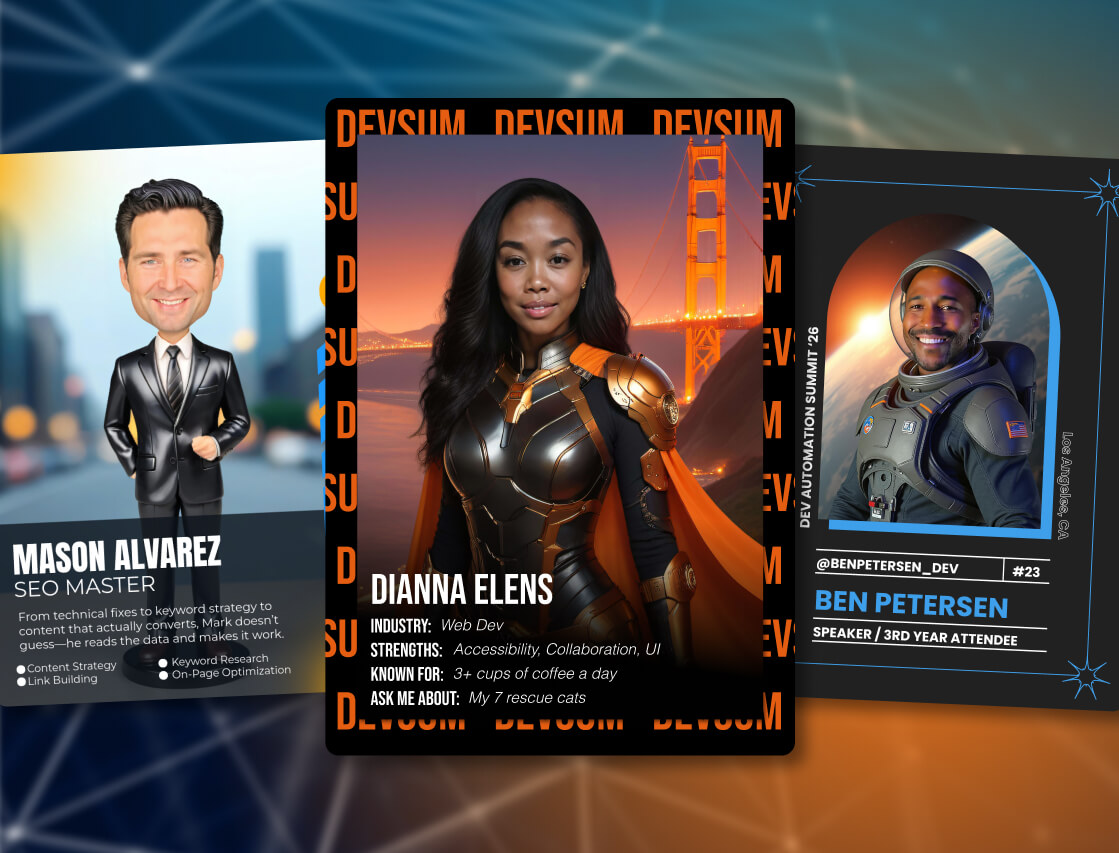
Audience engagement strategies for B2B events are deliberate ways of turning attendance into participation you can count. Each one pairs a mechanic (a contest, a capture, a wall, a quiz) with an outcome the event can report afterward, such as votes cast, content delivered, or contacts who opted in. Watching a keynote is attendance. Making something is engagement.
The distinction matters because the people planning the event and the people attending it are not seeing the same show. Freeman's 2025 Experience Trends Report, a survey of 2,672 attendees and organizers run with IMEX, found a wide gap on the most basic question there is: did anything memorable happen?
78% vs 40%
The share of organizers who say their attendees had a peak moment, against the share of attendees who agree one happened. The same report found that 85% of attendees who did experience a peak moment say it makes them likely or very likely to return. Source: Freeman, Experience Trends Report, October 2025.
The two halves of the report explain the gap. Organizers describe peak moments as big productions: the opening, the headliner, the reveal. Attendees describe them as hands-on and personal: the demo they touched, the thing they made. A peak moment is a first-person event. The producer can't have it for the guest.
There's a reason for that beyond taste. In 1978, Slamecka and Graf named the generation effect in the Journal of Experimental Psychology: information a person produces themselves is remembered better than information they are handed. A guest who makes the content remembers the brand on it. So every strategy below follows one rule: give people something to do, then count what happened.
How do I choose an audience engagement solution?
Choose an audience engagement solution by the outcome you have to prove, then match the tool family to it. Session feedback and Q&A: an audience-response tool. Points and promotions: an engagement-data platform. Opted-in leads plus content guests keep and share: an experiential marketing platform built on visual media, which is what Snapbar is.
The market sells these three as if they compete. Mostly they don't. Most B2B events we work on run an audience-response tool in the session room and an experiential activation on the floor. Neither could do the other's job.
| Tool family | What it does well | What it reports | Where it falls short |
|---|---|---|---|
| Audience-response tools | Live polls, Q&A, word clouds during a session. Low friction. | Responses per question, session participation rate. | Ends with the session. Rarely ties a response to a person you can follow up with. |
| Engagement-data platforms | Points, promotions, scavenger hunts, form-based capture across the event. | Points earned, entries, form completions. | The guest leaves with a score, not with content. Nothing goes on a screen or into their feed. |
| Experiential marketing platform | Guests make visual content (portraits, video, cards, quiz results), captured with consent, shown live, delivered to their phone. | Participations, captures, votes, uploads, deliveries, opted-in contacts. | Not built for session-room feedback. For "what did the audience think of the keynote," use the first row. |
Four questions settle most buying decisions faster than a feature grid. How much friction sits before the first interaction (an app download loses part of the room before anything starts)? Does participation tie back to a person, through a data capture step the guest chooses to complete? What does the tool report afterward, in a form your CRM will accept? And what does the guest keep, because that's what they share.
If your answers point at the session room, our guide to interactive presentation ideas covers that toolkit. If they point at the floor, keep reading, and the platform overview shows how the pieces fit.
10 audience engagement strategies for B2B events that hold up on the floor
Each strategy below is one mechanic, one place it works, and one line on what you'll report when the show closes. We've seen every one of them fail when the outcome wasn't decided first.
1. Give guests something to make, not something to watch
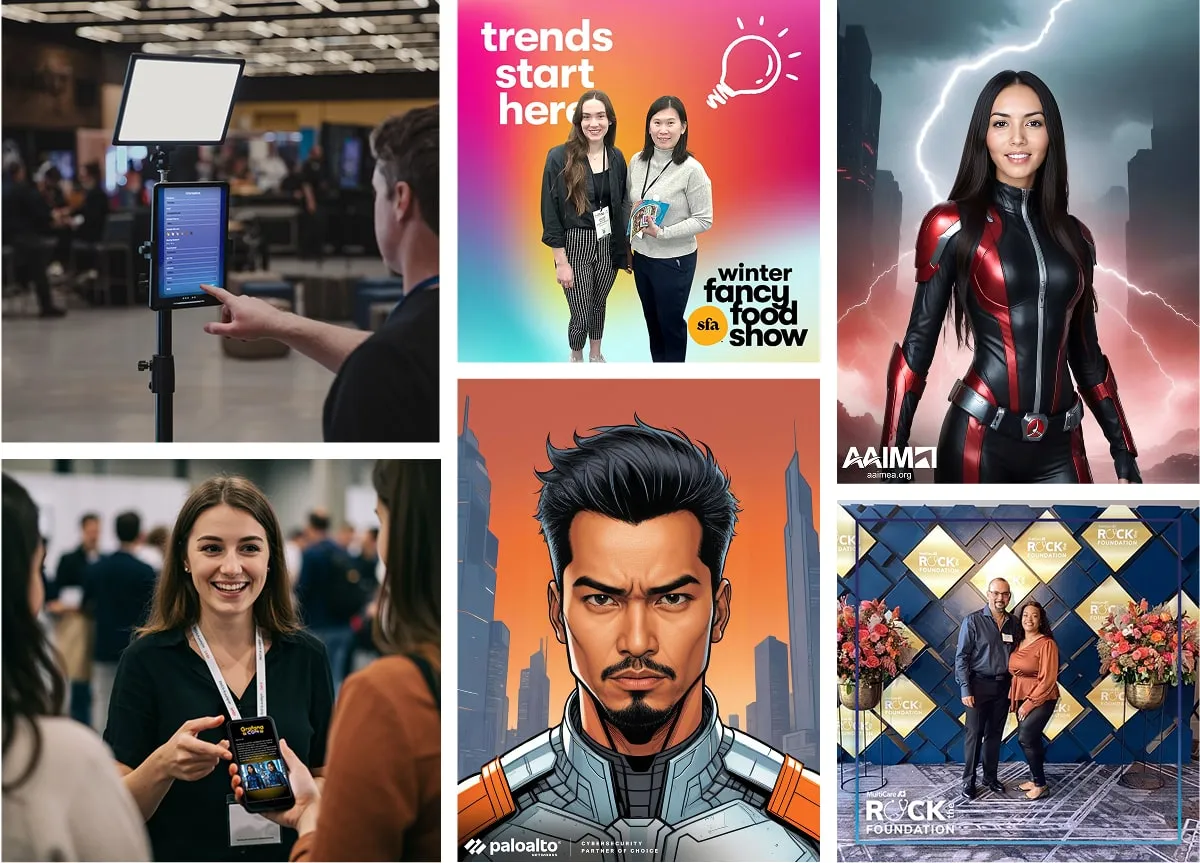
The oldest mistake on the floor is a screen playing a loop. Replace it with a station where the guest produces the content: an AI portrait in the event's visual theme, a short AI video, a persona result with their name on it. The guest leaves with their face on it and your brand around it. That's the generation effect doing your marketing.
The data capture step sits in the flow, so participation and consent happen in the same motion. Keep the questions to what you'll act on; in our experience, three fields outperform eight.
What it reports: participations and captures, plus opted-in contacts when you add the capture step.
2. Run a crowd-voted contest with a live leaderboard
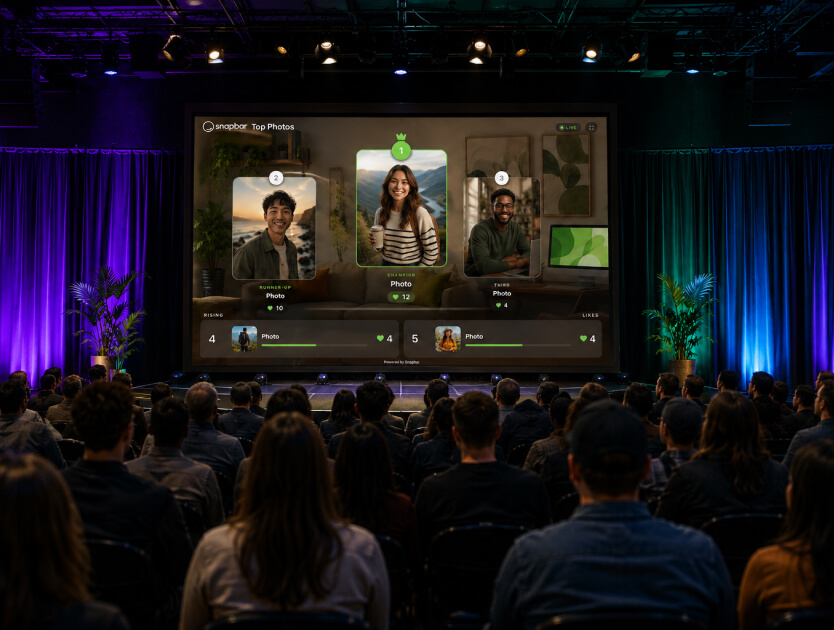
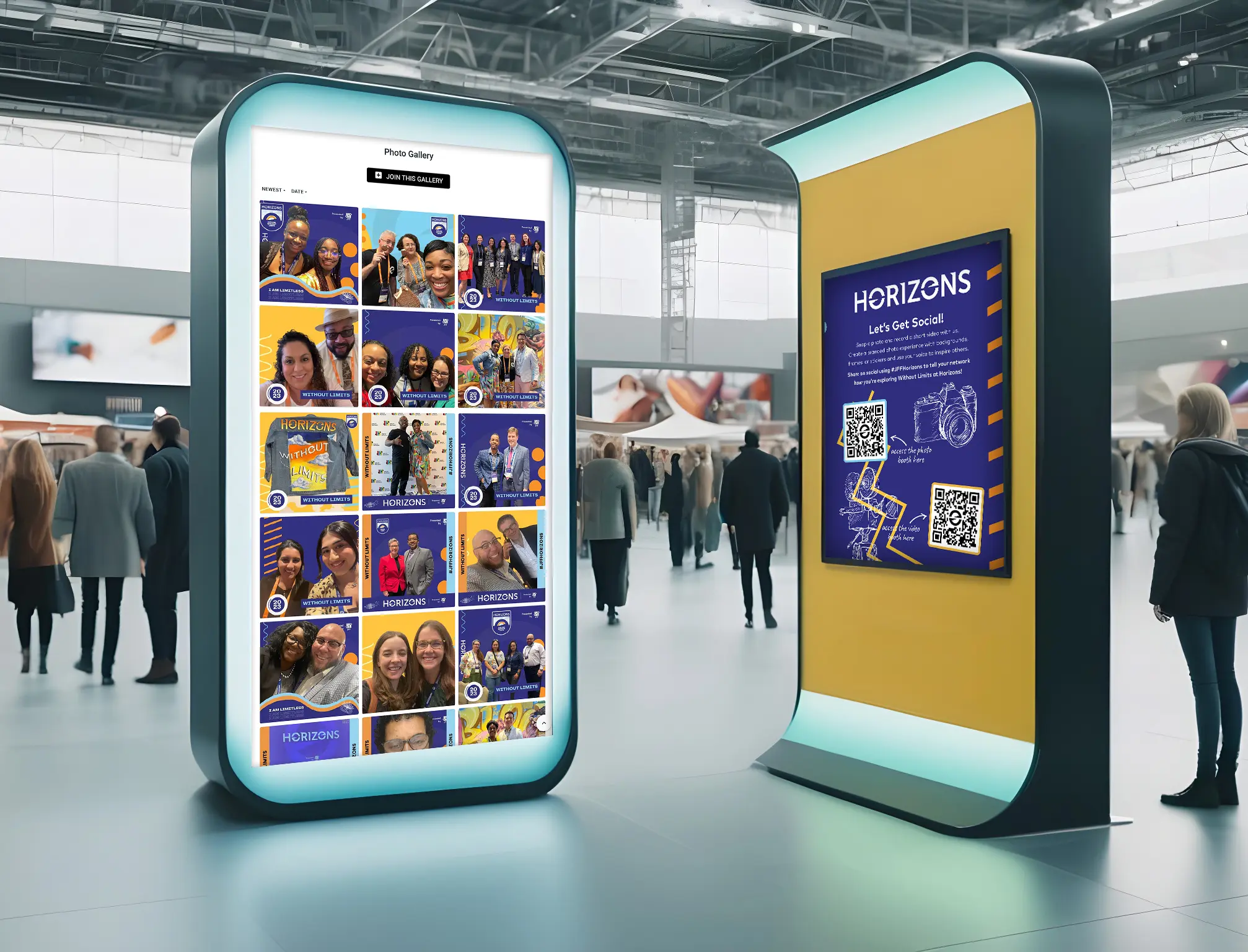
Every gallery can be a contest. Guests tap a heart to vote for the content they like, and a leaderboard display rotates the front runners on a big screen in a podium layout, updating as votes land. The screen draws the crowd; the crowd is the point. The leaderboard also carries a scan-to-vote code, so a passer-by who never visited the booth can scan and vote from their phone. Announce a prize for the top three at a fixed time and people come back twice.
If you want a hunt across the whole venue instead of a contest at one station, that's gamification territory, and our event gamification guide covers the design.
What it reports: votes cast per gallery and the number of participants.
3. Put every guest on the wall
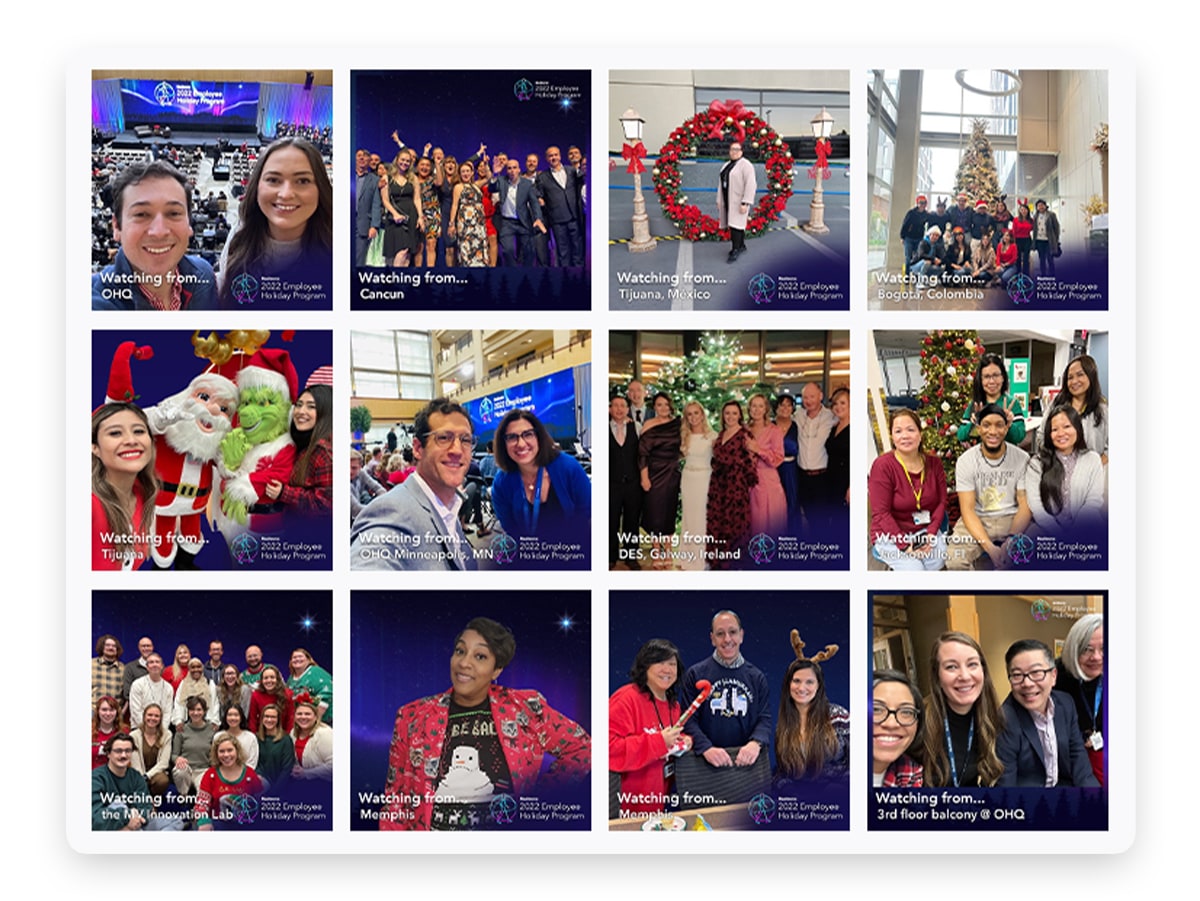
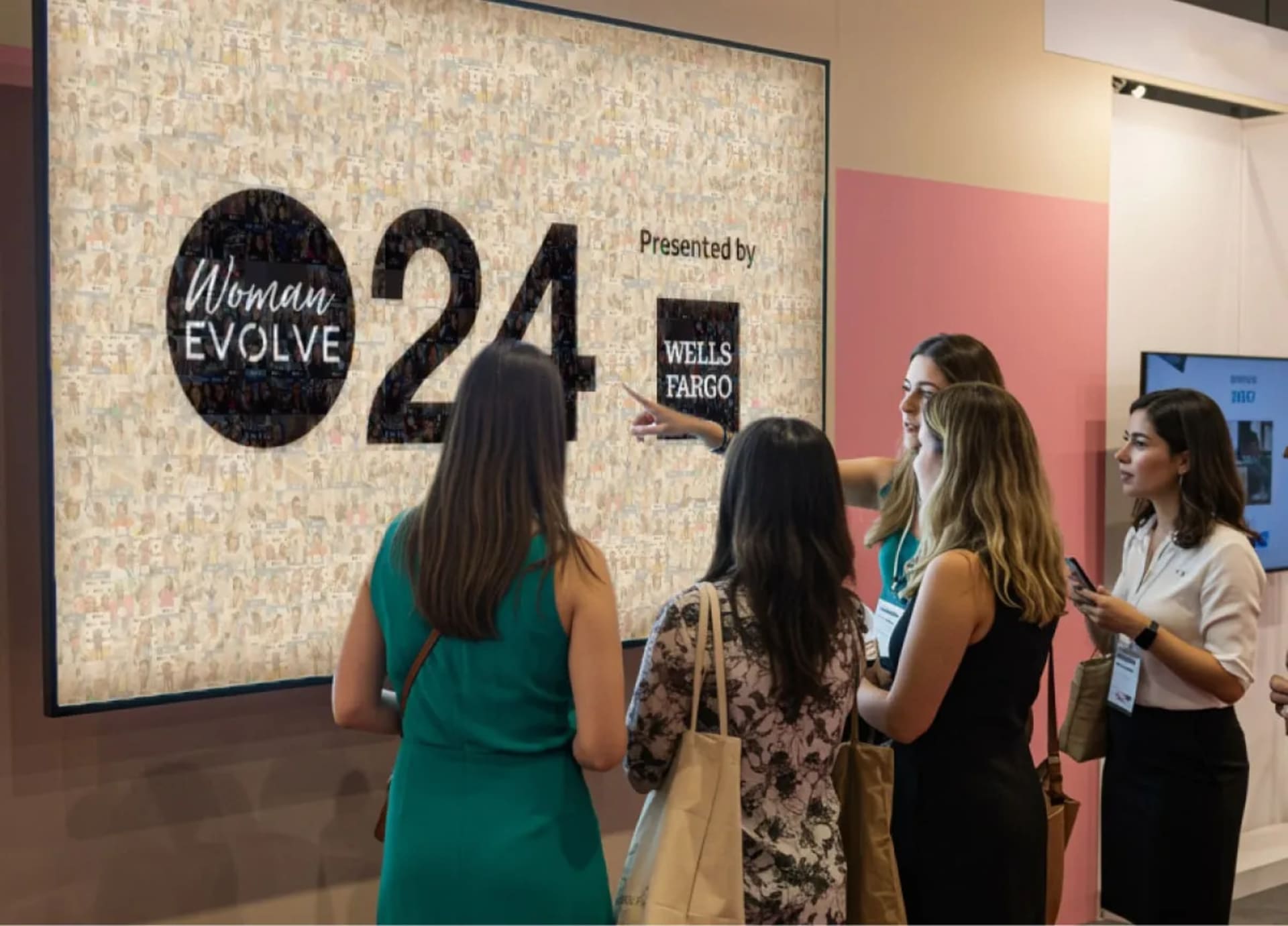
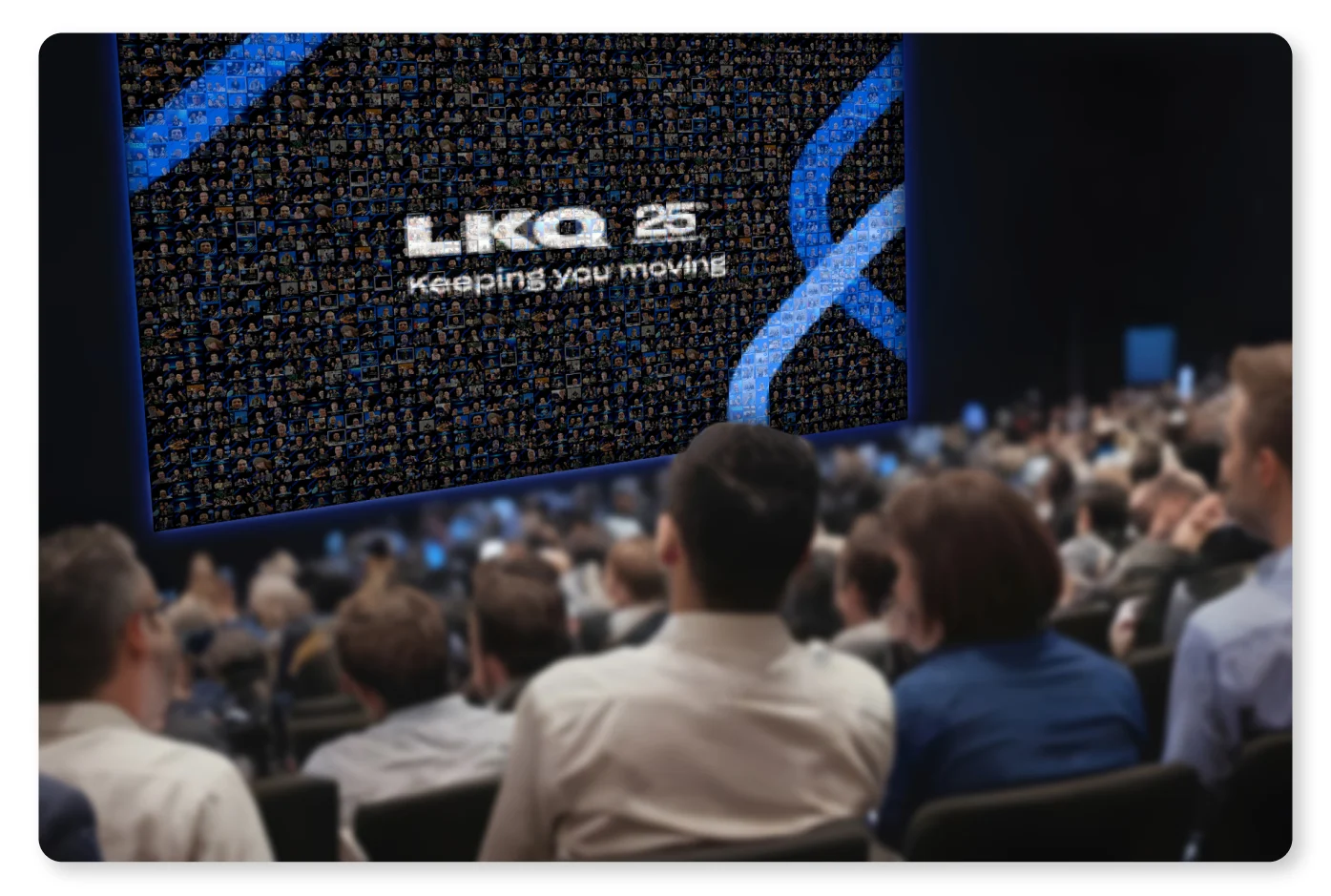
A Live Mosaic assembles guest photos into a large branded image on a screen, tile by tile, as the day runs. It used to be fed only by the booth. Now guests scan a QR code from a table card, a screen, or the wall itself, upload a photo from their phone, and watch it land within seconds, no booth session required. Late arrivals still get in, because the mosaic never runs out of room, so every guest makes it in.
Use it where the goal is breadth rather than depth: an opening reception, a sponsor lounge, an all-hands where the message is "you're all part of this." Uploads go through the same moderation as booth content.
What it reports: uploads to the wall.
4. Make networking visible
Networking runs on follow-ups, and the follow-up usually dies because nobody can find the person they met. Add a LinkedIn field to the data capture step. Guests type a handle or paste their profile link, with no LinkedIn login, and their content in the event gallery carries a clickable badge that opens that profile. The person they were just talking to sees their face on the screen and is one tap from their profile, while both are still in the room. Badges link only to LinkedIn; a guest who skips the field doesn't get one.
The full play, and the research on why people don't circle back to someone they just met, is in our piece on encouraging networking at events with LinkedIn badges in the live gallery.
What it reports: LinkedIn-field completions. What it can't report: badge clicks, or a connection made afterward. Be honest about that in the recap.
5. Give sponsors a scannable tile in the displays
The usual sponsor deliverable is a logo on a banner nobody photographs. Instead, sponsored posts in the gallery and slideshow displays can carry a scannable QR code with a caption and custom background, and the tile blends into the rotation alongside guest content. Point it at the sponsor's landing page, or let it default to your experience so guests scan to join. No design file, no printed code taped to a wall.
That turns a sponsorship line item into something the sponsor can measure, which is the argument for a bigger package next year. Our trade show booth engagement playbook covers the exhibitor side.
What it reports: nothing on the sponsor's side, and we'd rather say so. The sponsor's own link records the scans; the platform reports the guest content around it.
6. Qualify with a persona quiz instead of a form
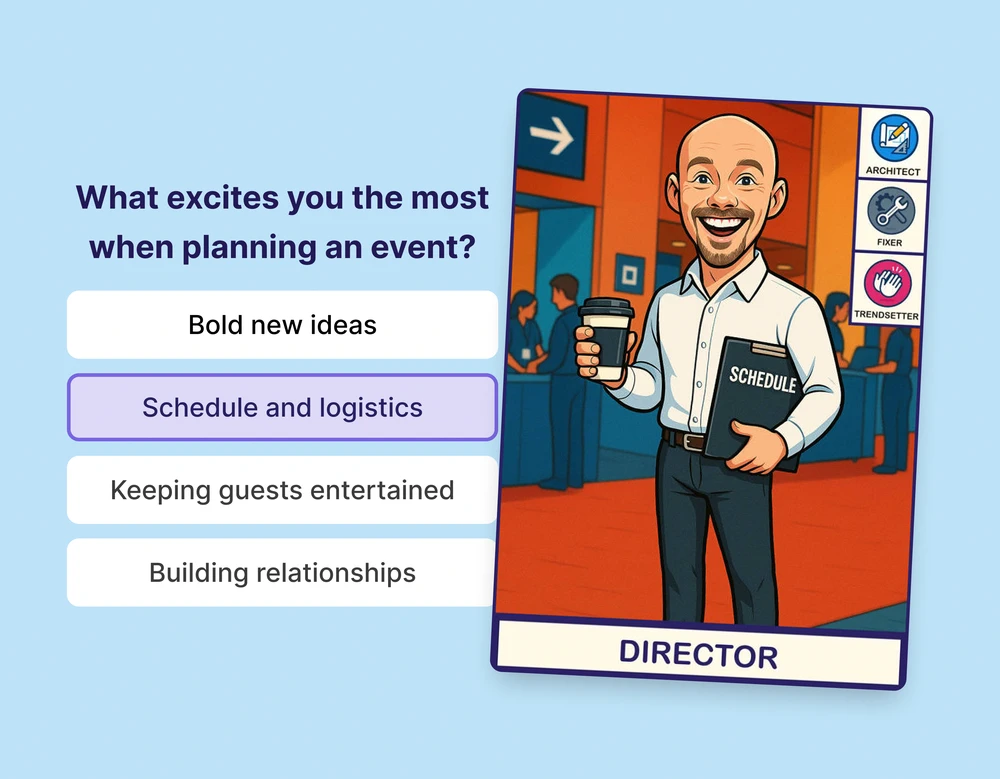
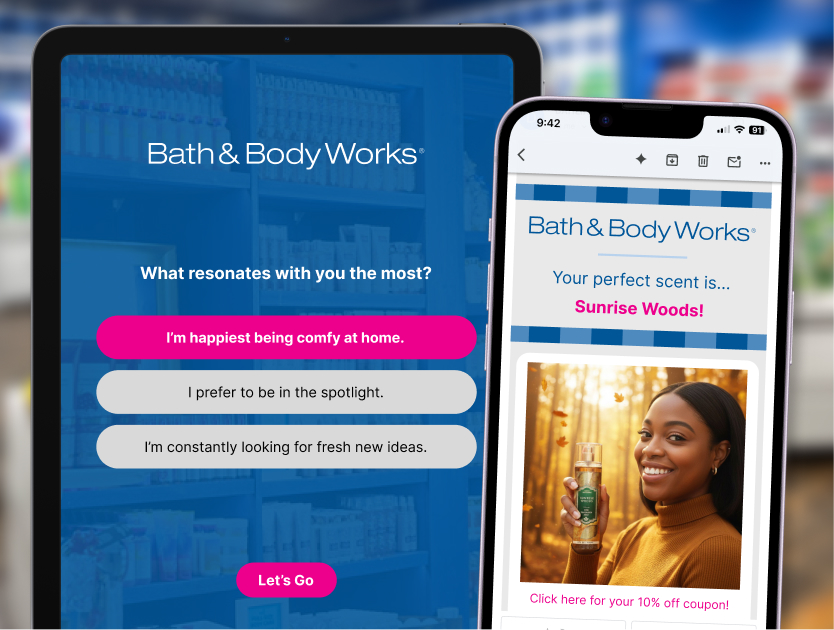
Nobody fills in "what's your biggest challenge" on a tablet. Nearly everyone will answer five quick questions to learn which of four personas they are, especially when a colleague just got a different result. That's social comparison working for you. A Persona Quiz sorts guests into segments you designed, gives each a branded result to keep, and captures the contact at the same step. The delivery email can carry a different subject line per persona, personalized with the guest's name, so the follow-up already knows who it's talking to.
The persona quiz explainer walks through designing the personas so sales can act on them.
What it reports: persona distribution and opted-in contacts, segmented from the first touch.
7. Deliver in the moment, by email or text
Content that arrives next week is content nobody posts. Every activation above delivers the guest's content by email or text within seconds of it being ready, with their name on it and a link back to the gallery. That's the exchange in plain terms: the guest gets the thing they made, and you get a contact who wanted to hear from you. Your nurture sequence then opens with a person holding something of yours, not "thanks for stopping by."
Write the text like a person, not a receipt. Guests forward the good ones.
What it reports: deliveries, by channel.
8. Speak every guest's language
International shows lose participants at the first screen they can't read. Built-in translations cover every guest-facing surface: the capture flow, the gallery, share pages, the email, and the text. Turn on the languages you need per experience, and each guest picks theirs once and keeps it everywhere. Your team reviews the phrasing before the doors open.
This one doesn't add a new number so much as change who shows up in the existing ones.
What it reports: the same participations and deliveries, from a larger share of the room.
9. Leave guests with something they keep
Freeman's 2026 Learning Trends Report found that 74% of attendees say it's important that exhibitors leave them with take-home value, and 61% say exhibitors deliver it (Freeman, July 2026). That thirteen-point gap is the whole case for a take-home that isn't a tote bag. A personalized trading card with the guest's portrait and event-themed stats gets kept, shared, and compared, and the two-sided holographic version keeps its tilt and flip inside every link the guest sends. Sitecore ran this at its Symposium, with every guest leaving as a collectible (see the Sitecore Symposium project). The format itself is covered in trading card activations explained.
What it reports: captures and deliveries. Shares happen on the guest's channels, so treat any share count as a proxy.
10. Ship the engagement asset before the doors open
An event lasts three days and the marketing lasts a year, so the tenth strategy is a timing decision rather than a new mechanic. Launch the activation before the event as a registration incentive: a portrait experience tied to a contest, open to anyone who signs up. Guests make their content weeks early, post it, and their networks see the event before it happens. The same experience then runs on the floor and in the recap.
What it reports: participations from the pre-event window, and registrations when the campaign link is tracked on your side.
How do you measure audience engagement at a B2B event?
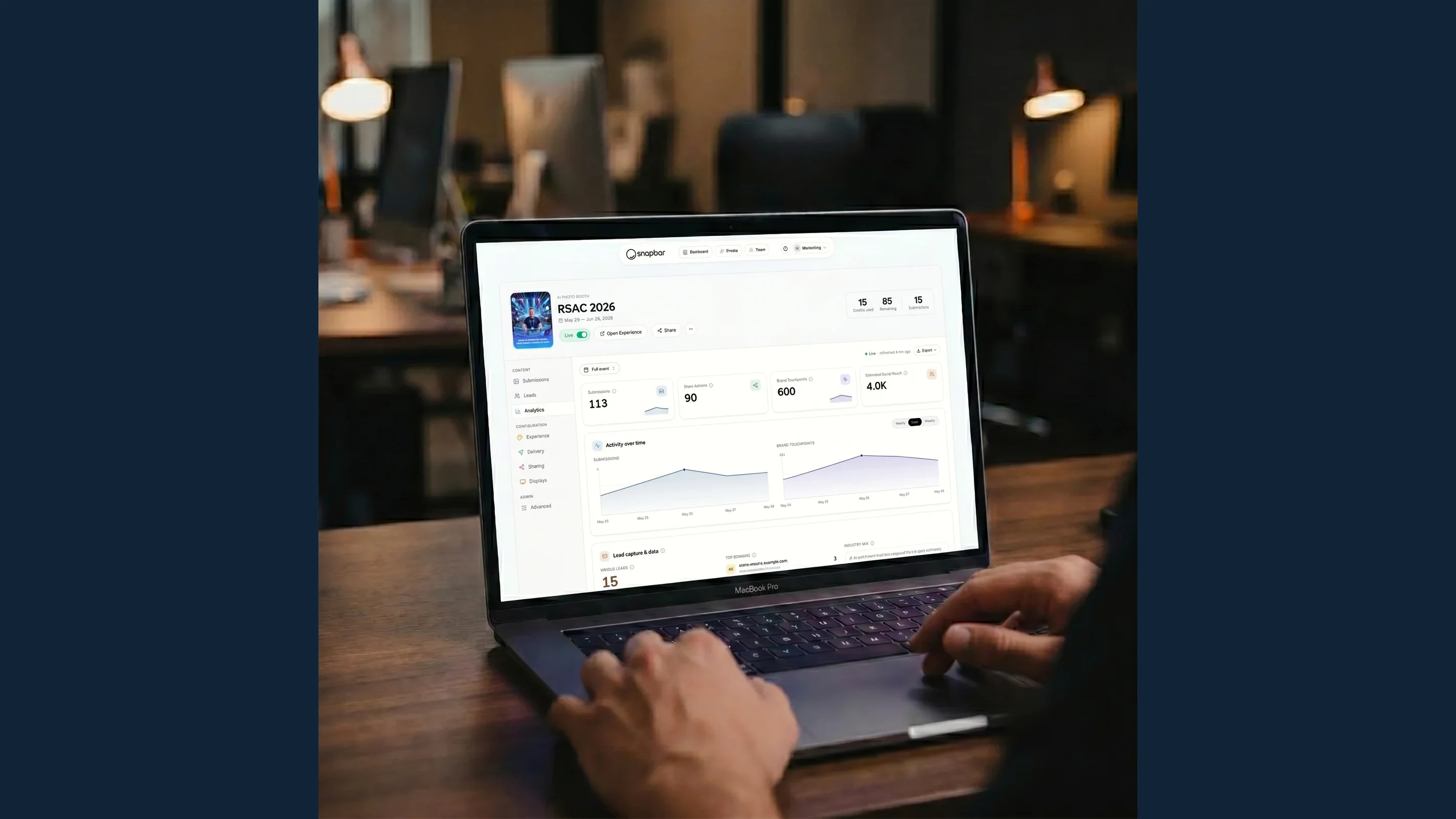
Measure audience engagement by counting what the platform actually records: participations, captures, votes, uploads, deliveries, and opted-in contacts, each per experience and per day. Treat dwell time, queue length, and social shares as proxies and label them that way. Then hand pipeline attribution to your CRM, where a contact becomes an opportunity or doesn't.
The recap that holds up in a budget meeting has two layers. The first is the platform's own numbers: hard counts, no interpretation needed. The second is what happened to those contacts afterward, which lives in the CRM and depends on sales follow-up. Keep them separate. The mistake we see most often is blending both into one "engagement score" that nobody in finance can audit.
Getting the first layer into the second is mechanical. Content exports in bulk with filenames built from guest details, templated for CRM import, so nobody renames two hundred files by hand. For attribution, our guides on measuring experiential marketing ROI and the modern playbook for event lead generation go deeper.
Does audience engagement help with B2B event audience acquisition?
Yes, when the engagement asset ships before registration closes rather than after the doors open. Content guests make and post ahead of an event reaches their networks with the event's name on it, which is the audience you're trying to acquire. Engagement built only for the floor can't do this. Engagement built as a campaign can.
Guru Conference is the clearest example we have. Ahead of its 2024 event, Guru Media Hub opened an AI portrait experience to registrants, paired with a LinkedIn contest, so the content went into the feeds the conference was recruiting from.
Guru Conference 2024: engagement as an acquisition asset
- 400+ participants created 1,200+ AI portraits before the event
- 2 million+ organic LinkedIn impressions from guest-posted content
- 3,000+ registrations in the first 8 hours of the launch
Figures as published on the Guru Conference project page.
The same experience recruited the audience, ran on the floor, and fed the recap. If acquisition is the outcome you have to prove, plan the activation as a campaign with a launch date, not as a booth fixture.
Which strategies fit which B2B event?
Two of these carry most of the weight at conferences.
See it in action
Build your own Persona Quiz activation
Four personas, one branded result per guest, and a segmented contact list before the show closes.
Explore Persona QuizThe quiz is the qualification play. The gallery makes everything else visible: the contest, the LinkedIn badges, and the sponsor tiles all run on it, and a live gallery comes with every activation.
See it in action
Put your event on a Live Gallery
Guest content on any screen within seconds, with voting, sponsor tiles, and LinkedIn badges.
Explore Live GalleryHere's the whole list against the event shapes we see most. Pick by outcome first, format second.
| Strategy | Mechanic | What it reports | Best fit |
|---|---|---|---|
| 1. Something to make | Portrait, video, or quiz station with capture step | Participations, captures, contacts | Booth, conference floor |
| 2. Crowd-voted contest | Leaderboard with scan-to-vote | Votes, participants | Trade show booth |
| 3. Every guest on the wall | Live Mosaic uploads by QR | Uploads | Internal summit, reception |
| 4. Visible networking | LinkedIn field plus gallery badge | Field completions | Conference floor |
| 5. Sponsor tile | QR tile in gallery and slideshow | Sponsor's link, not the platform | Sponsor activation |
| 6. Persona quiz | Persona Quiz, per-persona subject line | Persona split, contacts | Booth, conference floor |
| 7. Deliver in the moment | Email or text delivery | Deliveries by channel | Every format |
| 8. Every language | Built-in translations | Same counts, wider room | International shows |
| 9. Something to keep | Trading cards | Captures, deliveries | Conference floor, sponsor activation |
| 10. Ship it early | Pre-event portrait contest | Pre-event participations | Open-registration conferences |
If you're running one of these for the first time, start with 1, 2, and 7. A station where guests make something, a screen that turns it into a contest, and delivery to their phone before they've left the booth. That produces participations, votes, contacts, and deliveries from one footprint, and it's the setup we'd defend in any budget review. Add the persona quiz once sales agrees on the personas, and the LinkedIn field when the event has a networking goal.
Two things this article leaves out on purpose. Keeping the audience together after the show is its own discipline; our community engagement strategies piece owns it. So is getting the content into the feed, covered in boosting social media engagement at events. Both start where this one ends: a guest holding something they made.
Want engagement you can report on, not just point at?
Get a QuoteOr explore: Experiential Marketing Platform | Conferences & Large Events