Most advice on how to promote an event on social media assumes the brand account does the talking. That account rarely travels far. The posts that fill a registration page, and keep an event in people's feeds after it ends, tend to come from someone else: a speaker announcing their session, a sponsor tagging their booth, a guest posting a portrait they actually like.
We run an experiential marketing platform, so we see the in-the-room half of this up close, and the pattern holds at a small summit and a sprawling expo alike. This guide covers the whole cycle of social media marketing for events: when to start, which platform to own, what to hand the people who'll post for you, and what to do with their posts once the doors close.
How do you promote an event on social media?
Promote an event on social media in three phases. Start about eight weeks out for a conference, on the one or two platforms your audience already uses. Before the event, give speakers and sponsors ready-made posts. On the day, give guests something worth posting and deliver it to their phone. Afterward, turn what they shared into your recap.
Key Takeaways
- Run promotion on a timeline. Most of the posting lands in the final two weeks and the first 48 hours after the event.
- Own one or two platforms. For a B2B event, that's LinkedIn.
- Speakers, sponsors, employees, and guests reach people your brand account never will, so hand them the posts.
- People share what makes them look good. A portrait or a card with their own name on it, delivered by email or text, gets posted; your logo doesn't.
When should you start promoting an event on social media?
For a conference or trade show, announce the date as soon as it's set, then run the plan in earnest from about eight weeks out. A meetup or webinar needs three to four weeks. Either way, most of the posting lands in the last two weeks before the event and the first 48 hours after it, so build backward from those two windows.
Here's the social media plan we'd hand a team running a two- or three-day conference. Slide the weeks to fit your event. The order matters more than the exact dates.
| When | What to post | Who posts | What it's for |
|---|---|---|---|
| 8+ weeks out | Save-the-date, the event hashtag, a LinkedIn Event page or event listing | Brand account | Get the date into calendars |
| 6 weeks out | Speaker announcements, one speaker per post; speaker kits go out | Brand account and speakers | Borrow each speaker's audience |
| 4 weeks out | Sponsor and exhibitor kits; open a pre-event experience guests can share | Sponsors, exhibitors, early registrants | Reach their networks, not just yours |
| 2 weeks out | Agenda highlights, countdown posts, paid retargeting of registration-page visitors | Brand account, sales team | Convert people who looked but didn't register |
| Event week | Logistics, what to bring, a preview of what guests will make on site | Brand account | Turn registrants into attendees |
| Event day | Session moments, speaker quotes, the on-screen gallery | Your team, speakers, guests | Get content out of the room while people are in it |
| Within 48 hours | A recap built on the peak moment; reshares of guest posts | Brand account, speakers, sponsors | Catch the window when attendees are still looking |
| 1 to 2 weeks after | Session clips, speaker quotes, a save-the-date for next year | Brand account, speakers | Reach people who missed it, and start next year's list |
The two rows teams skip most often are the speaker kits at week six and the 48-hour recap. Both cost very little, and both put the event in front of people who don't follow you yet.
Which social media platforms work best for event promotion?
The one or two your attendees already use. For a B2B conference or trade show, that's almost always LinkedIn; for a consumer launch or a festival, Instagram and TikTok. Owning one or two channels beats a thin presence on five, because a feed that posts steadily for six weeks builds momentum and five half-fed feeds don't.
76%
of B2B marketers name LinkedIn as one of the most effective channels for their thought leadership, ahead of email newsletters (54%) and speaking events or webinars (52%), according to the Content Marketing Institute and MarketingProfs B2B Content and Marketing Trends survey of 1,015 B2B marketers, fielded in mid-2025.
For an event team, read that as a staffing note as much as a channel note. The LinkedIn posts that move registrations come from your speakers and your own subject experts, not from the company page counting down the days. Here's how the main platforms line up:
| Platform | Content that works | Event types it suits |
|---|---|---|
| Speaker posts, employee and sponsor posts, an Event page, guest portraits and cards that carry a name and title | B2B conferences, trade shows, user conferences, industry summits | |
| Reels, carousels, Stories from the floor | Brand activations, product launches, festivals | |
| TikTok | Short behind-the-scenes and on-trend video | Consumer events, festivals, campus events |
| X | Live session commentary, speaker quotes, threads | Tech and developer conferences, live keynotes |
| Event pages, community groups, live video | Community, local, and nonprofit events |
Notice what's missing: a posting-frequency column. Cadence depends on how much you have to say. Six weeks of one good post a day on LinkedIn will beat three posts a day of filler on every network.
What should you post before an event to build interest?
Post things other people can share. The pre-event phase is where you recruit the people who'll do your promotion, so most of the work is packaging posts for them.
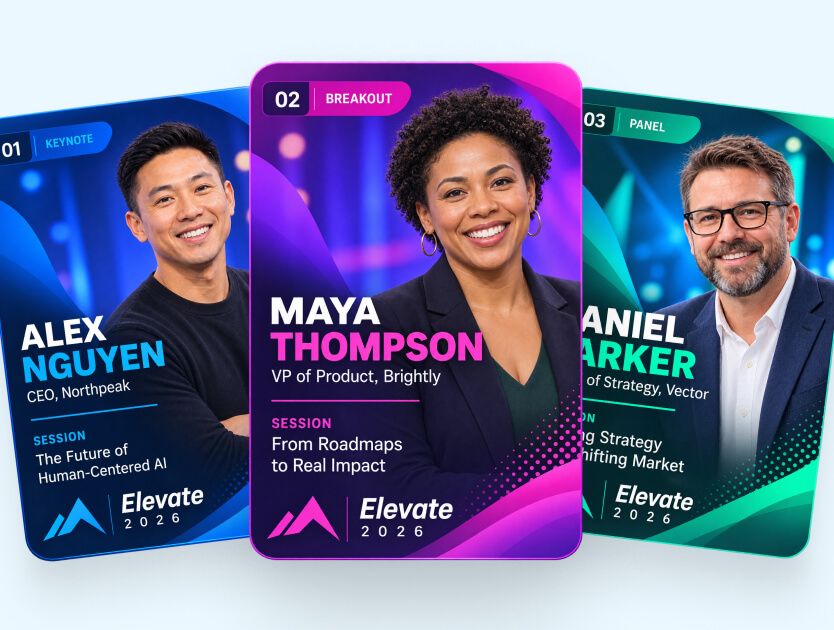
- Speaker kits. A graphic with each speaker's photo and session title, two pre-written posts of different lengths, the hashtag, and a tracked registration link. Speakers want their session full, so far more of them will post if you make it a 30-second job.
- Sponsor and exhibitor kits. The same idea, plus their booth number and whatever they're giving away.
- Employees and the sales team. Named invites to target accounts, with a personal post to back them up. A rep writing "I'll be at booth 412, come find me" reads like an invitation. Another brand graphic reads like an ad.
- Teasers of what guests will make on site, so the experience becomes a reason to register.
The strongest pre-event post is one your registrants make themselves. Guru Media Hub ran this play for its 2024 virtual marketing conference: before the event, registrants used a microsite to turn their photo into an 80s-themed AI portrait framed like a trading card, and Guru ran a LinkedIn contest for anyone who shared theirs with the event hashtag. Our Guru Conference project page records 2 million+ organic LinkedIn impressions from the campaign, with 1,200+ portraits created by 400+ participants, and shows the frames they used.
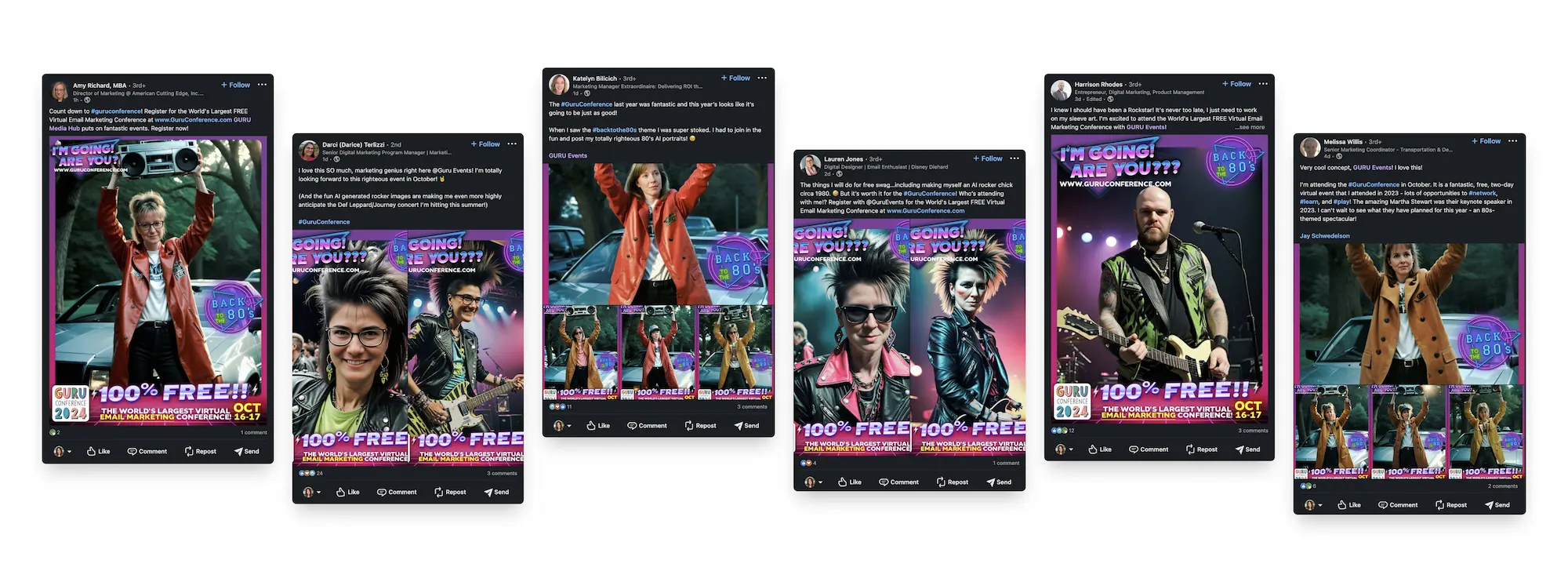
Look at what each of those posts says: "I'm going, are you?" That's a registration ask, made by a peer, to an audience Guru didn't have to pay for. If you open a pre-event experience like this, embed its live gallery on the event page so visitors can see who has already joined in.
One boundary worth keeping in mind. Social fills the registration list; getting registrants to actually walk through the door is a separate job, covered in how to increase event attendance.
How do you get attendees to post about your event?
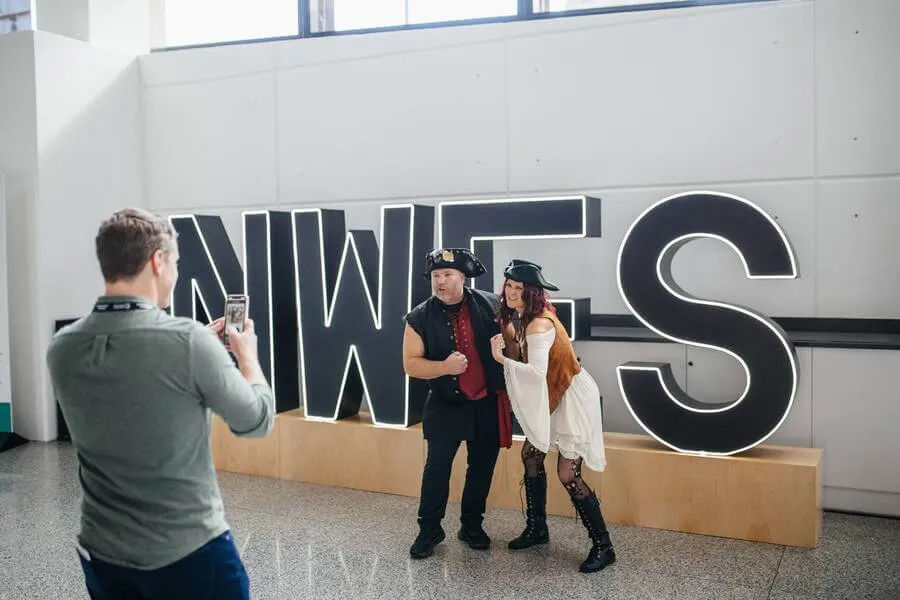
Give them something that makes them look good, and put it in their hands. People don't post your logo. They post a portrait they like, a card with their name and title on it, a moment they want their network to see.
There's research behind that instinct. A field experiment on Twitter by Olivier Toubia and Andrew Stephen, published in Marketing Science in 2013, found that for most users the pull to post comes more from how posting makes them look than from the enjoyment of posting itself. So design the output for the guest's profile, not your brand guidelines.
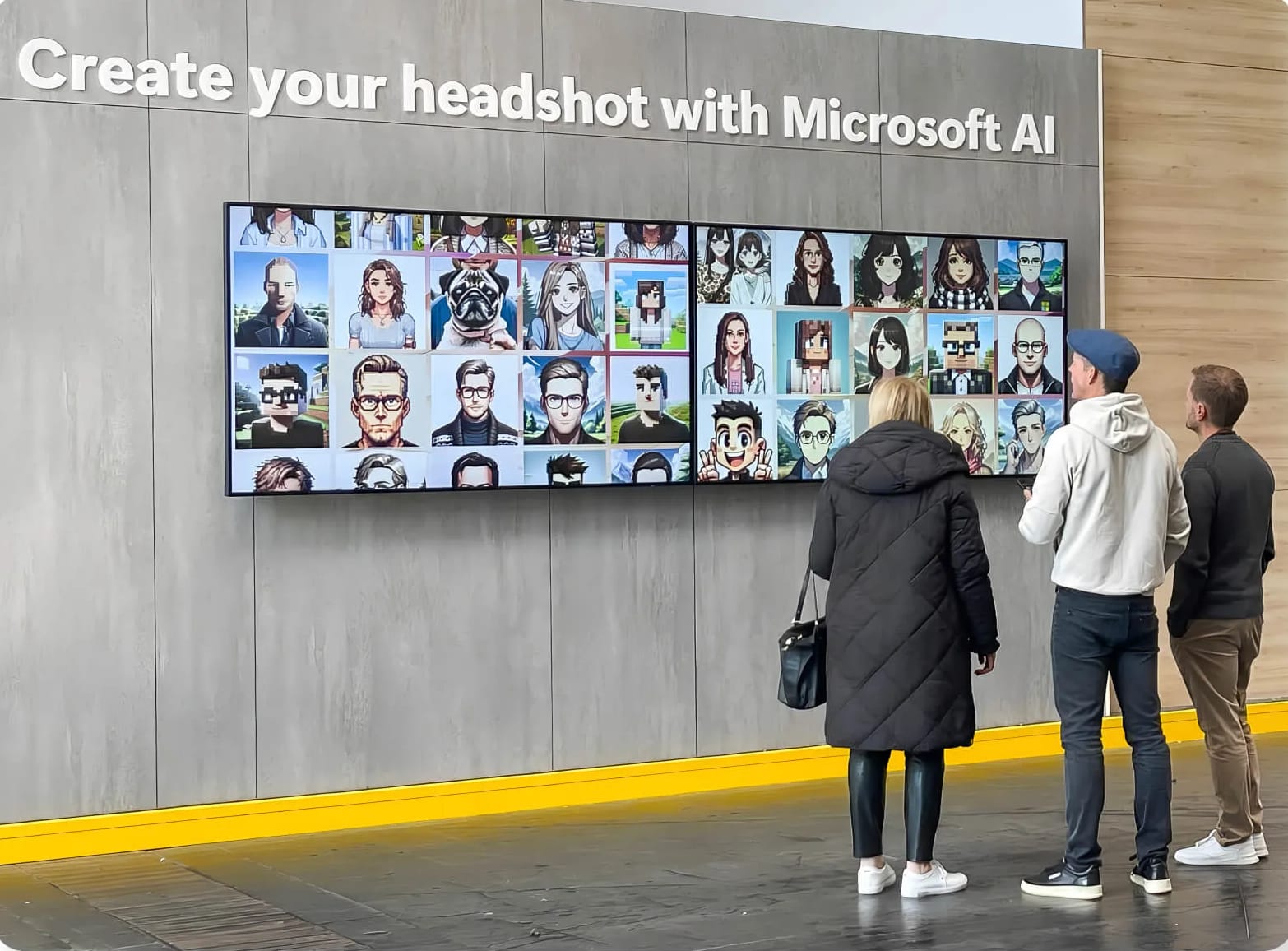
That's why an AI portrait works at a conference, and why a two-sided trading card works even better on LinkedIn: an AI portrait on the front, the guest's name and title on a personalized back, and a holographic effect that still shimmers when someone opens the shared link. The experience runs in a browser on whatever's in the room: a kiosk, an iPad on a stand, a laptop, or guests' own phones by QR code.
Delivery is the step most teams underthink. Each guest's content arrives by email or text, and they share it from their own gallery, on their phone, when they're ready. That's a better moment to post than standing in a queue, and the post reaches the same network either way.
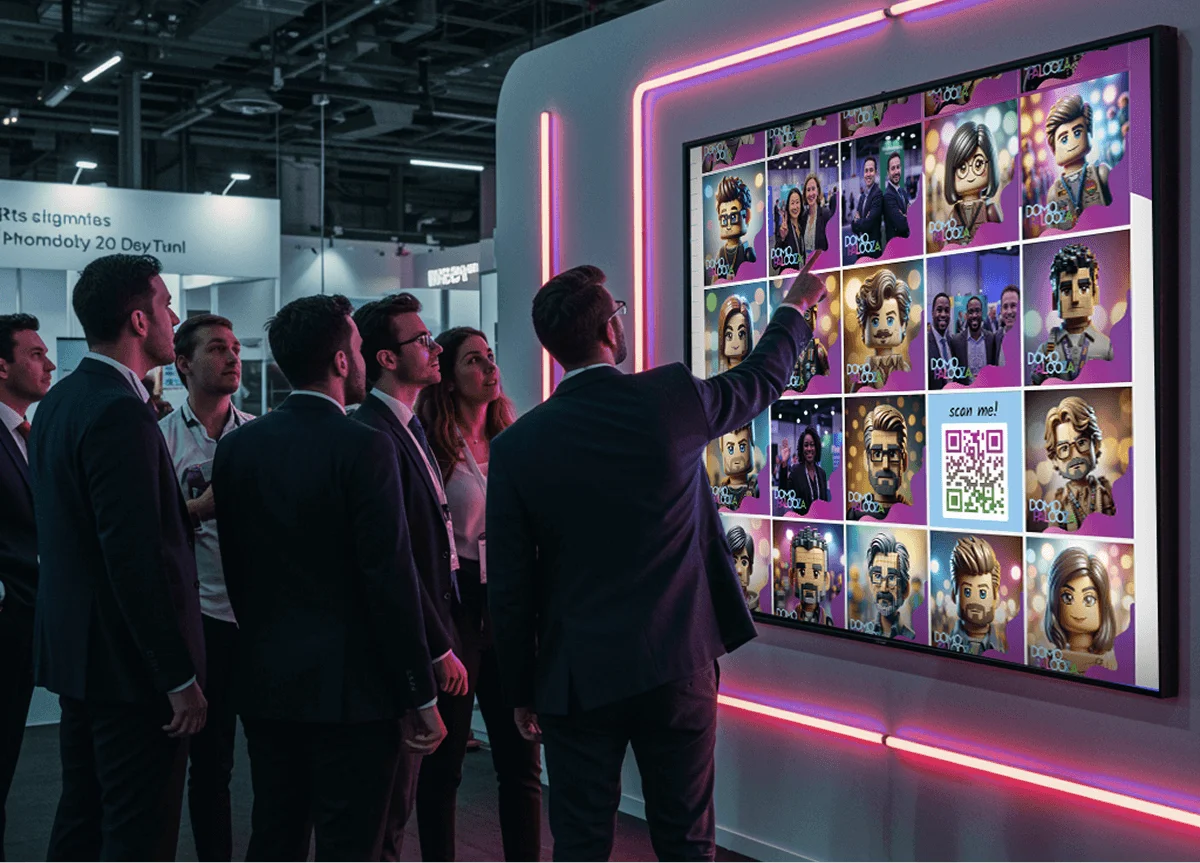
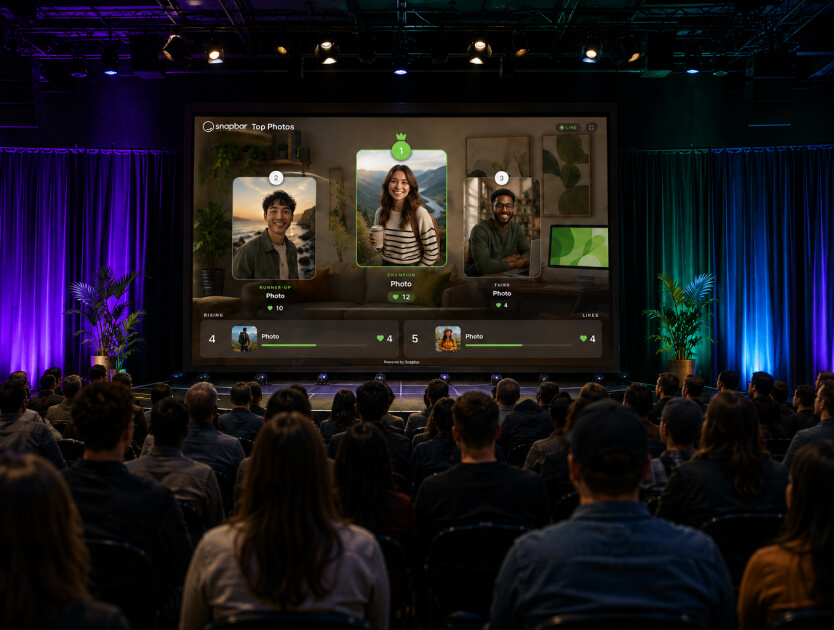
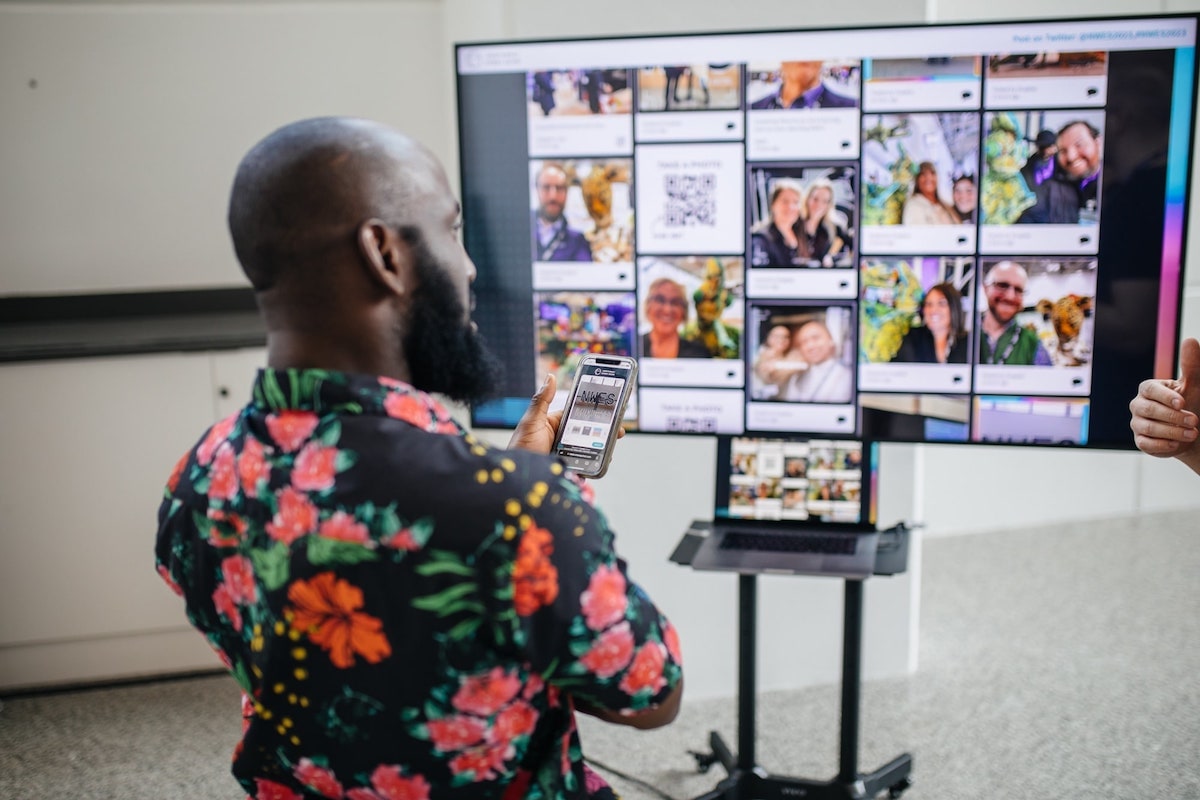
Then put the content on screens in the room. A Live Gallery and a Slideshow come with every activation, and our team can switch on a Leaderboard so guests vote for favorites from their phones. If brand safety is a worry, the host can hold photos for approval before anything reaches a screen. Our breakdown of live event display formats covers which screen suits which room.
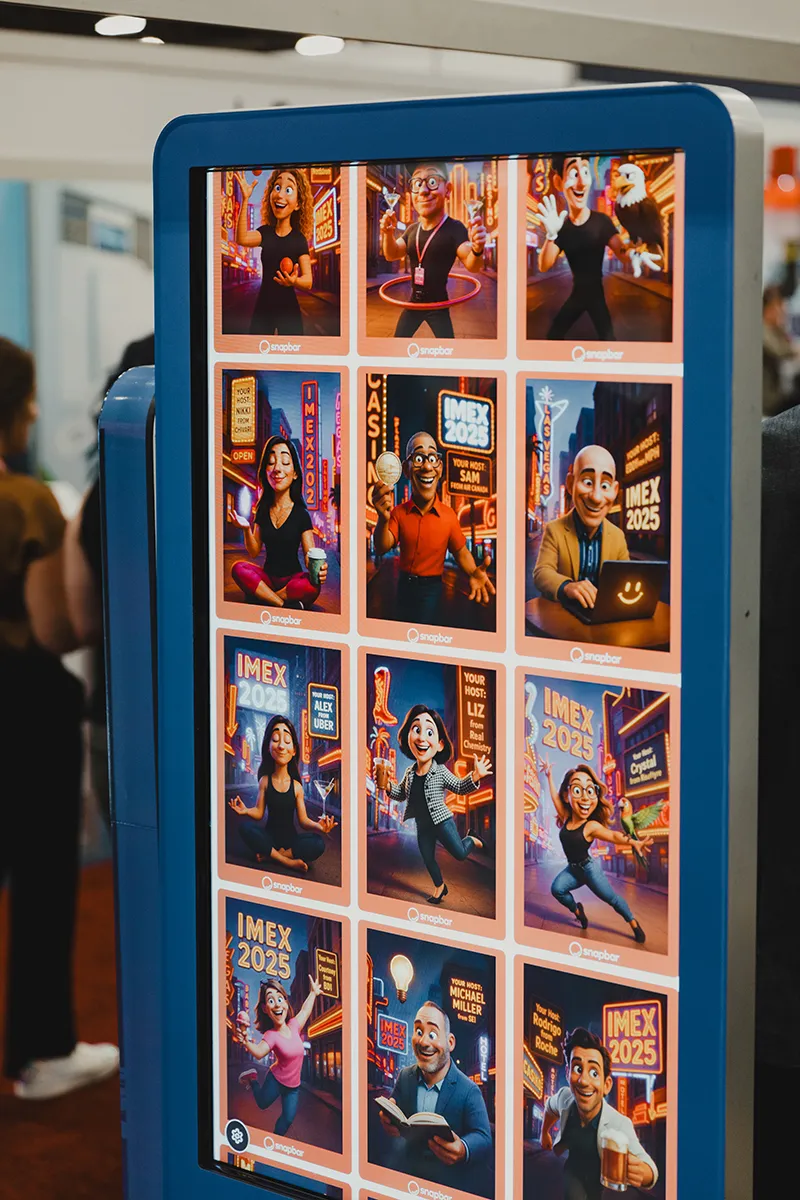
A screen full of colleagues' portraits is social proof in the room, and it sends people to the activation who'd otherwise have walked past. For hashtag signage, contests, and where to put the screens, see our playbook on boosting social media engagement at events.
See it in action
Build your own AI Photo Booth activation
Give guests a portrait they want on their own feed, delivered by email or text and ready to share from their gallery.
Explore AI Photo Booth
Whatever format you choose, run one test before the event: would a guest put this on their own profile without being asked? If the answer is no, change the output before you change the hashtag.
What should you post after an event?
Post a recap within 48 hours, built around the event's peak moment rather than a thank-you, then spend the next two weeks on session clips, speaker quotes, and the best guest posts. Close with a save-the-date for next year while the event is still fresh.
The most common miss we see is a recap that goes out ten days later as a photo dump. By then the people who were there have stopped looking, and the people who weren't have no reason to start. A short video of the keynote's best minute, or the moment the room reacted, does more than forty photos.
After the recap, work through the material you already have:
- Reshare guest posts, with permission, and tag the people in them. Our guide to turning guest content into marketing fuel covers rights and reuse.
- Cut session recordings into clips under a minute and send each speaker theirs, ready to post.
- Tag sponsors in anything featuring their booth or their people. They'll reshare it, and they'll remember it at renewal time.
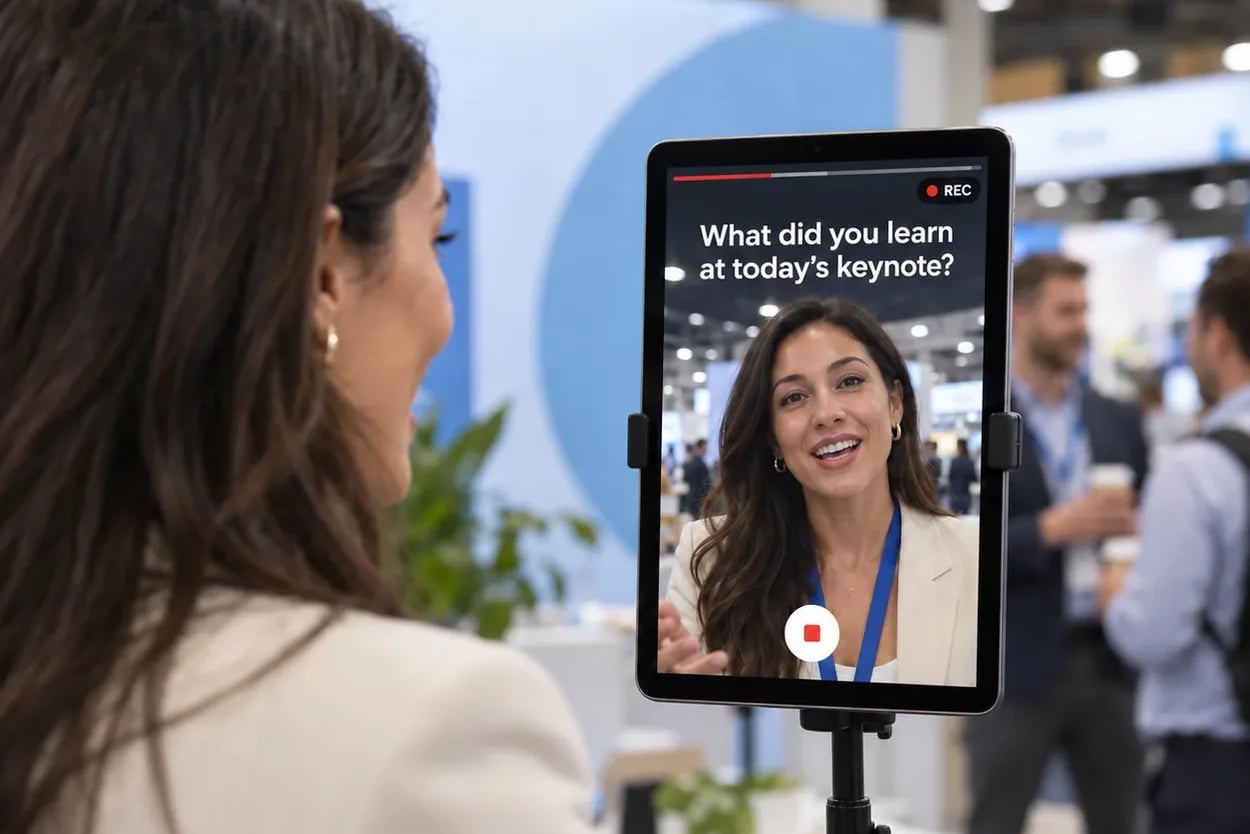
- If you recorded short customer clips at the event with Video Testimonials, use them. A real customer talking about your product in their own words is the most persuasive post you'll publish all quarter.
Don't overlook the moment content lands in a guest's inbox, either. The delivery email is often when a guest decides whether to share at all, so treat its subject line and design as part of the social plan.
How do you measure social media marketing for an event?
Measure each phase against the job it had: registrations before, participation during, reach and pipeline after. Then tie the whole program to one business number your leadership already tracks, such as meetings booked or pipeline from attending accounts.
- Before: clicks and registrations by tracked link, so you can tell whether speakers, sponsors, or your own page drove sign-ups.
- During: hashtag and mention volume, plus participation by hour. Snapbar's analytics chart submissions and views by the hour, which shows which sessions and breaks pulled people in.
- After: engagement on recap posts, the reach of speaker and sponsor posts, and how many registrants turned into meetings or pipeline.
Be clear about what you can't see. Most guest shares happen in personal feeds and private messages that no dashboard reports, so treat everything you can count as a floor, not a total. For the wider scorecard, see how to measure event success.
How do you promote a conference on social media?
Run it through LinkedIn and through people. A conference audience is professional, so the promotion that works looks like colleagues talking to colleagues:
- Make LinkedIn the main channel, with an Event page every post points back to.
- Treat speakers as the channel. Kits at week six, a reminder the week of the event.
- Give sponsors and exhibitors a kit with their booth number and what they're giving away.
- Have the sales team send named invites to target accounts.
- On the day, give guests something to put on their profile: a portrait or a card with their name and title. Clickable LinkedIn badges on guest content link each one back to its owner's profile.
For where social sits inside the wider event plan, see our guide to event and experiential marketing.